Chapter 2 Before Use
2-4
2.2 Connecting Equipment
2.2.1 Connecting Ethernet
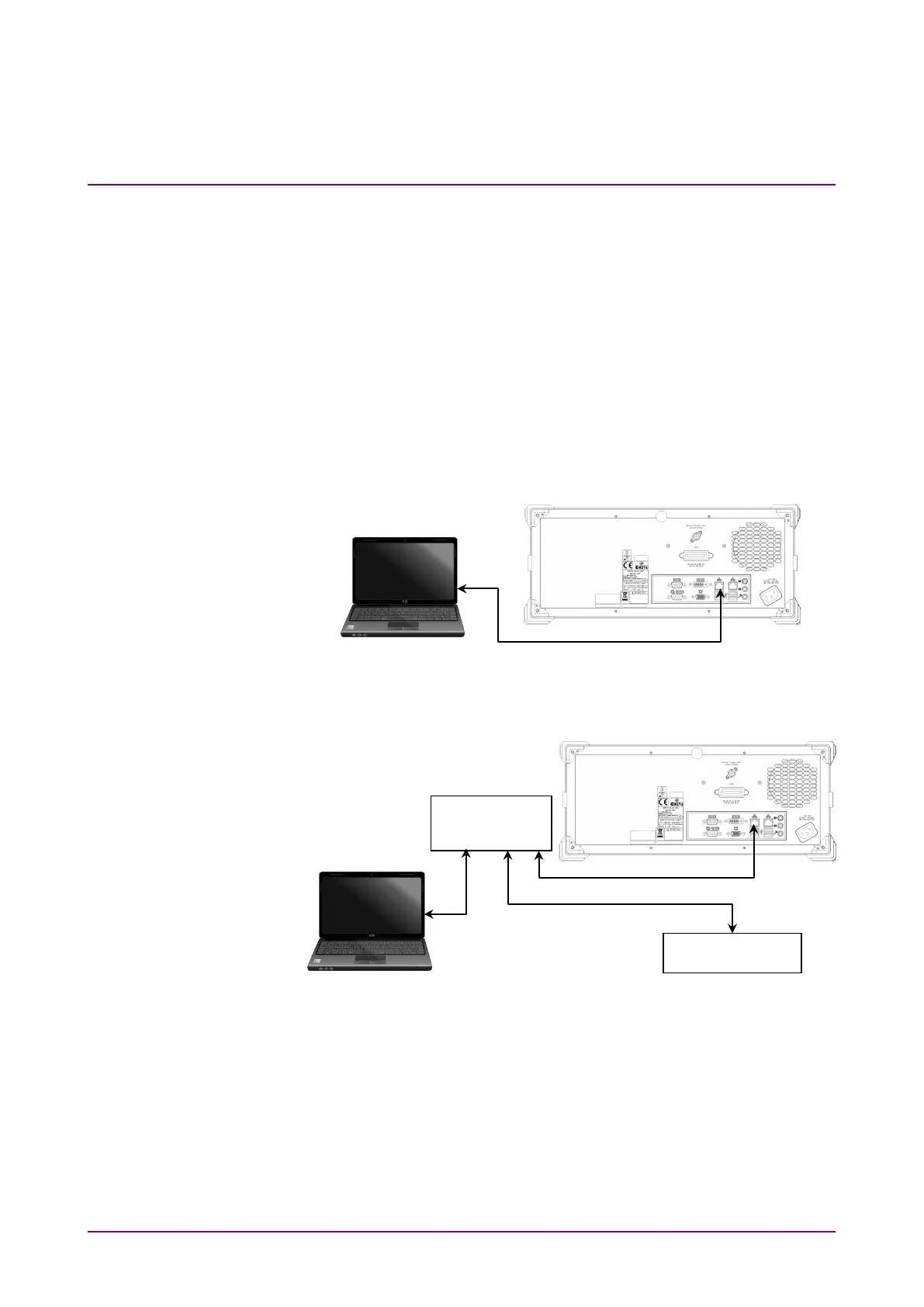
Connect the Ethernet connector on the rear-panel of the MS9740A and
external devices using LAN cables.
Use a LAN crossover cable to connect the MS9740A and an external
device. Use a network hub when connecting to multiple external devices.
Note:
Check the network settings of the MS9740A when connecting to
multiple external devices
Figure 2.2.1-1 Sample Connection with One External Device
Figure 2.2.1-2 Sample Connection with Multiple External Devices
Note:
External devices may experience difficulty in communicating with
the MS9740A, depending on the status of communications between
them. A LAN crossover-cable connection is recommended to ensure
communication stability.
Connect using a LAN
straight cable
Connect using a LAN cross cable














 To Next Page