2.3 Setting Interface
2-7
2
2.3 Setting Interface
2.3.1 Setting Ethernet
Check the IP address and delimiter.
1. Press
F6
to display
Config
on the horizontal function keys.
2. Press
f1 Interface Setting
.
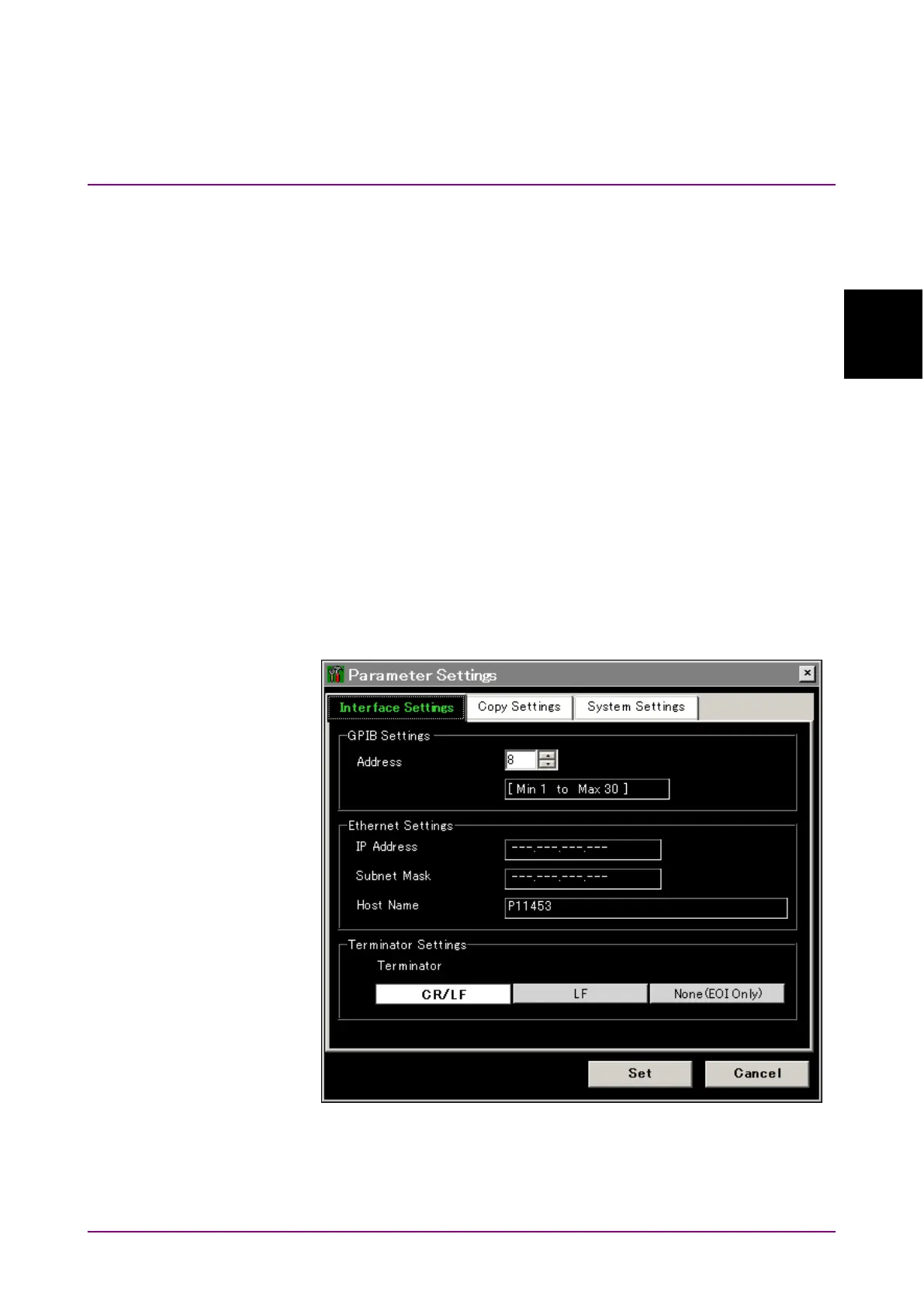
3. Open the dialog box to display the MS9740A address in the Ethernet
setting IP address.
4. Set the terminator.
Select “CR/LF,” “LF,” or “None (EOI only)” for Terminator in the
Terminator Settings field.
The terminator indicates the end of the sent command.
CR/LF: When two characters, ASCII code 13 (carriage return—CR)
and 10 (line feed—LF), received
LF: When one character, ASCII code 10 (line feed) , received
EOI: When signal received from GPIB signal line (End or Identity)
Figure 2.3.1-1 Interface Settings Dialog Box














 To Next Page