CAPINTEC, INC. CAPTUS
®
4000e
6-6 ISOTOPES July 16
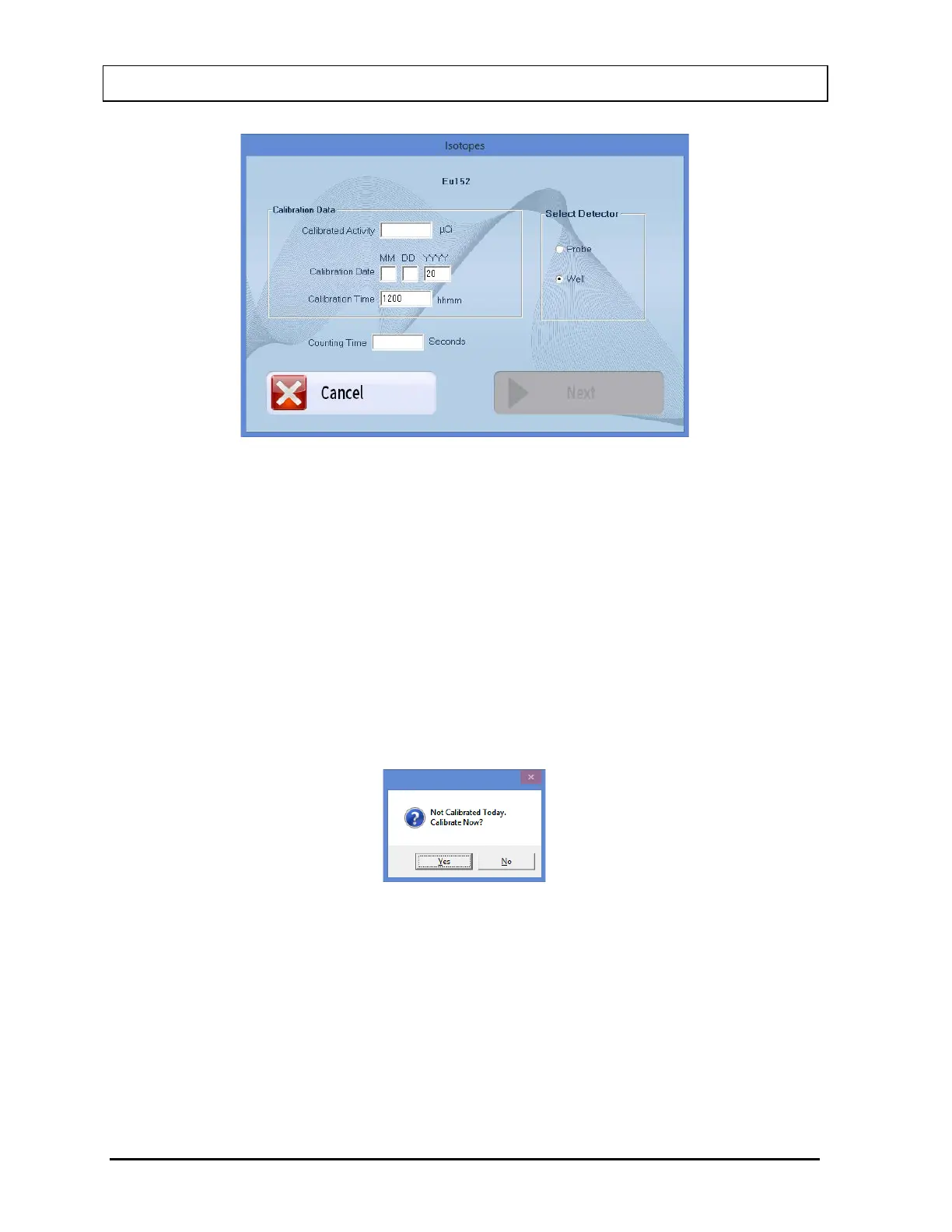
Figure 6-6
4. Click in the text box or use the Tab key to move around. Input the Calibration Activity,
Calibration Date and Calibration Time from the source label and the desired Counting
Time in seconds.
5. To change the detector from PROBE or WELL, select in the appropriate radio button in
the Select Detector frame.
6. Select the Next button or press Alt+N. The screen appears as shown in Figure 6-8.
Note: If calibration has not been performed for the current day on the selected detector,
you will be prompted with the message window as shown in Figure 6-7. If
calibration is performed now, the program will return to Figure 6-8 after calibration
is complete.
Figure 6-7



 To Next Page