1‑91
Chapter 1 Troubleshooting
Version 2 2007.05.22
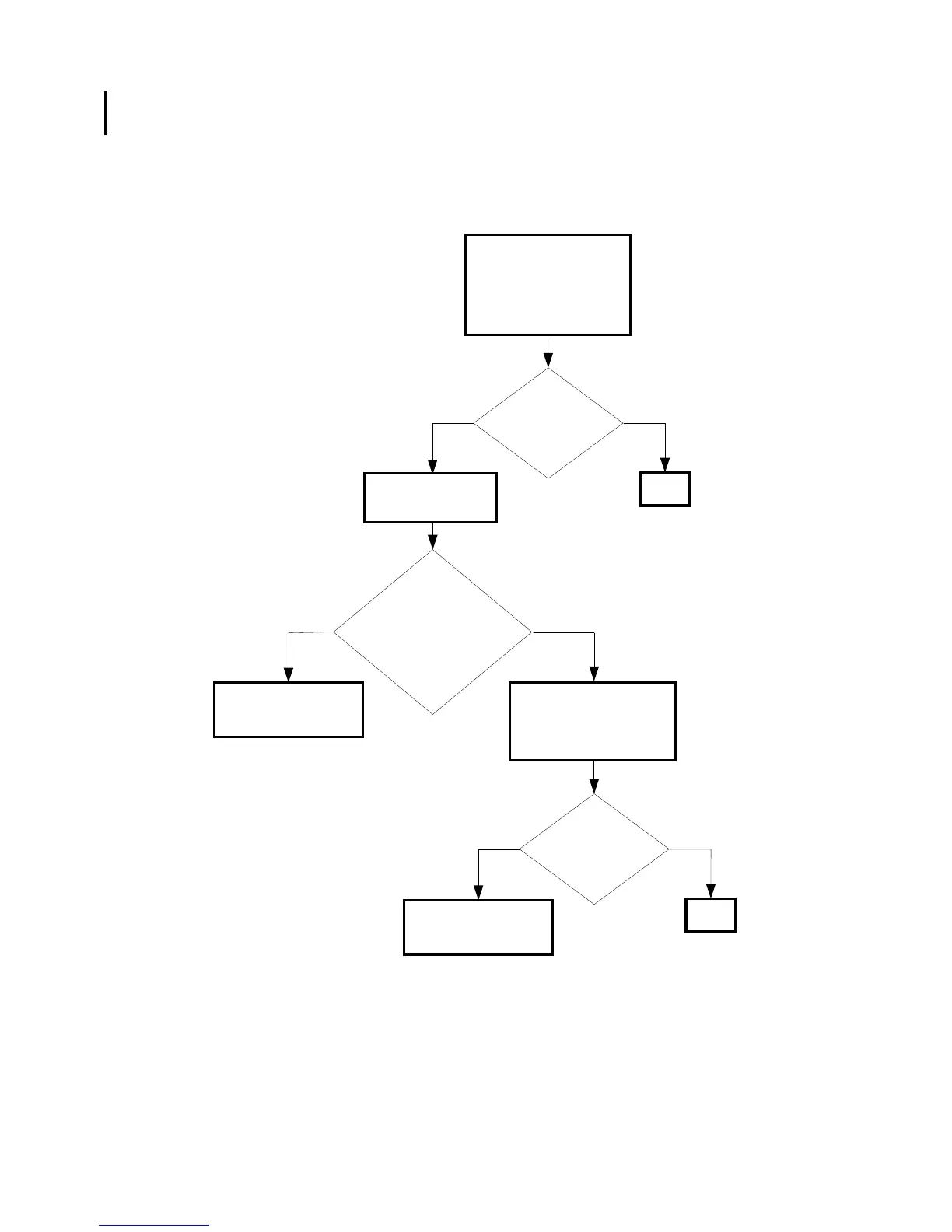
FIP-1. 8 Restart Printer 007-340/007-345/007-346/007-347/007-348/007-355/007-356/
007-357/007-358/007-359/007-360/007-365/007-366//007-367/007-368/007-370
NoYes
Possible causative parts:DRIVE ASSY MAIN (PL8.1.1)
PWBA MCU (PL9.1.20)
Checking the Transfer Belt,
Fuser and the Black Toner
Cartridge installation
Reseat the transfer belt,
Fuser and black toner
cartridge.
Checking the Main
Motor.
No
Yes
Replace the PWBA
MCU. (Removal 67/
Replacement 55)
Does the error still
occur when turning
on the power?
END
Does the
Main Motor function
normally?
Checked by [Digital output]-
[D0-0] in [IOT Diagnosis]
In the test, close the
front cover.
Checking the DRIVE ASSY
MAIN installation
Reseat the MAIN DRIVE
ASSY. (Removal 36/
Replacement 10)
Replace the DRIVE
ASSY MAIN. (Removal
36/Replacement 10)
NoYes
Does the error still
occur when turning
on the power?
END















 To Next Page