3 - 181
Chapter 3 Removal and Replacement Procedures (RRPs)
Version 1 2006.11.28
Replacement 50 ADF SCANNER ASSY (PL13.8.1)
When performing the steps described below, ensure that the narrower flat cable comes
on top of the wider one.
5) Route the two flat cables to the SPACER ASSY FF.
6) Route the two flat cables through the under side of the film.
When performing the step described below, ensure that the harness comes on top at the
point where the harness and flat cable of the ADF SCANNER ASSY overlap each other.
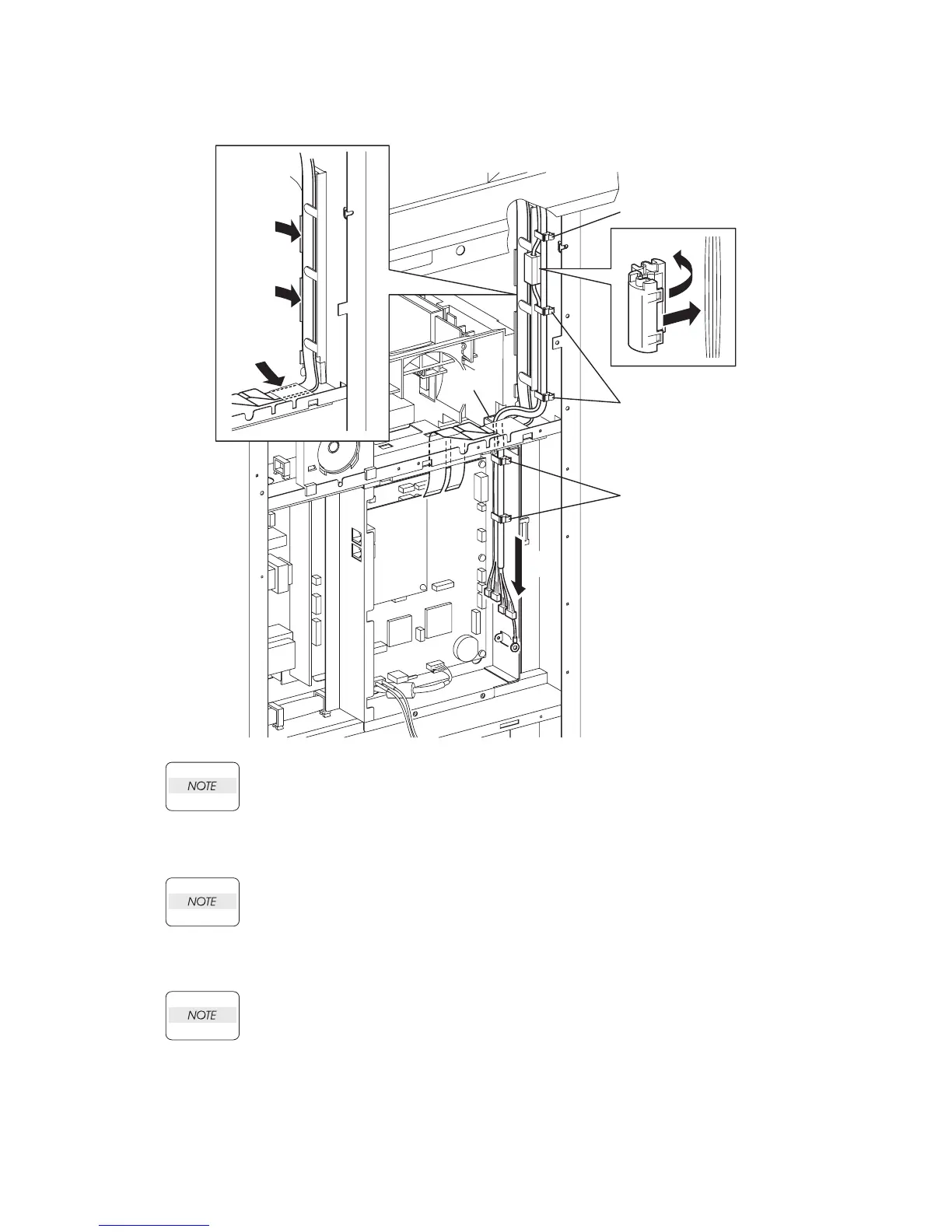
7) Route the harness of the ADF SCANNER ASSY to the printer through the slot of the PLATE
ASSY FAX AIO.
Attach the CORE SFT-25SN at the position shown in the illustration.
8) Attach the harness (not covered with a protection tube) coming from the SCANNER ASSY to
the CORE SFT-25SN.
9) Secure the harness of the ADF SCANNER ASSY with the six clamps.
Continues to the next page.
Gnb03192KB
9)
9)
5)
6)
9)
8)-2
8)-1
9)
7)















 To Next Page