3 - 182
Chapter 3 Removal and Replacement Procedures (RRPs)
Version 1 2006.11.28
Replacement 50 ADF SCANNER ASSY (PL13.8.1)
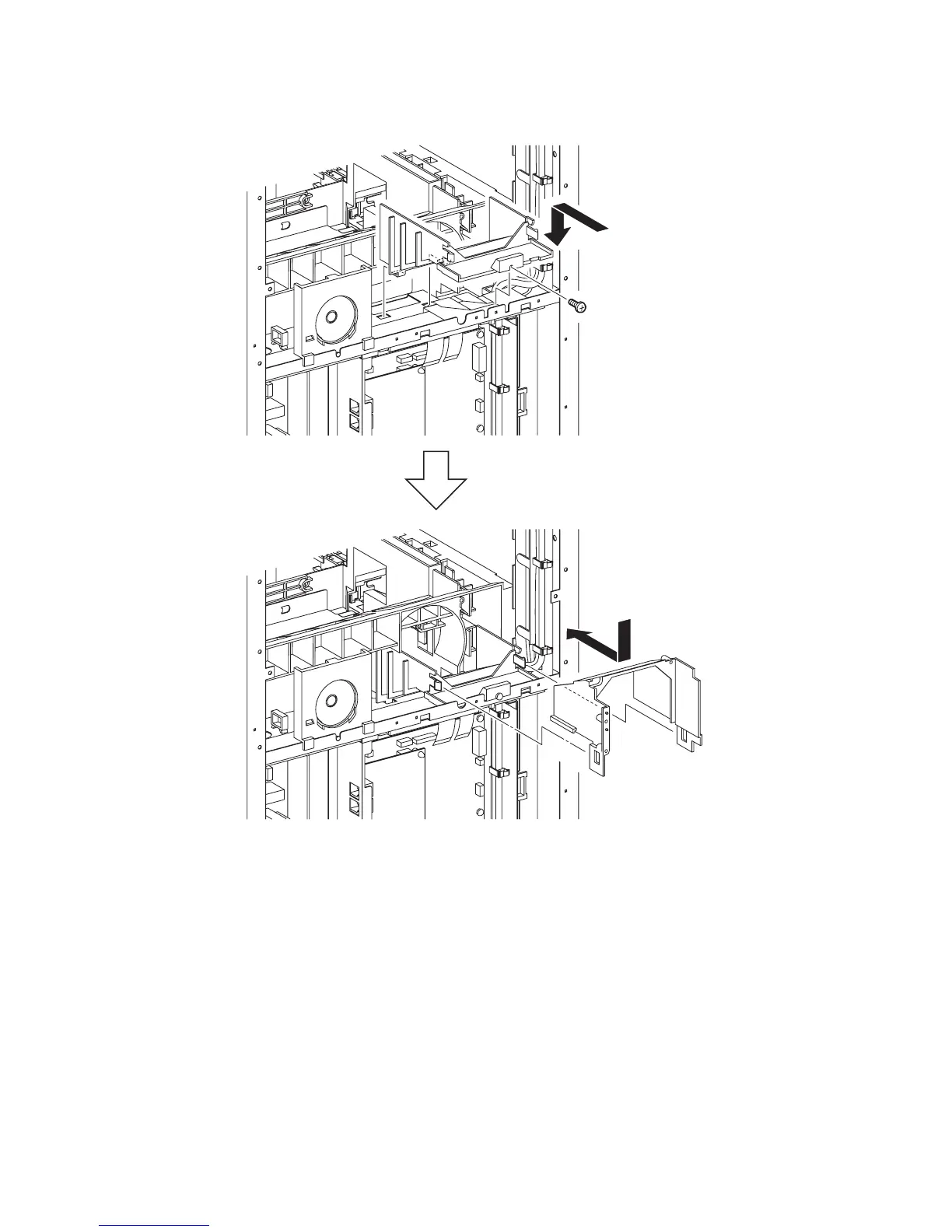
10) Replace the DUCT LOWER to the printer by inserting the two hooks of the DUCT LOWER
into the holes of the printer.
11) Secure the DUCT LOWER to the printer using the one screw (silver, 6mm).
12) Place the DUCT UPPER on the DUCT LOWER. Slide the DUCT UPPER forward until the
DUCT UPPER is hooked by the two hooks.
Continues to the next page.
Gnb03193KB
11)
12)
10)















 To Next Page