7.2 Oxygen System
Chapter 7: Accessories
Isolette® Infant Incubator (Model C2000) Service Manual Page 7 - 13
7
16.Calibrate the oxygen system at 21% (refer to procedure 6.2 on page
6-20).
17.To ensure proper operation of the Isolette® Infant Incubator,
perform the “Function Checks” on page 2-6.
100% Calibration Fixture Installation
1. Remove the sensor module assembly (A) from the unit (see figure
7-3 on page 7-8) (refer to procedure 4.2 on page 4-6).
NOTE:
The 21% fixture is located under the sensor module opening.
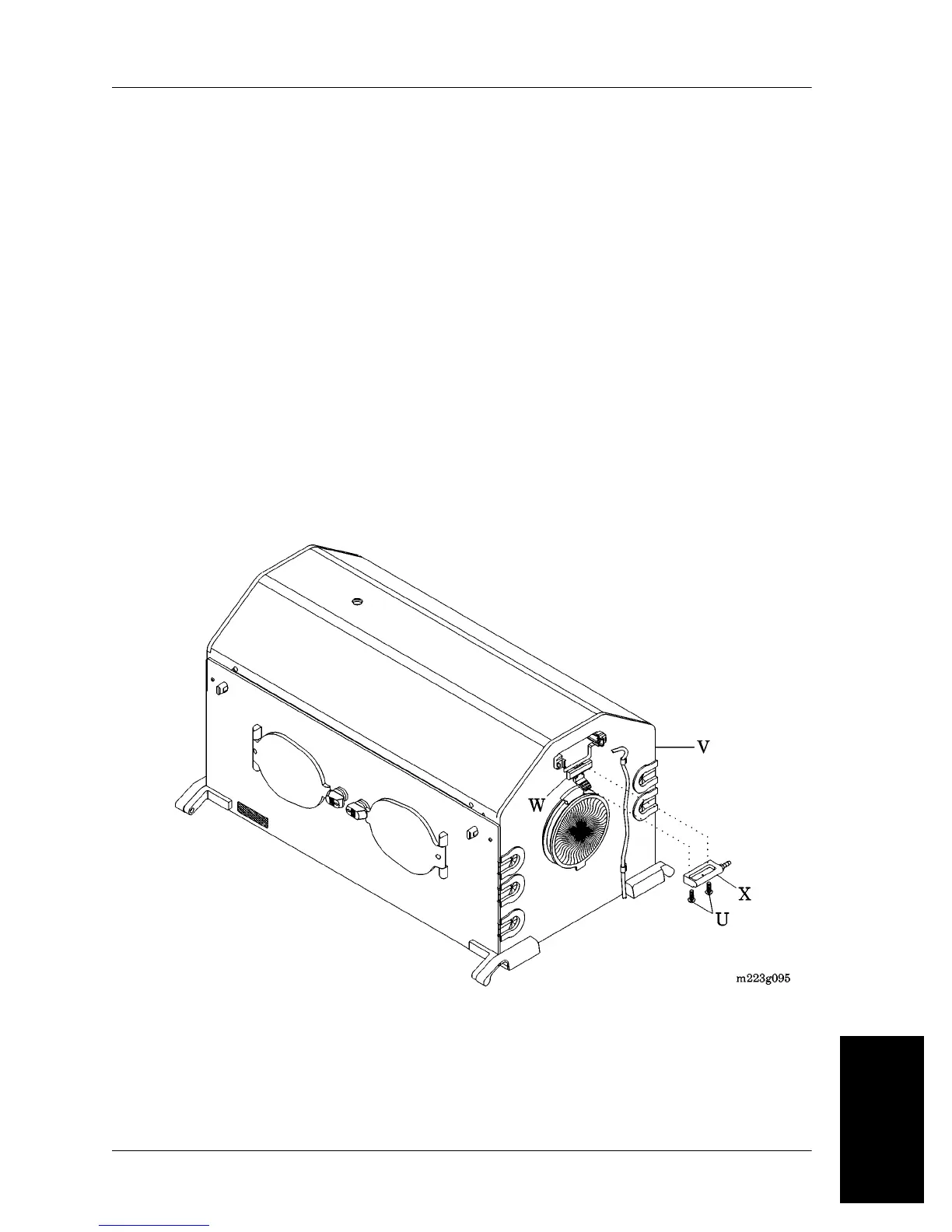
2. Remove the two screws (U) that secure the 21% calibration fixture
to the hood assembly (V) (see figure 7-7 on page 7-13). Retain the
two screws (U).
Figure 7-7. 100% Oxygen Calibration Fixture
3. Install the two screws (U) to secure the slide lock (W) and the 100%
calibration fixture (X) directly under the opening in the hood
assembly (V).













 To Next Page