Mobility traffic manager
Scenario 6: Distributing traffic using VLAN ranges
9-59
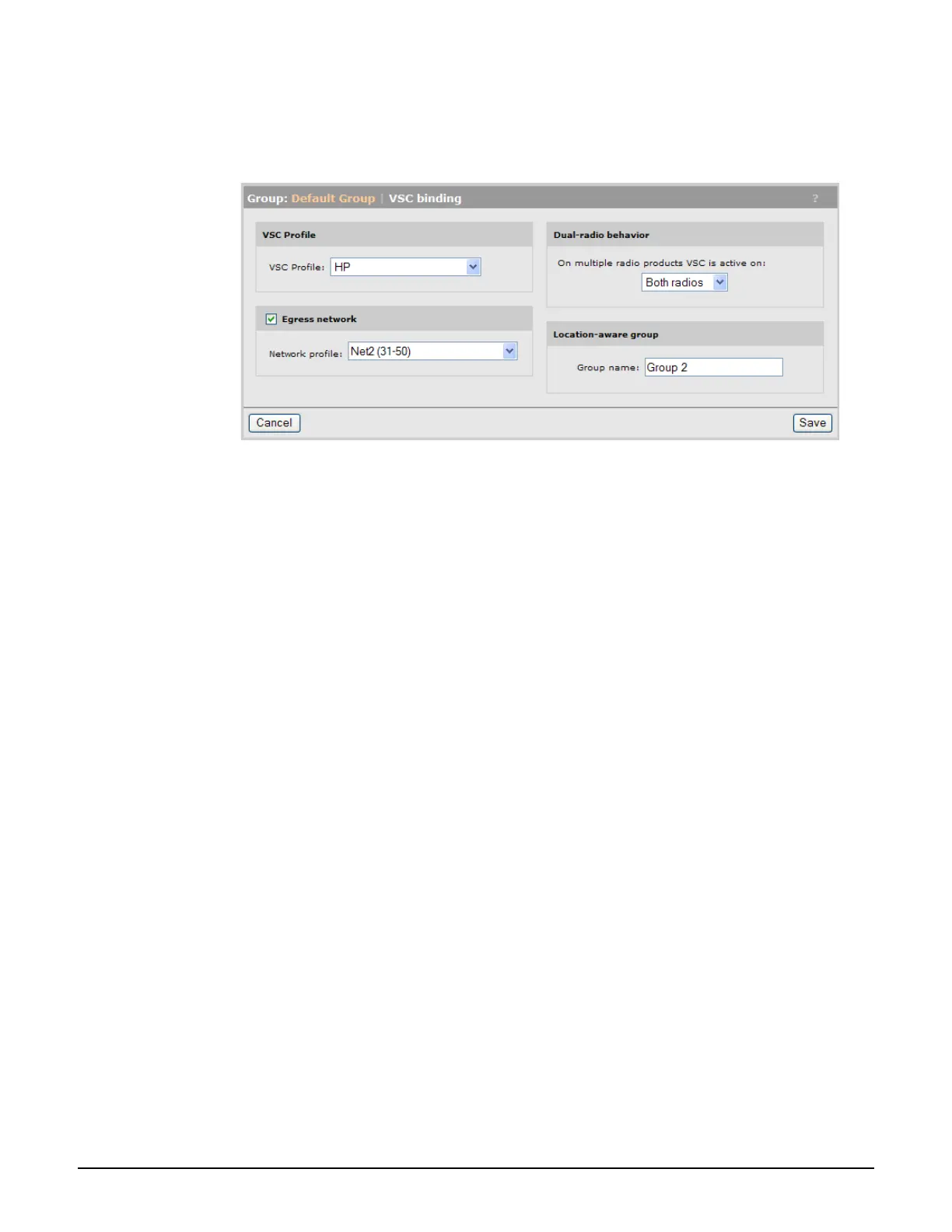
VSC binding for Group 2
1. Select Controller > Controlled APs > Group 2 >> VSC bindings and then select HP.
The VSC binding page appears.
Set VSC profile, to HP.
Select Egress network, then for Network profile, select Net2 (31-50).
2. Select Save.


 To Next Page