Matrix ETERNITY NE System Manual 395
The default sequential Filename Format is as given below:
• For Mailbox(Personal): Date-Time-Message Type-Calling Number-Called Number.wav
• For General Mailbox:
Mailbox Extension Number-Date-Time-Message Type-Calling Number-Called
Number.wav
VMS E-Mail Notification
Make sure you have configured the user Email ID for sending the notifications to user. For details, see “Message
Wait Notification via E-Mail” in “Extension Voice Mail Settings”.
To know about the Message Wait Notification feature, see “Email Based Notification”.
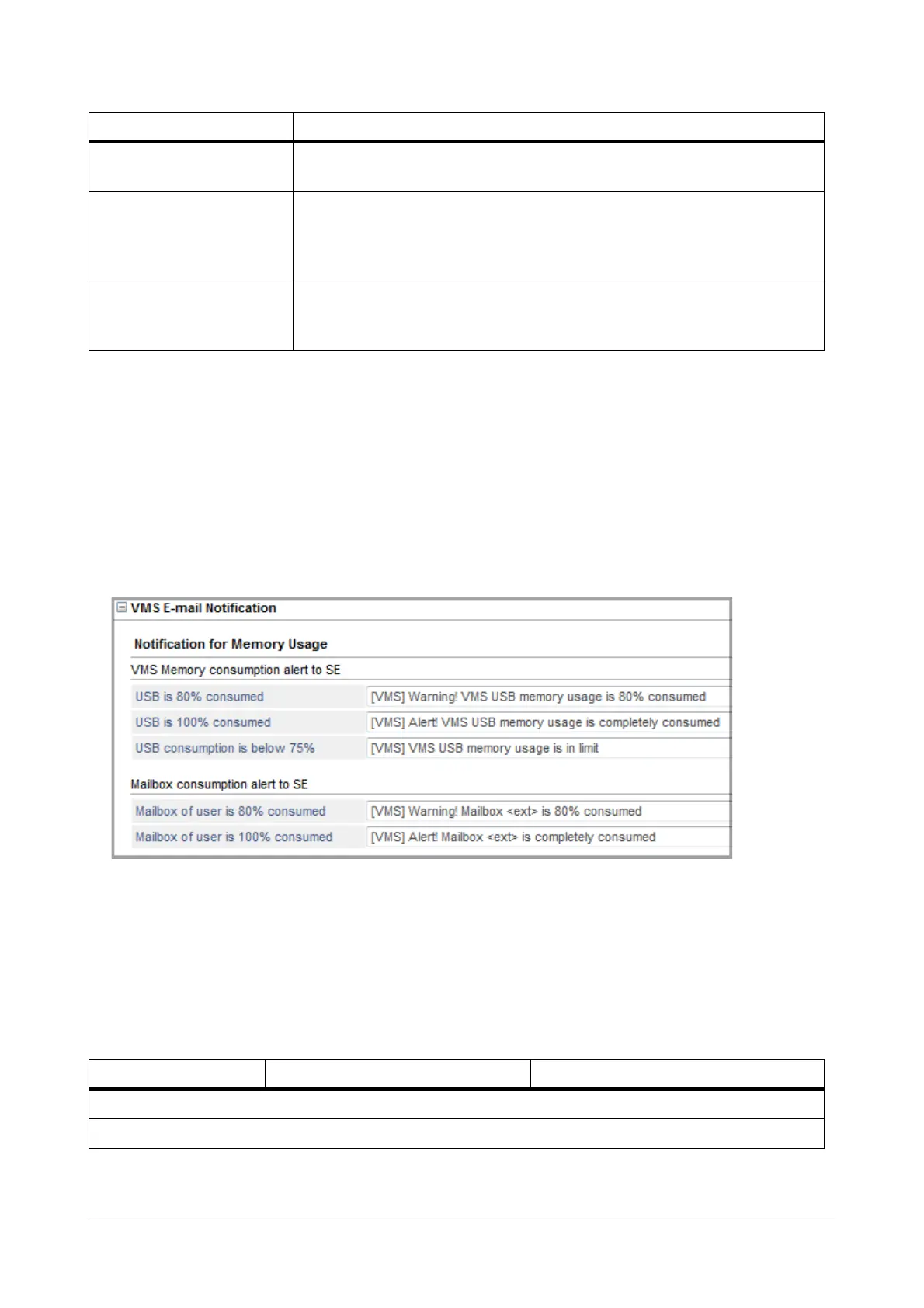
The table below displays the default events for which notifications will be sent to the SE. You may customize it as
per your requirement.
Calling Number
Select this option if you want the system to add the calling number. If calling
number is Blank, the system will add ‘No Number’.
Called Number
Select this option if you want the system to add the called number. If Called
number is not available, system will ignore this option and select the next
option. This option is generally required when you wish to use the feature Call
Tapping.
Mailbox Extension Number
This option is applicable only for General Mailbox. Select this option if you want
the system to add the mailbox extension number from which the message is
transferred to the General Mailbox.
a. The Date Format here will be as per the Date Format you have selected in General Settings.
b. The Time Format here will be as per the Time Format you have selected in General Settings.
c. The Message Types supported by the system are: Call forward(CF), Call Taping(CT), Conversation Recording(CR),
Broadcast Message(BM), Transfer to Mailbox(TM), Leave Message(LM), Send Message(SM), Call forward with LCS –
No reply, all(LS), Redirect Message(RM), Message forward(MF).
Event Message Description
Notification for Memory Usage
VMS Memory consumption alert to SE
Option Meaning



 To Next Page