DMTA-10045-01EN, Rev. E, August 2016
Chapter 5
100
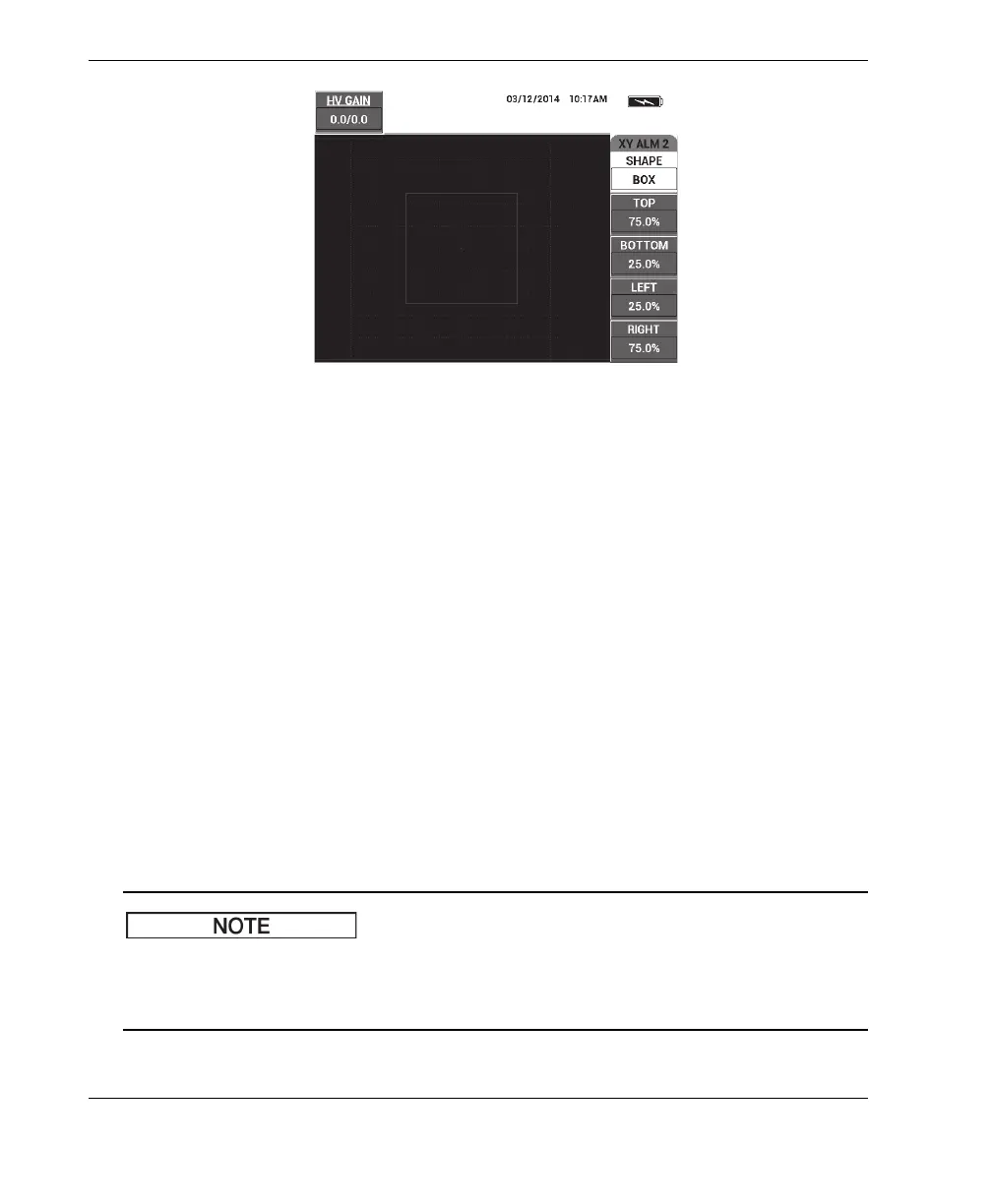
Figure 5‑16 The PC Swept mode’s BOX alarm shape controls
To change the shape of the BOX alarm (XY ALM 1 [XY alarm 1] or XY ALM 2
[XY alarm 2]), modify the following parameters:
• TOP: controls the top of the BOX alarm threshold. To change the setting, press the
B key, and then rotate the knob until the threshold is in the desired position.
• BOTTOM: controls the bottom of the BOX alarm threshold. To change the setting,
press the C key, and then rotate the knob until the threshold is in the desired
position.
• LEFT: controls the left side of the BOX alarm threshold. To change the setting,
press the D key, and then rotate the knob until the threshold is in the desired
position.
• RIGHT: controls the right side of the BOX alarm threshold. To change the setting,
press the E key, and then rotate the knob until the threshold is in the desired
position.
5.3.12.2 Changing SECTOR Alarm Parameters in PC Swept Mode
The following information is applicable when the XY ALM 1 (XY alarm 1) or
XY ALM 2 (XY alarm 2) menu is active and the SECTOR option is selected in the
SHAPE menu (see Figure 5-17 on page 101).














 To Next Page