DMTA-10045-01EN, Rev. E, August 2016
Chapter 5
102
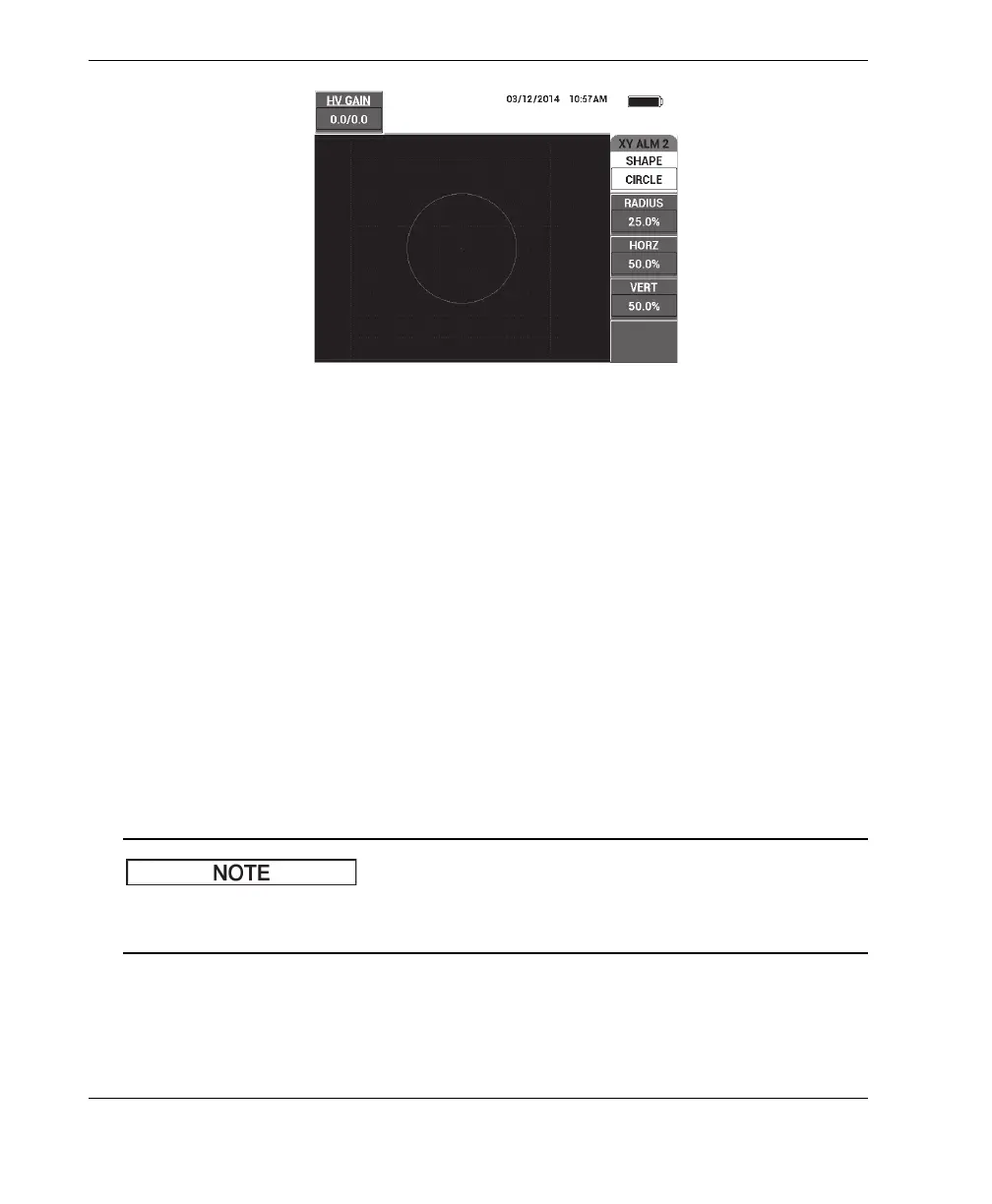
Figure 5‑18 The PC Swept mode’s CIRCLE alarm shape controls
To change the shape of the CIRCLE alarm (XY ALM 1 [XY Alarm 1] or XY ALM 2
[XY Alarm 2]), modify the following parameters:
• RADIUS: controls the diameter of the CIRCLE alarm threshold. To change the
setting, press the B key, and then rotate the knob until the threshold is in the
desired position.
• HORZ (horizontal): controls the horizontal position of the CIRCLE alarm
threshold. To change the setting, press the C key, and then rotate the knob until
the circle is in the desired position.
• VERT (vertical): controls the vertical position of the CIRCLE alarm threshold. To
change the setting, press the D key, and then rotate the knob until the circle is in
the desired position.
5.3.12.4 Changing Spectrum Alarm Parameters in PC Swept Mode
The following information is applicable when the SPEC ALM (spectrum alarm) menu
is active.
The following SPEC ALM options are available:
• CHANNEL: selects the channel where the alarm is set in the SPECTRUM RUN
(either the AMPLITUDE or PHASE component).














 To Next Page