DMTA-10045-01EN, Rev. E, August 2016
Chapter 5
112
5.3.17 Advanced Setup Menu — ADV SETUP Menu Key
The advanced setup menu provides access to the following functions:
APPL SELECT (application select), ALL SETTINGS, MODE (inspection mode), CAL
(only for MIA and Resonance modes), COLOR, PASSWORD, SYSTEM SETUP,
UNLOCK OPTIONS, ABOUT, and RESET. For details about SYSTEM SETUP, see
“Setting the User Interface Language and Decimal Symbol” on page 63.
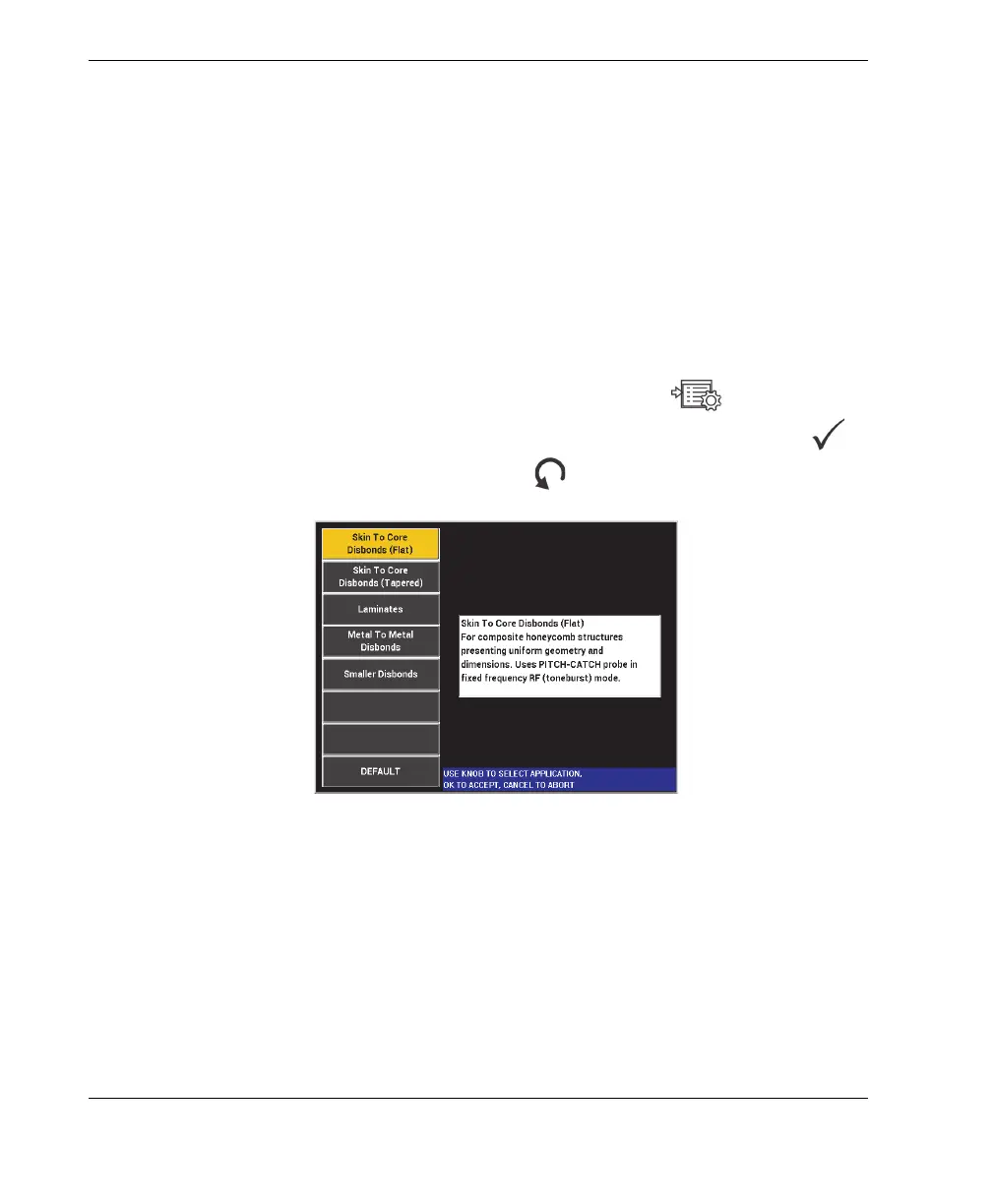
APPL SELECT (application select)
Provides access to the application selection menu, which opens in a new window
(see Figure 5-24 on page 112).
To select an application, press the ADV SETUP menu key ( ), followed by
the A key. Rotate the knob to select the desired application, and then press .
Or, to exit the menu, press the Return key ( ).
Figure 5‑24 The APPL SELECT menu
The available applications allow you to quickly set up the BondMaster 600 for
commonly used bond testing inspections.














 To Next Page