DMTA-10045-01EN, Rev. E, August 2016
Chapter 5
78
5.3.2 PC Swept Mode — MAIN Menu
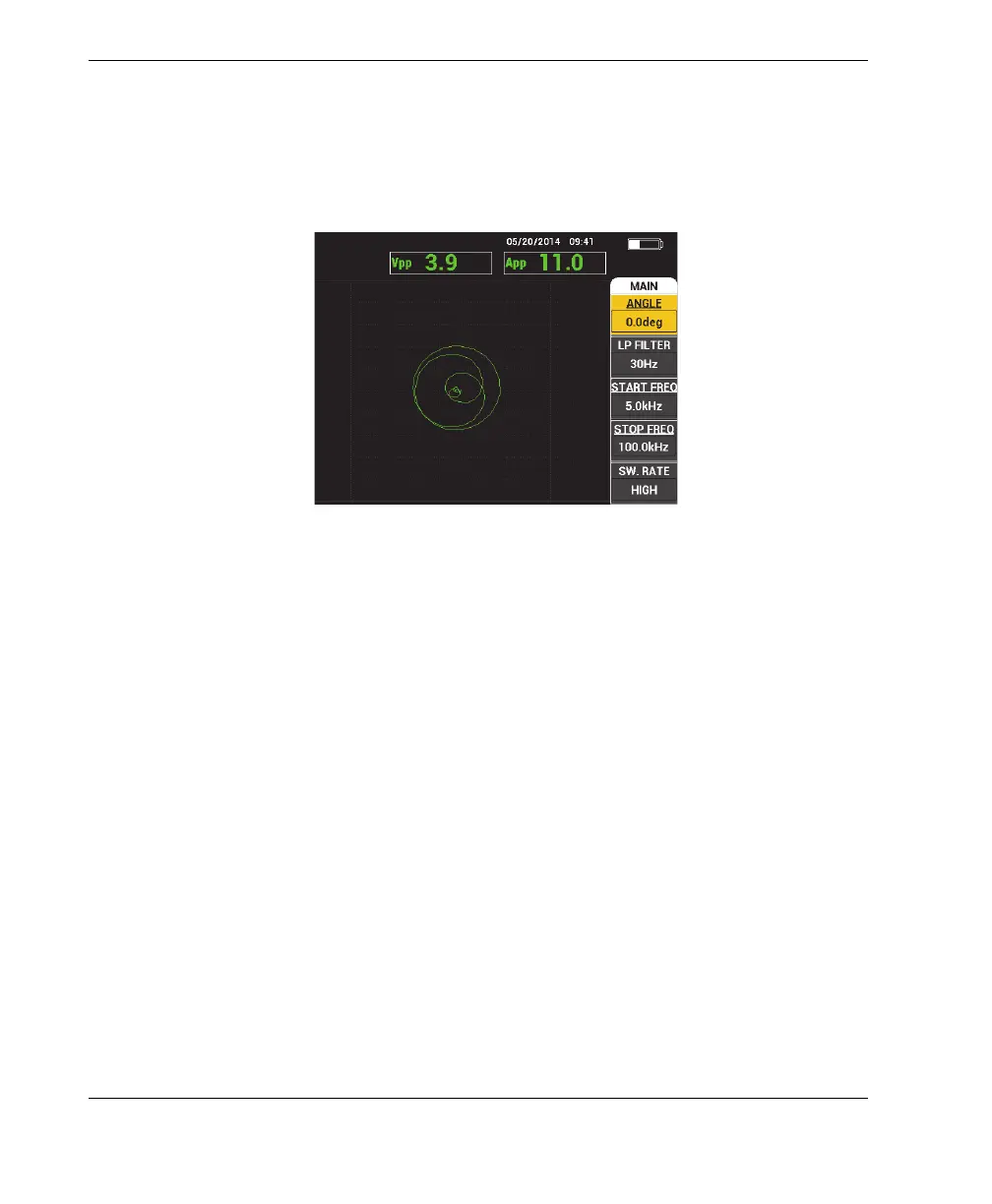
In pitch-catch (PC) swept mode, the probe is excited by a signal that is swept from a
specified starting and ending frequency. The displayed signal represents the
excitation frequency that is swept (see Figure 5-5 on page 78).
Figure 5‑5 The PC Swept display
The following parameters can be adjusted on the PC Swept main menu:
• ANGLE
• GAIN (H/V GAIN)
• START FREQ (start frequency)
• STOP FREQ (stop frequency)
• SW. RATE (swept rate)
• FRQ1 TRACK (frequency 1 tracking)
• FRQ2 TRACK (frequency 2 tracking)
• H GAIN (horizontal gain)
• V GAIN (vertical gain)
• PRB DRV (probe drive); for details, see “PC Swept Mode — MAIN Menu” on
page 78














 To Next Page