DMTA-10045-01EN, Rev. E, August 2016
Overview of the BondMaster 600
35
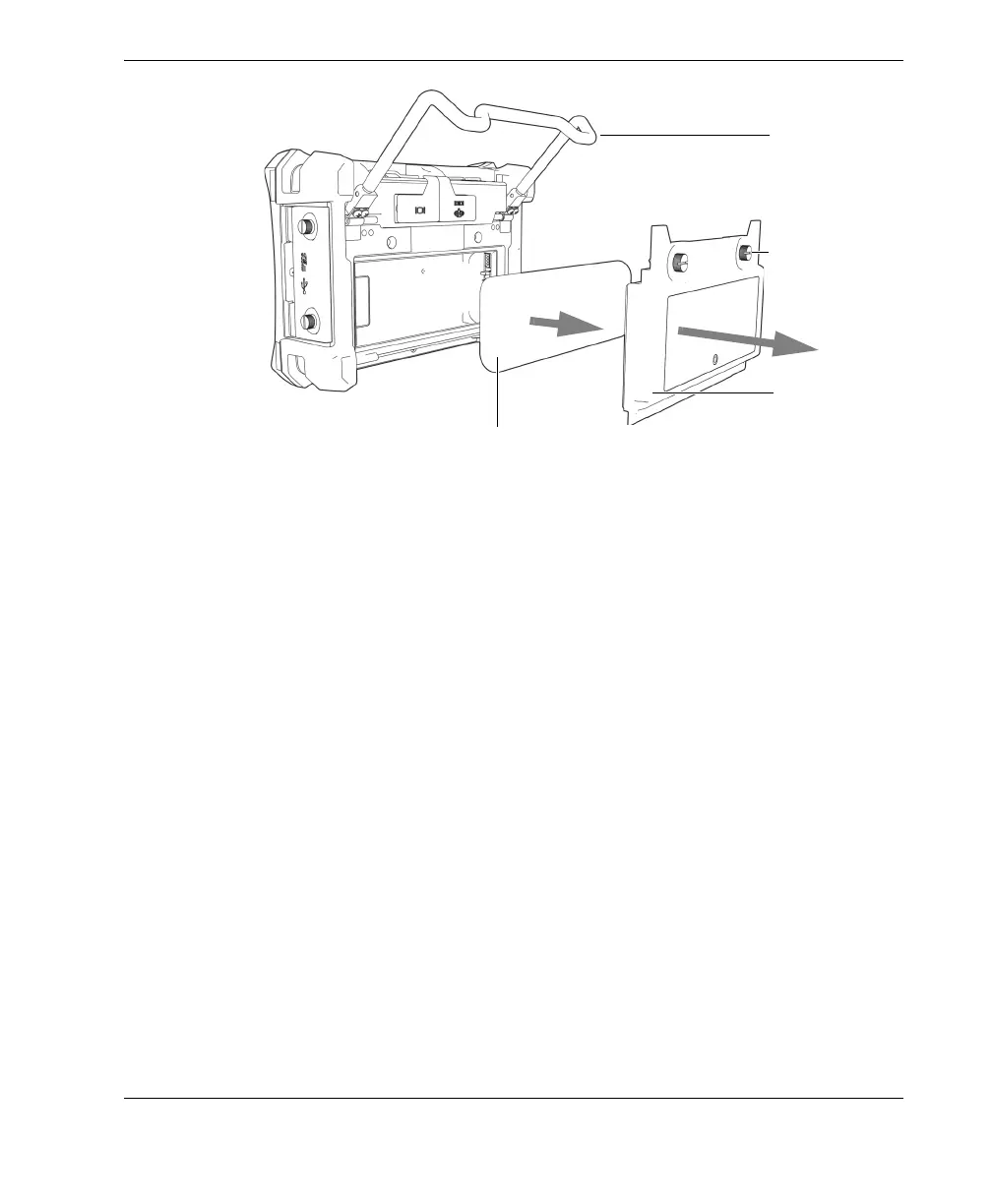
Figure 2‑10 Removing the lithium‑ion battery
2.3.4 Alkaline Batteries
The BondMaster 600 has an battery holder (Olympus P/N: 600-BAT-AA [U8780295]).
This holder accommodates eight AA-size alkaline batteries for situations where an
AC power source is not available and the internal Li-ion battery is discharged. When
operated under typical inspection conditions, the alkaline batteries typically provide
three hours of continuous operation.
To install the alkaline battery holder
1. Unfold the BondMaster 600 stand (see Figure 2-11 on page 36).
2. Loosen the two thumb screws securing the battery compartment cover at the back
of the BondMaster 600, and then remove the battery compartment cover.
3. Remove the lithium-ion battery, if installed.
4. Install eight AA-size alkaline batteries into the alkaline battery holder.
5. Connect the alkaline battery holder connector to the BondMaster 600.
6. Position the alkaline battery holder in the battery compartment.
7. Install the battery compartment cover at the back of the BondMaster 600, and then
tighten the two thumb screws.
Battery
compartment
cover
Thumb screws
(two)
Battery
Stand














 To Next Page