DMTA-10045-01EN, Rev. E, August 2016
Control Functions
113
The BondMaster 600 applications are designed for quick setup of the instrument.
However, always follow published maintenance procedures when inspecting.
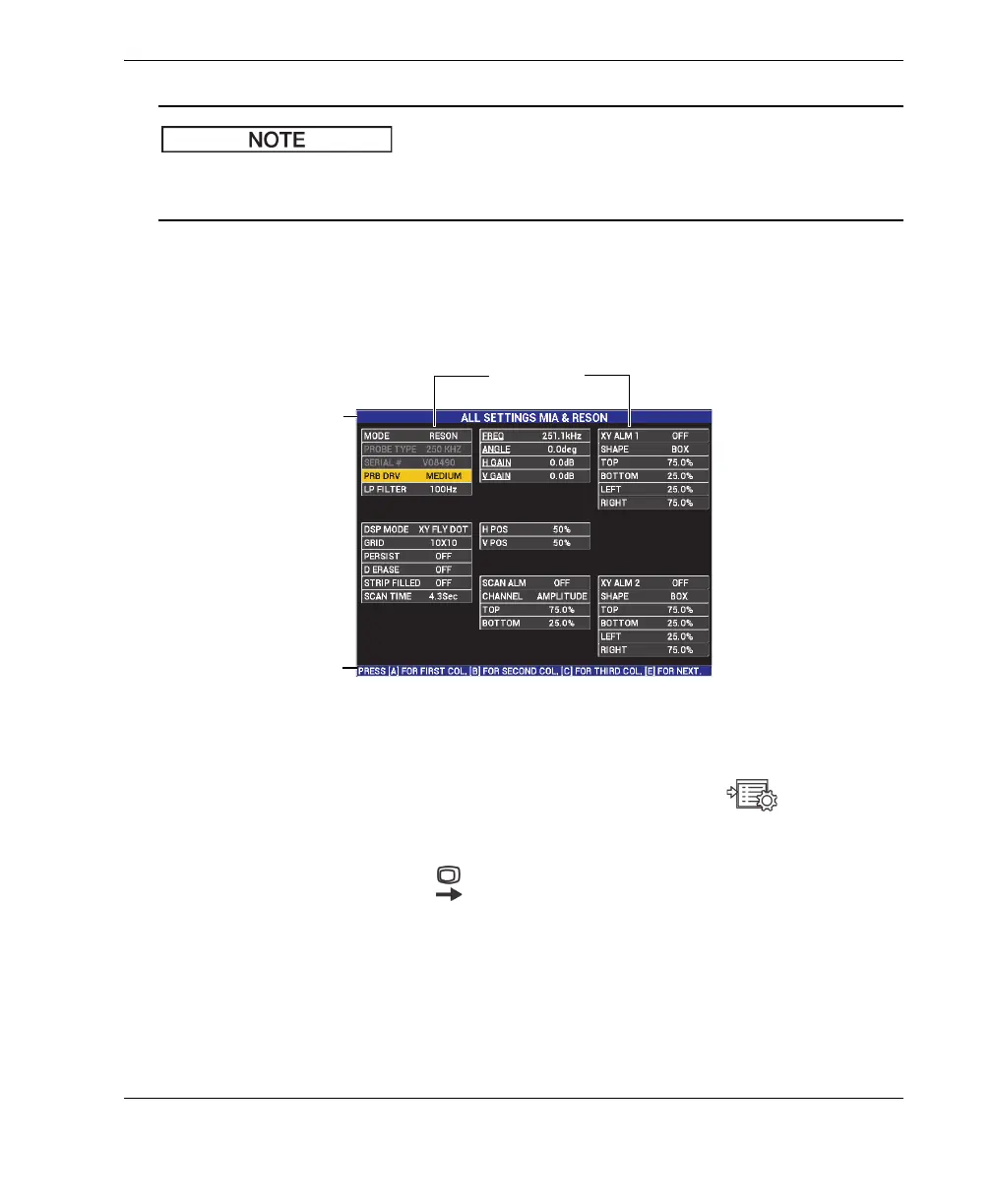
ALL SETTINGS
The ALL SETTINGS menu gives you access to all BondMaster 600 functions.
They are contained in two separate screens (menus) to keep the text easy to read
and to navigate (see Figure 5-25 on page 113).
Figure 5‑25 The ALL SETTINGS menu (first of two screens)
To select ALL SETTINGS, press the ADV SETUP menu key ( ), followed by
the B key. To navigate the menu or to go to the next screen, follow the instructions
in the help text located at the bottom of the screen. To select a setting to adjust,
press the FULL NEXT key ( ) until the desired setting is highlighted, and then
rotate the knob until the desired value is shown.
Parameters
Title bar
Help text














 To Next Page