DMTA-10045-01EN, Rev. E, August 2016
Chapter 2
36
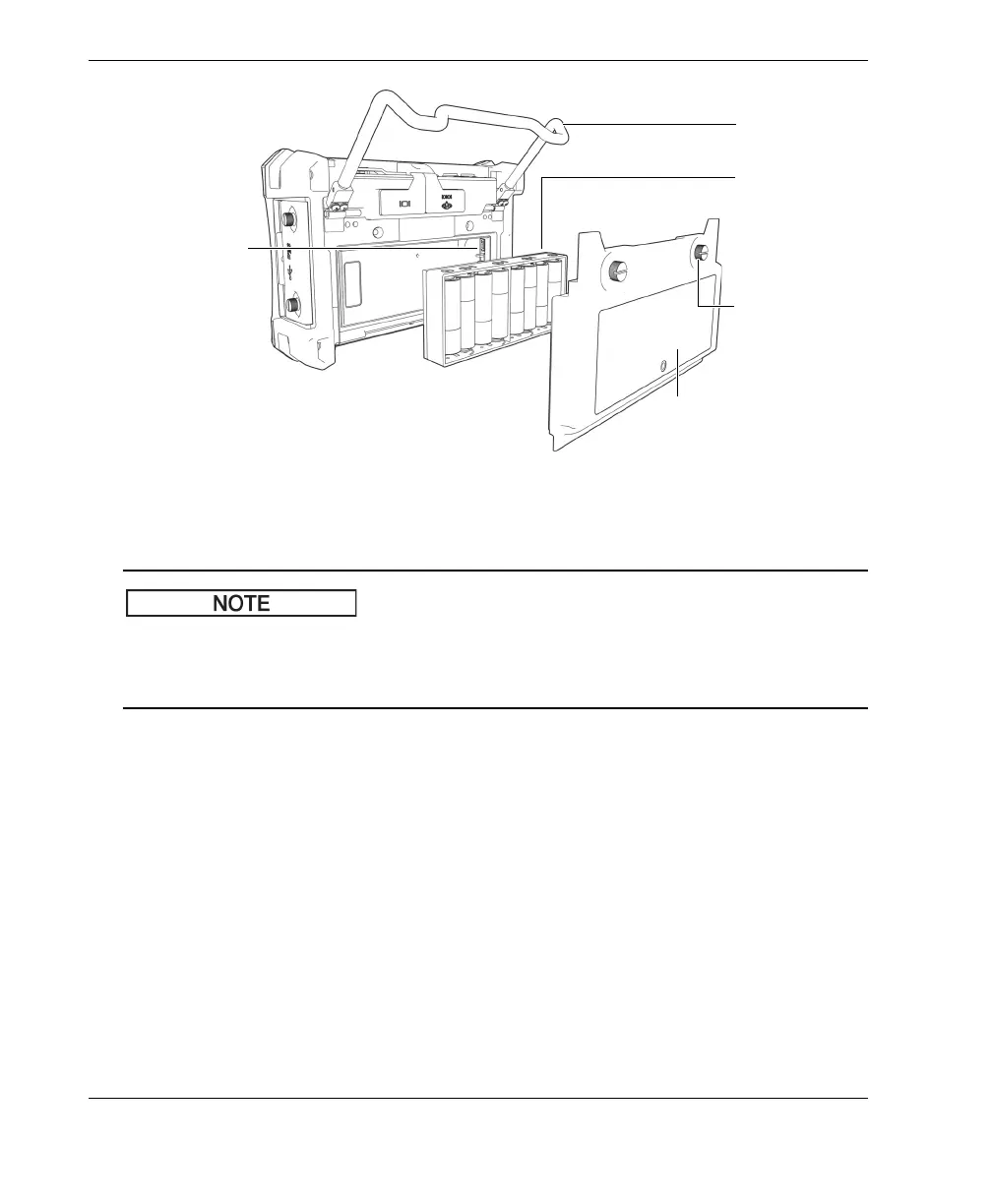
Figure 2‑11 The alkaline battery holder
When alkaline batteries are installed in the BondMaster 600, the battery indicator in
the user interface displays ALK. The charger/adaptor does not recharge the batteries
installed in the alkaline battery holder.
2.4 MicroSD Card Installation
A 2 GB microSD card (Olympus P/N: MICROSD-ADP-2GB [U8779307]) can be
installed in the BondMaster 600.
To install the microSD removable memory card
1. Remove the card from its packaging.
2. Loosen the two thumb screws, and then open the BondMaster 600 I/O door (see
Figure 2-12 on page 37).
Battery holder
with alkaline
batteries (eight)
Battery holder
connector
Battery compartment cover
Thumb screws
(two)
Stand














 To Next Page