DMTA-10045-01EN, Rev. E, August 2016
Chapter 5
114
The BondMaster 600 does not require you to use the Enter key to save the selection
made on any of its menus. Instead, the selected (and displayed) value is automatically
saved.
CAL
Opens the calibration menu (only for MIA and Resonance modes).
COLOR
The BondMaster 600 includes user-selectable color schemes.
The color palette on the screen can be changed as follows:
(1) Press the ADV SETUP menu key ( ).
(2) Press the E key, and then rotate the knob to select the color palette.
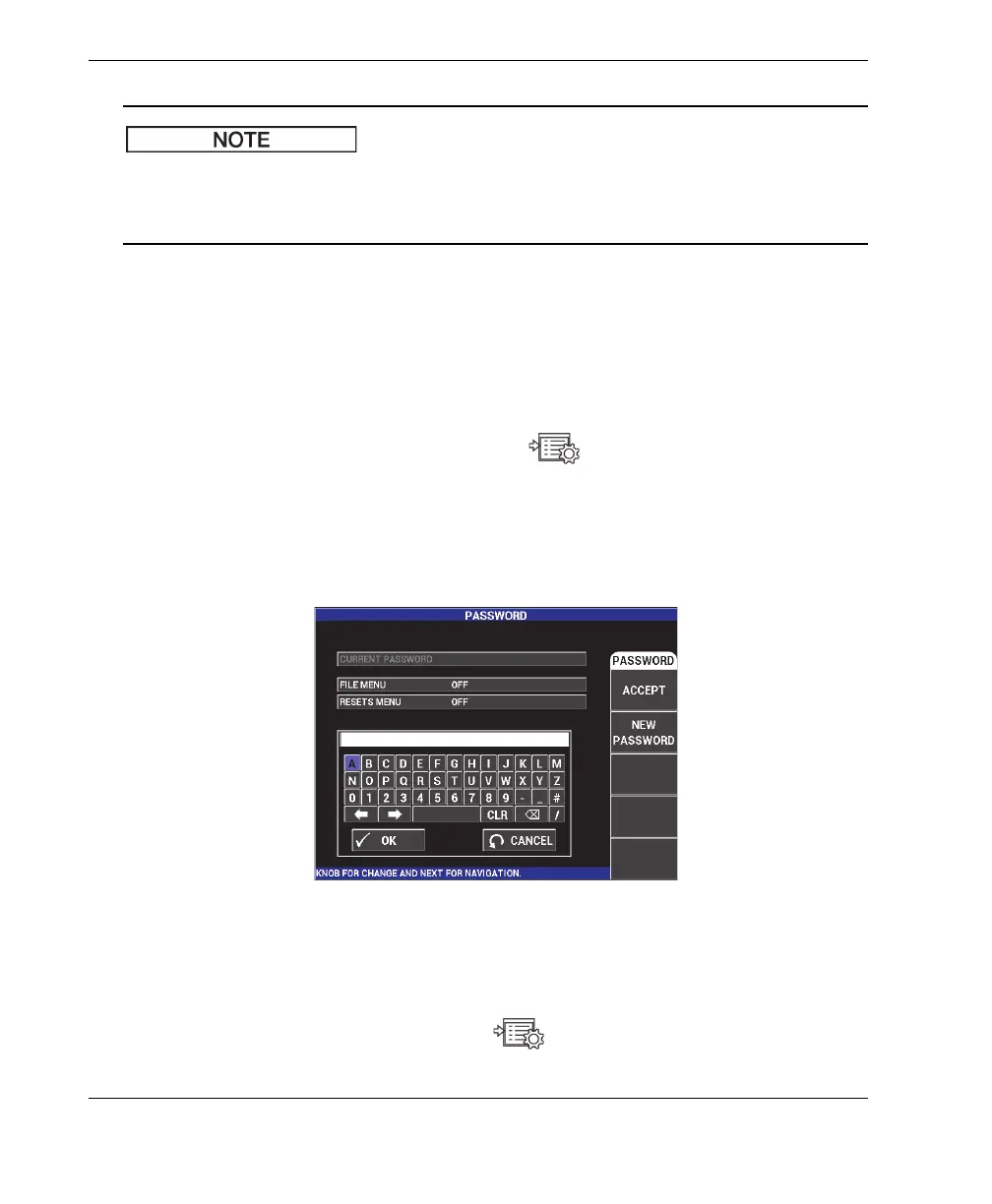
PASSWORD
The stored data and the instrument reset capabilities can be protected with a
password to prevent accidental deletion of data (see Figure 5-26 on page 114).
Figure 5‑26 The PASSWORD menu
The PASSWORD function is accessed as follows:
1. Press the ADV SETUP menu key ( ) twice.














 To Next Page