DMTA-10045-01EN, Rev. E, August 2016
Chapter 5
110
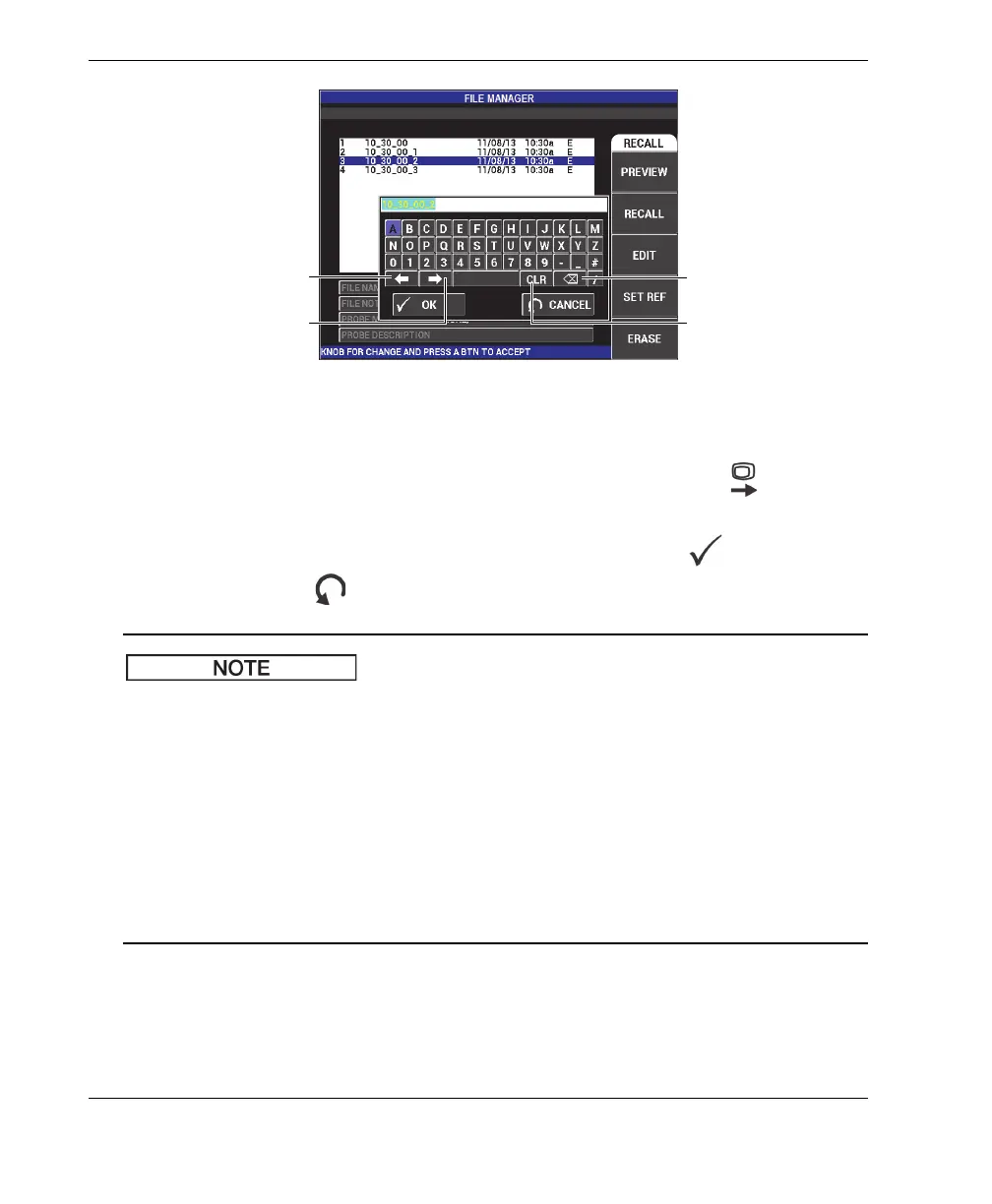
Figure 5‑23 The FILE MANAGER menu’s memory text editor and special buttons
4. Use the knob to select characters, and press the FULL NEXT key ( ) to accept
the characters.
5. After the FILE NAME or FILE NOTE has been edited, press to save the
changes, or press to exit without saving.
By default, the text editor will highlight the entire original default file name. If a key is
subsequently pressed, the default file name or file note will be deleted. This is also the
case for a previously edited FILE NAME or FILE NOTE. However, it is possible to
avoid deletion (retain the information) by using the text editor navigations keys or
buttons, as outlined in the procedure steps that follow.
The navigation keys or special buttons in the text editor allow you to modify
characters that have been mistakenly selected, or modify previously entered
information, without the need to retype the entire field (see Figure 5-23 on page 110,
which identifies the special buttons and characters).
Move cursor left
Clear entire line
Move cursor right
Delete character














 To Next Page