DMTA-10045-01EN, Rev. E, August 2016
Chapter 6
158
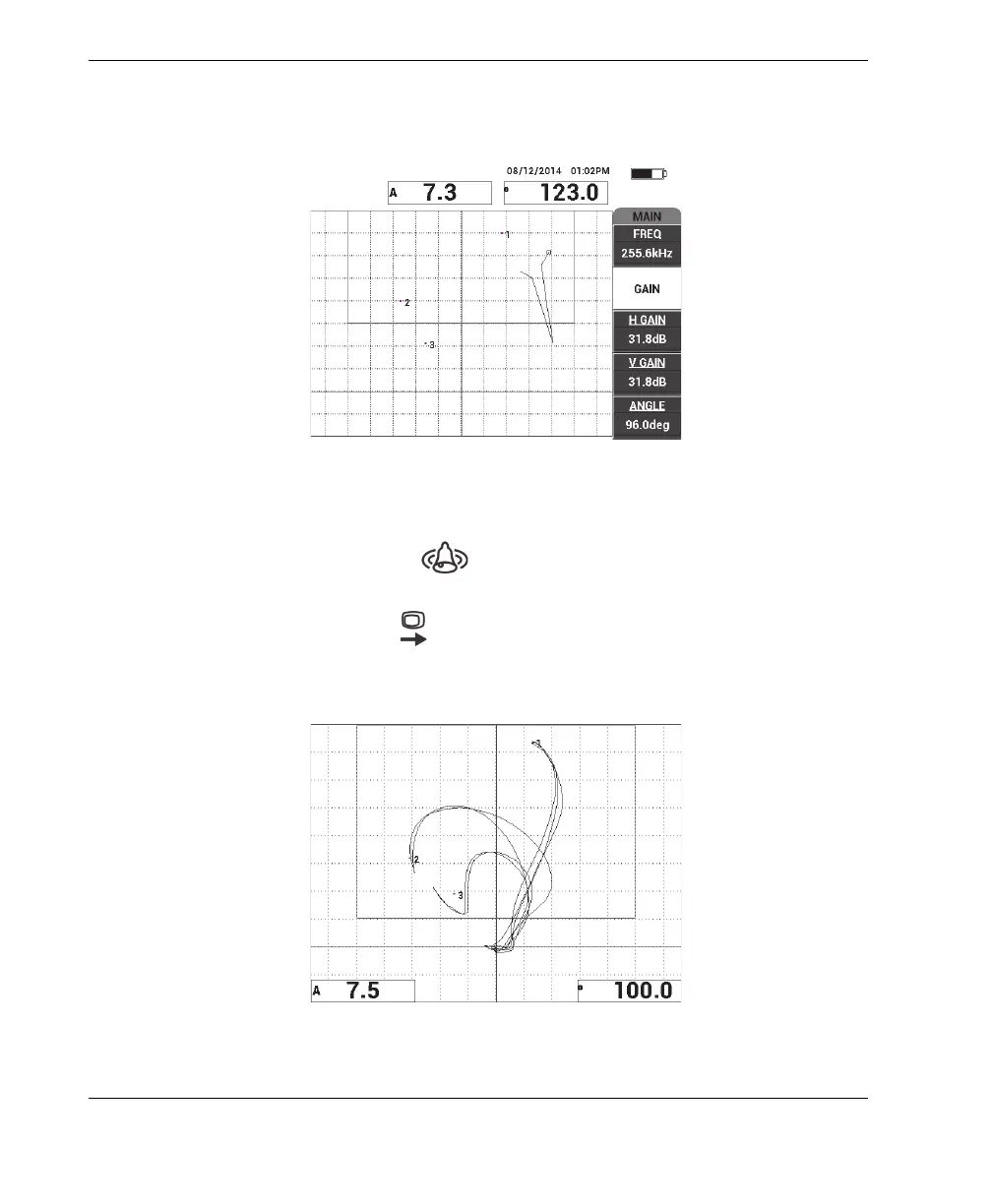
12. Adjust the GAIN (B key) to set the highest dot at approximately 90 % of the
screen height (see Figure 6-51 on page 158).
Figure 6‑51 The GAIN adjusted to set the highest dot
13. Press the ALARM menu key ( ) twice to display the XY ALM 1 screen, and
then set the BOTTOM (C key) to 30 %.
14. Press the FULL NEXT key ( ) to display the full screen, and then slowly scan
over the disbonds and ensure that the dots still match the signal (see Figure 6-52
on page 158).
Figure 6‑52 The second scan over the disbonds














 To Next Page