DMTA-10045-01EN, Rev. E, August 2016
Applications
159
To fine-tune the instrument settings
1. Depending on your requirements, set the alarm box parameters, horn, or external
horn (louder). For more details about alarms, see “Alarms, Connectivity, and
Memory Specifications” on page 217.
2. Depending on your requirements, change your real-time readings.
The default real-time readings display the XY signal’s live amplitude and phase.
For information on how to change the real-time readings, see “Displaying Real-
Time Readings” on page 58.
To activate an alternate display
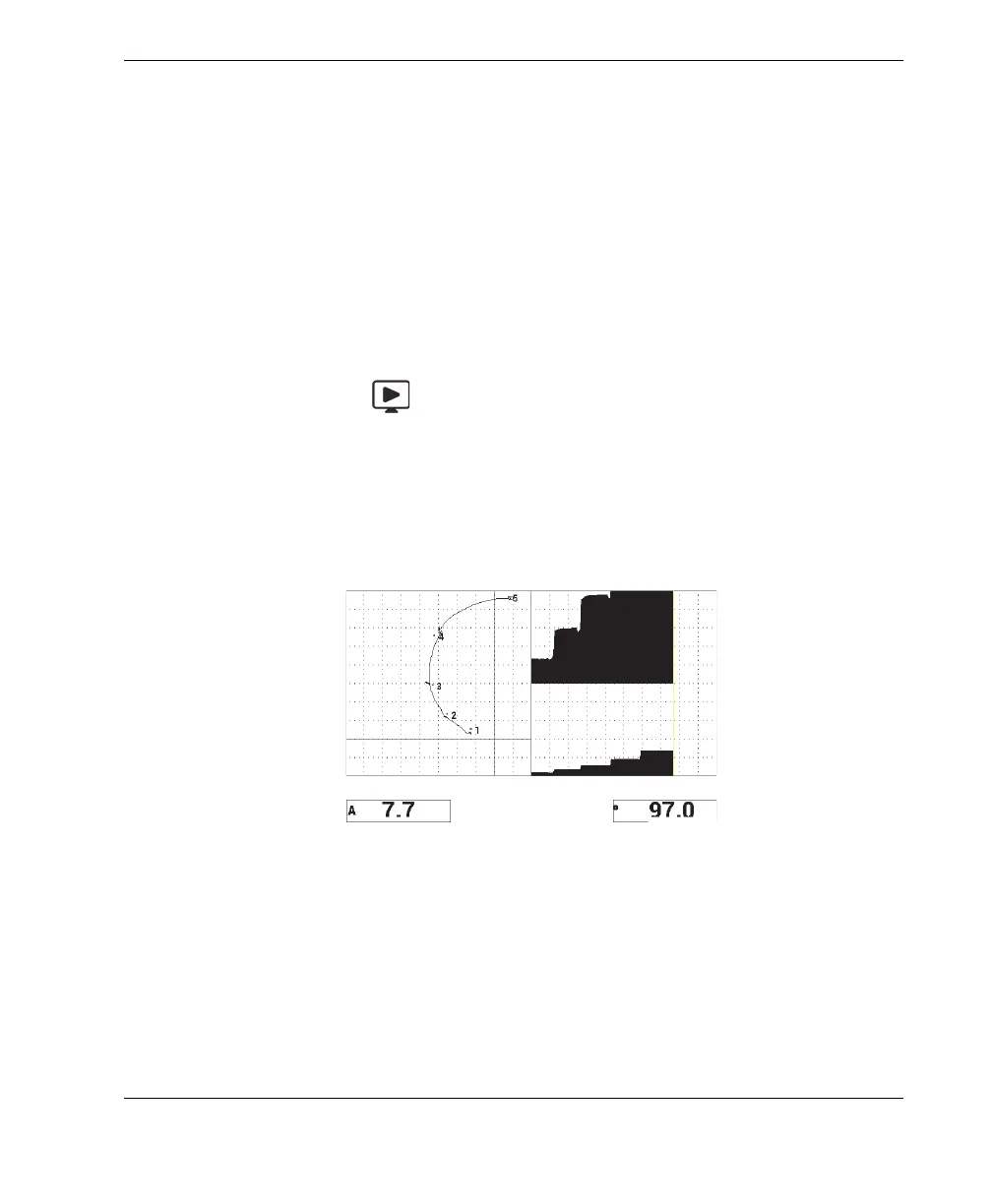
Press the RUN key ( ) as necessary to display the amplitude and phase
components against time.
This representation is particularly useful when inspecting materials with
variations in thickness, because both the phase and amplitude components charts
will represent the part thickness (see Figure 6-53 on page 159).
Figure 6‑53 The alternate display of amplitude and phase
The list of all parameters is shown in (see Figure 6-54 on page 160).














 To Next Page