DMTA-10045-01EN, Rev. E, August 2016
Overview of the BondMaster 600
37
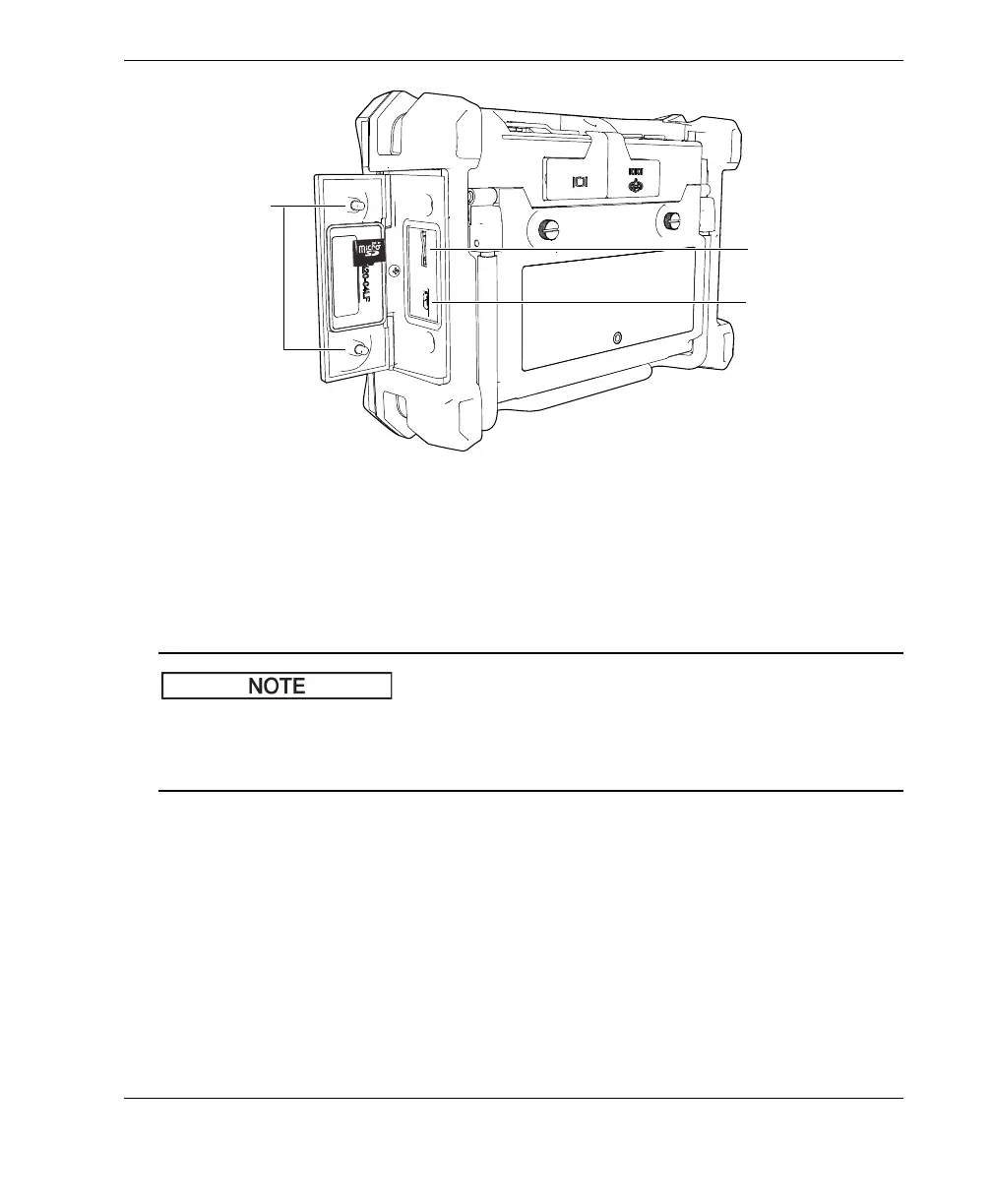
Figure 2‑12 Installing the microSD card
3. Hold the card so that the microSD label faces toward the rear of the
BondMaster 600.
4. Gently slide the card into the microSD slot until it clicks.
To remove the microSD card, gently push the card into the BondMaster 600 and
release. A spring-loaded mechanism will partially eject the card, and then you can
grasp the card and remove it from the BondMaster 600.
2.5 BondMaster 600 Hardware Features
The BondMaster 600 has many physical features that are either completely new or
improved features from the previous BondMaster 1000e+ model. It is important to
become familiar with the use and maintenance of these items.
USB port
Thumb screws
(two)
microSD card slot














 To Next Page