DMTA-10045-01EN, Rev. E, August 2016
Chapter 3
56
screen (see Figure 3-5 on page 55). Depending on the application, if a menu key is
pressed again, a secondary menu can be displayed with the parameters available for
that key.
To select from a menu
1. Press one of the menu keys located at the bottom of the front panel to display a
menu: MAIN ( ), DISP/DOTS ( ), ALARM ( ), MEM ( ), or
ADV SETUP ( ).
Pressing the same menu key again will cycle through the available options and
update the available parameters, which can then be adjusted.
2. Select the parameter to be changed by pressing the function key (A, B, C, D, or E)
located next to it.
Rotating the knob changes the parameter’s value. The value selected with the
knob is automatically entered (and saved); you do not have to use the Enter key.
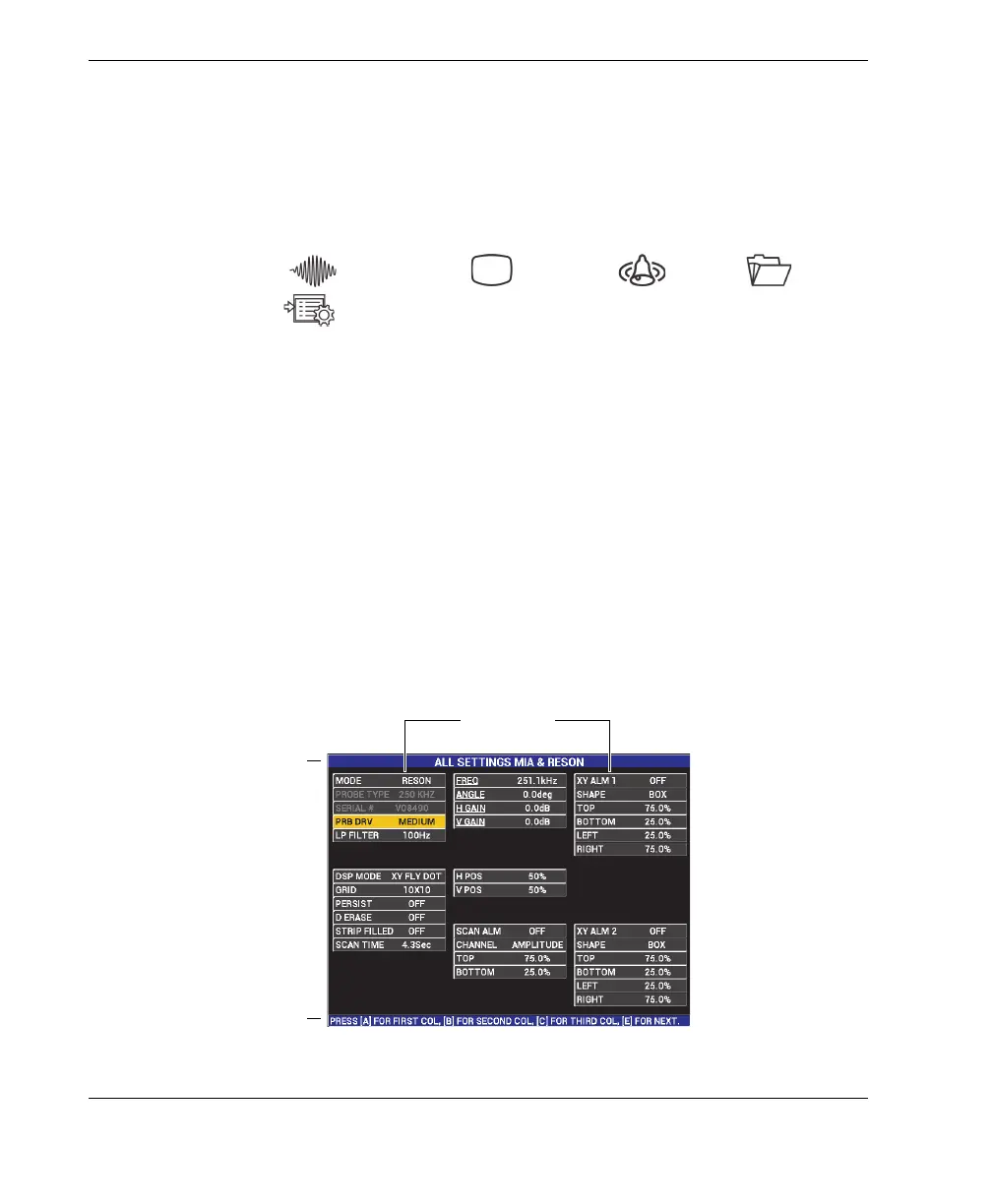
3.3 Displaying All Parameters Simultaneously—ALL SETTINGS Menu
As an alternative to the operation menu, the BondMaster 600 has the option of
displaying all parameters simultaneously using the ALL SETTINGS menu. The ALL
SETTINGS menu consists of three main elements: the title bar, the parameters, and
the help text (see Figure 3-6 on page 56).
Figure 3‑6 The ALL SETTINGS menu
Parameters
Title bar
Help text














 To Next Page