11.4
SEL-400 Series Relays Instruction Manual Date Code 20171006
Time and Date Management
Time Source Selection
The relay can only synchronize to a PTP clock. If two PTP masters are available.
SEL-400 series relays first use the Best Master Clock Algorithm (BMCA) to
select the best master. If the locally derived offsets between the relay and the
BMCA- selected master is less or equal to 1 s, the relay synchronizes itself with
the BMCA-selected master time information. Otherwise, the relay uses the time
information from the other master if this master has locally derived offsets less
than or equal to 1 s. If not, the relay continues using the BMCA-selected master.
SEL-400 series relays use the analog quantity PTPPORT to indicate the port to
which the relay is synchronized. If PTPPORT = 1, the relay is synchronized via
Ethernet Port 5A. If PTPPORT = 2, the relay is synchronized via Ethernet Port
5B. The ASCII command COM PTP also displays the port status in COM PTP
on page 14.14. If a port is selected to synchronize the relay, the port status is
ACTIVE; otherwise, it is PASSIVE.
Time Source Selection
IRIG-B via BNC connection, IRIG-B via Serial Port 1, and PTP can all be con-
nected to the relay. Each of these can provide a high-quality time value. The relay
selects between these sources using the following priority scheme:
1. IRIG-B BNC high quality (BNC_OK = 1)
2. IRIG-B serial port high quality (SER_OK = 1)
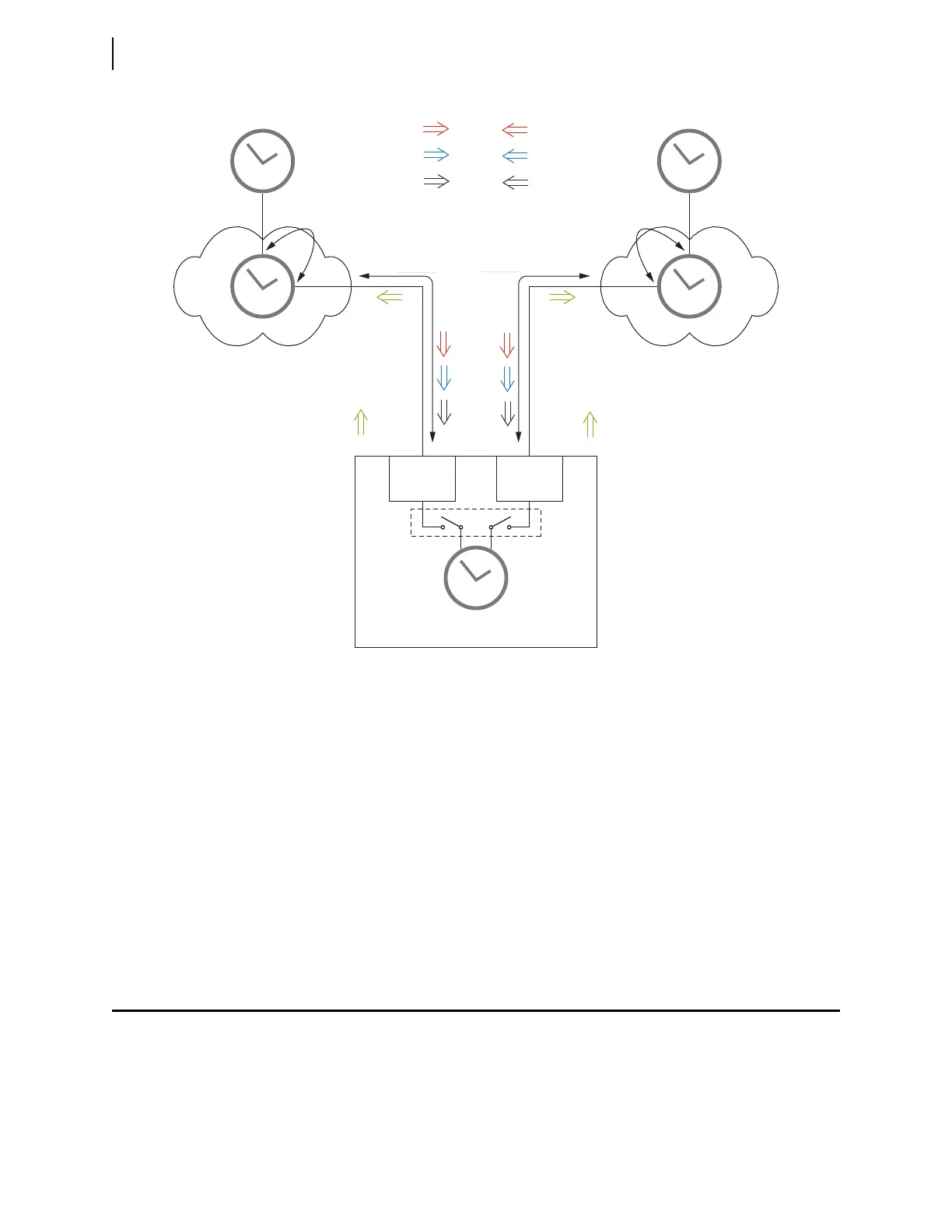
Figure 11.1 PTP Time Synchronization Over a PRP Network
LAN A LAN B
Master Clock A Master Clock B
Port A Port B
Residence Time
Residence Time
Ordinary Clock
Transparent Clock Transparent Clock
SEL-400 Series Relay
Delay_Req_A Delay_Req_B
Link Delay
Link Delay
Announce_A Announce_B
Sync_A
Sync_BFollow_up_A
Follow_up_B



 To Next Page