4.2
SEL-421 Relay Instruction Manual Date Code 20171021
Front-Panel Operations
Front-Panel LCD Default Displays
Use the front-panel settings (the SET F command from a communications port
or the Front Panel settings in
ACSELERATOR QuickSet SEL-5030 Software) to
access the metering screen enables. Entering a Y (Yes) for a metering screen
enable setting causes the corresponding metering screen to appear in the
ROTAT-
ING DISPLAY
. Entering an N (No) hides the metering screen from presentation in
the
ROTATING DISPLAY. Figure 4.1 shows a sample ROTATING DISPLAY consisting
of an example alarm points screen, an example display points screen, and the two
factory-default metering screens, RMS_I and FUND_VI (the screen values in
Figure 4.1 are representative values).
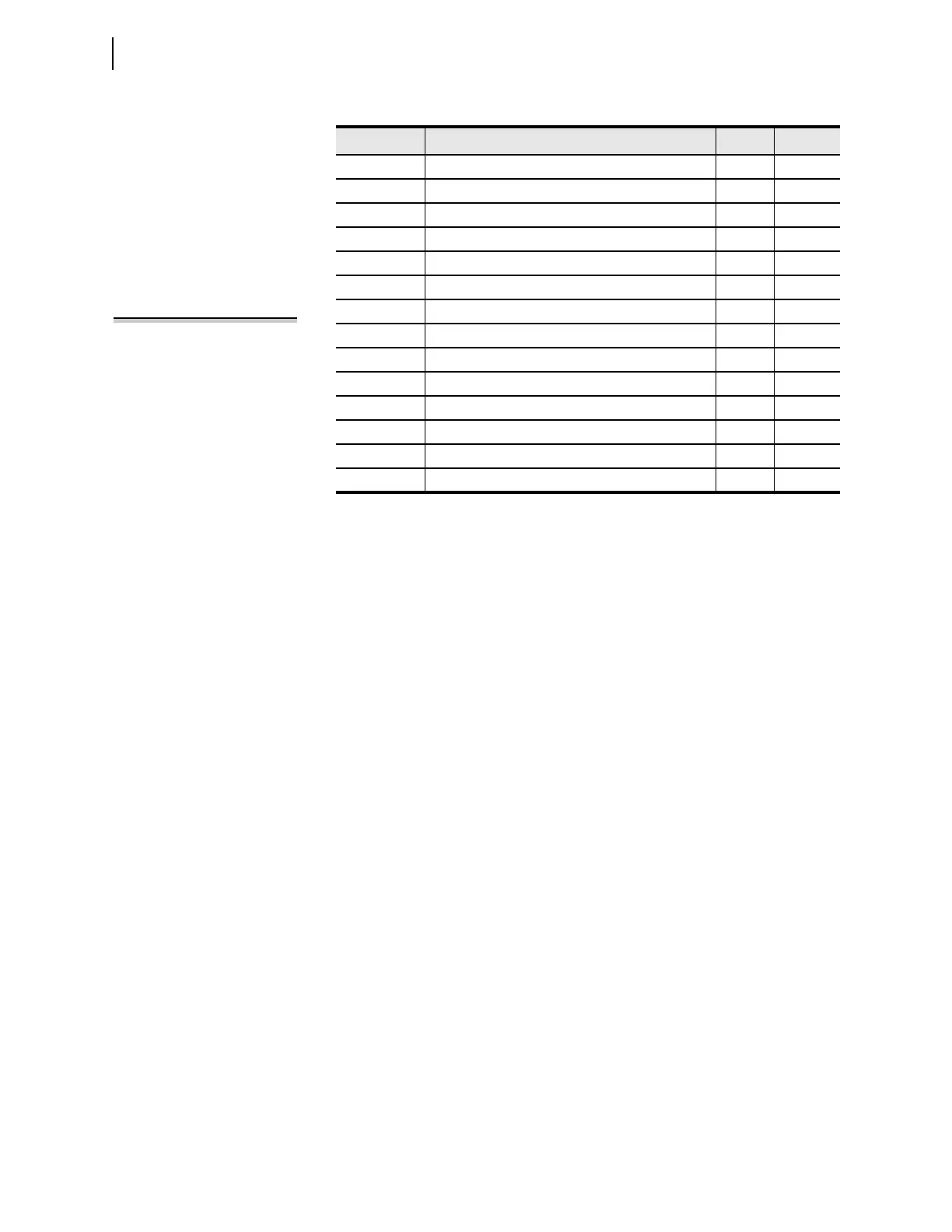
Table 4.1 Metering Screens Enable Settings
Name Prompt Range Default
RMS_V RMS Line Voltage Screen Y, N N
RMS_I RMS Line Current Screen
a
a
The default displays are RMS_I and FUND_VI.
Y, N Y
RMS_VPP RMS Line Voltage Phase-to-Phase Screen Y, N N
RMS_W RMS Active Power Screen Y, N N
FUNDVAR Fundamental Reactive Power Screen Y, N N
RMS_VA RMS Apparent Power Screen Y, N N
RMS_PF RMS Power Factor Screen Y, N N
RMS_BK1 RMS Breaker 1 Currents Screen Y, N N
RMS_BK2 RMS Breaker 2 Currents Screen Y, N N
STA_BAT Station Battery Screen Y, N N
FUND_VI Fundamental Voltage and Current Screen
a
Y, N Y
FUNDSEQ Fundamental Sequence Quantities Screen Y, N N
FUND_BK Fundamental Breaker Currents Screen Y, N N
ONELINE One Line Bay Control Diagram Y, N N
NOTE: The initial display can
present only the RMS_I line-current
screen. This can occur when you have
not enabled any of the metering
screens, alarm points, and display
points.



 To Next Page