3.14
SEL-421 Relay Instruction Manual Date Code 20171021
Testing
Checking Relay Operation
Step 1. Configure the relay.
a. Open QuickSet and read the present configuration in the
SEL-421.
b. Click Settings > Read.
The relay sends all settings and configuration data to QuickSet.
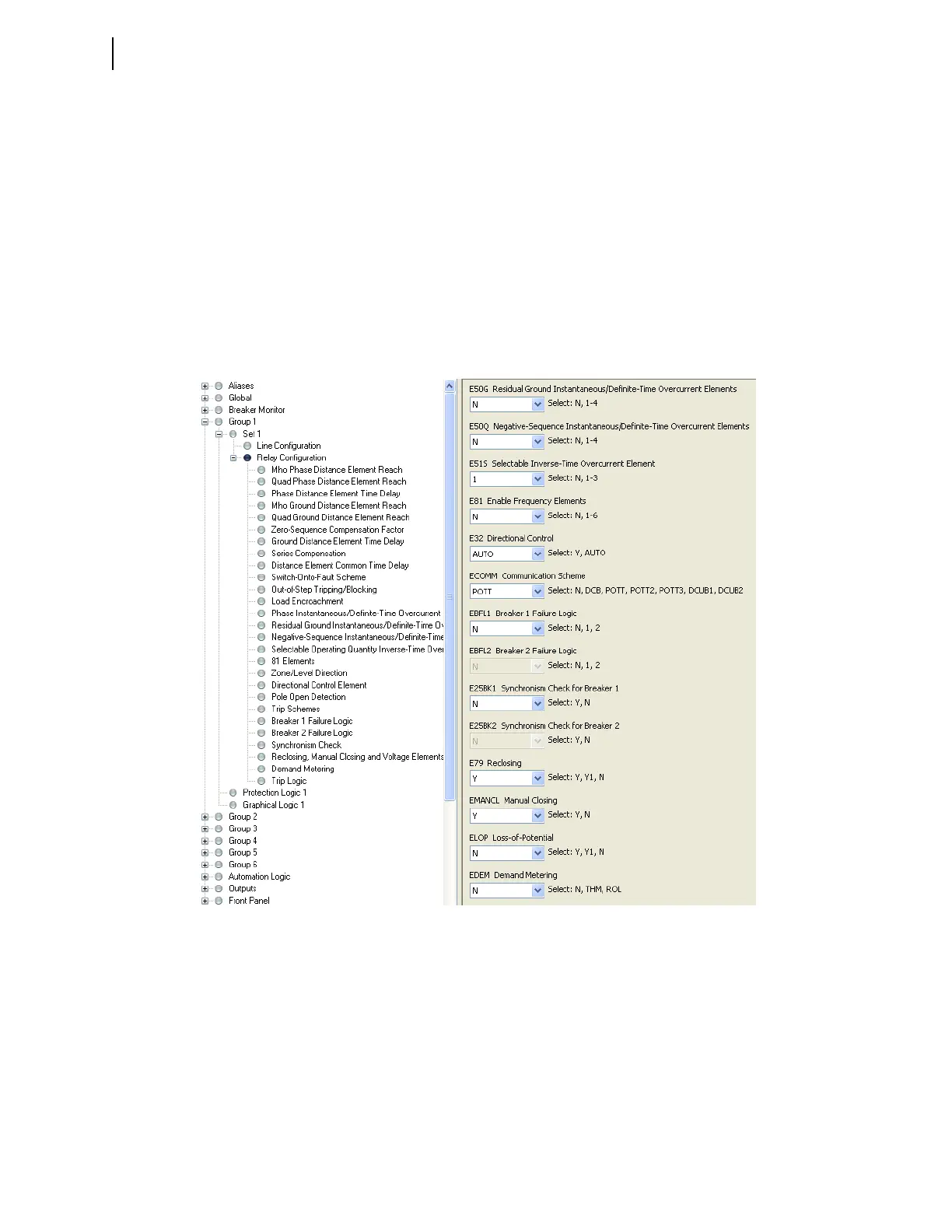
c. Expand the Group 1 settings and click the Relay Configuration
branch of the Settings tree view as shown in Figure 3.11.
d. Disable supervisory elements.
Confirm that ELOP is set to N.
e. In a similar sequence, click on the + button to expand the Relay
Configuration tree view, click on Load Encroachment, and
confirm that ELOAD is set to N.
f. Defeat the pole-open logic.
g. Click the + button next to Breaker Monitor to expand the
Breaker Monitor branch of the Settings tree view (see
Figure 3.12).
h. Click Breaker 1.
You will see the Breaker 1 dialog box similar to Figure 3.12.
Figure 3.11 Group 1 Relay Configuration Settings: QuickSet



 To Next Page