3.18
SEL-421 Relay Instruction Manual Date Code 20171021
Testing
Checking Relay Operation
Step 4. Display the F32Q and R32Q Relay Word bits on the front-panel LCD
screen.
a. Access the front-panel LCD
MAIN MENU.
b. Highlight
RELAY ELEMENTS and press ENT.
You will see a
RELAY ELEMENTS screen with SEARCH highlighted
at the bottom of the screen.
c. Press ENT to go to the
ELEMENT SEARCH submenu shown in
Figure 3.9.
d. Enter characters in the text input field using the navigation keys.
e. Highlight
F and press ENT to enter the F character.
f. Enter the
3, 2, and Q characters in like manner.
g. Highlight
ACCEPT and press ENT.
The relay displays the screen containing the F32Q and R32Q
elements, as shown in Figure 3.16.
Step 5. Calculate impedance thresholds.
a. For this test, apply an A-Phase voltage of V
A
= 3V
2
= 18.0
180° V secondary.
b. Use Equation 3.6 to find the current that is equal to the reverse
impedance threshold Z2R:
Equation 3.7
Step 6. Use Equation 3.4 to find the current that is equal to the forward
impedance threshold Z2F:
Equation 3.8
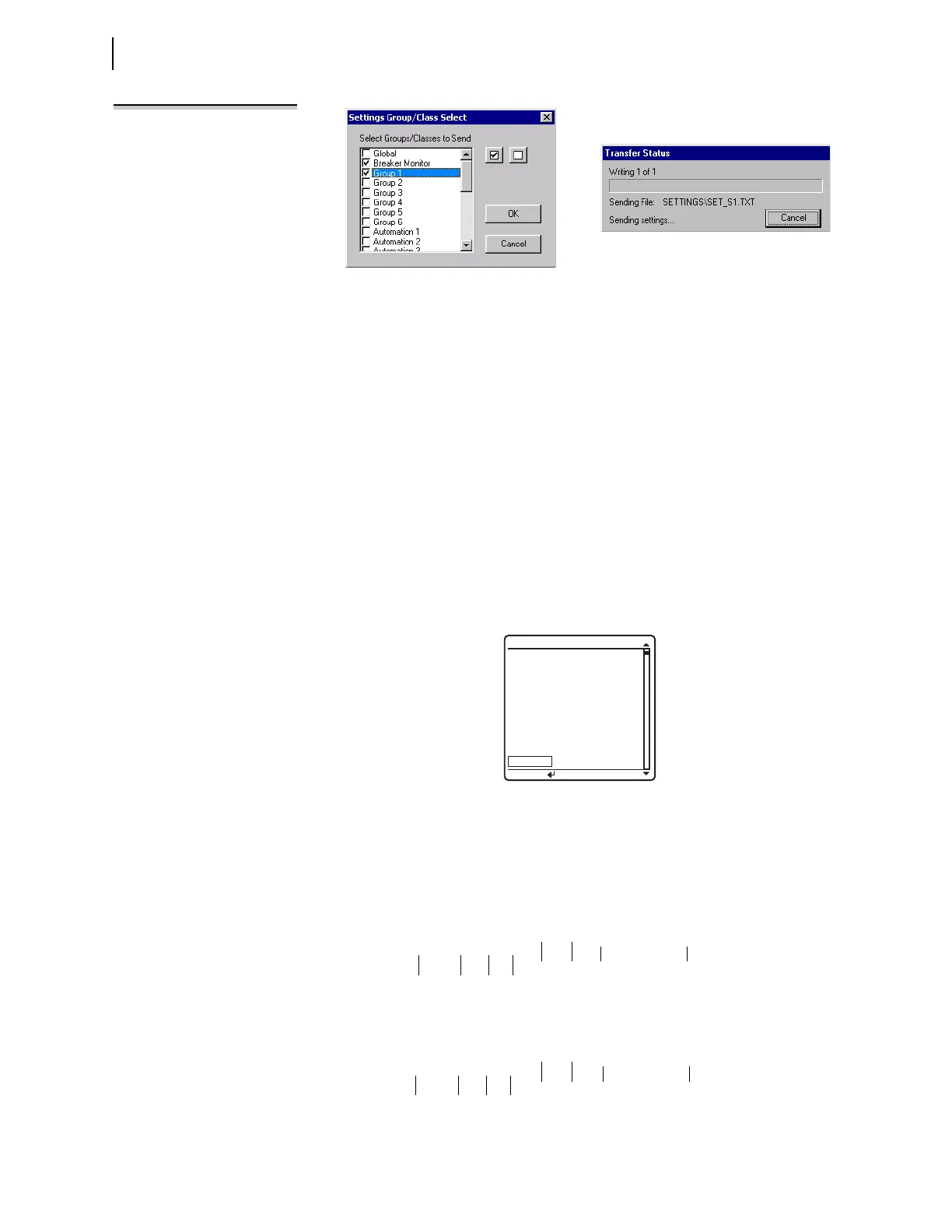
Figure 3.15 Uploading Group 1 and Breaker Monitor Settings to the SEL-421
Figure 3.16 RELAY ELEMENTS LCD Screen Containing Elements F32Q and R32Q
NOTE: The Relay Editor dialog boxes
shown in
Figure 3.15
are for the
SEL-421-5. The SEL-421-4 dialog
boxes do not contain Automation 2
through Automation 10 setting
PRESS to search
RELAY ELEMENTS
SEARCH
ROW 20 ROW 21
32SPOR
=0 32IE =0
32SPOF
=0 32VE =0
32QR =0 32QGE =0
32QF =0 32QE =0
R32Q =0 50GR =0
F32Q =0 50GF =0
R32P =0 50QR =0
F32P =0 50QF =0
I
TEST
3I
2
3V
2
Z2R
-------------
18.0 180V
4.00
---------------------------------- 4.50 A== = =
I
TEST
3I
2
3V
2
Z2RF
---------------
18.0 180V
3.90
---------------------------------- 4.62 A== = =



 To Next Page