4.13
Date Code 20171021 Instruction Manual SEL-421 Relay
Front-Panel Operations
Front-Panel Operator Control Pushbuttons
The IRIG LOCKED target LED illuminates when the relay detects synchronization to
an external clock with less than 500 ns of jitter (Relay Word bit TIRIG is
asserted). See Configuring Timekeeping on page 3.75 in the SEL-400 Series
Relays Instruction Manual for complete details.
Front-Panel Operator Control Pushbuttons
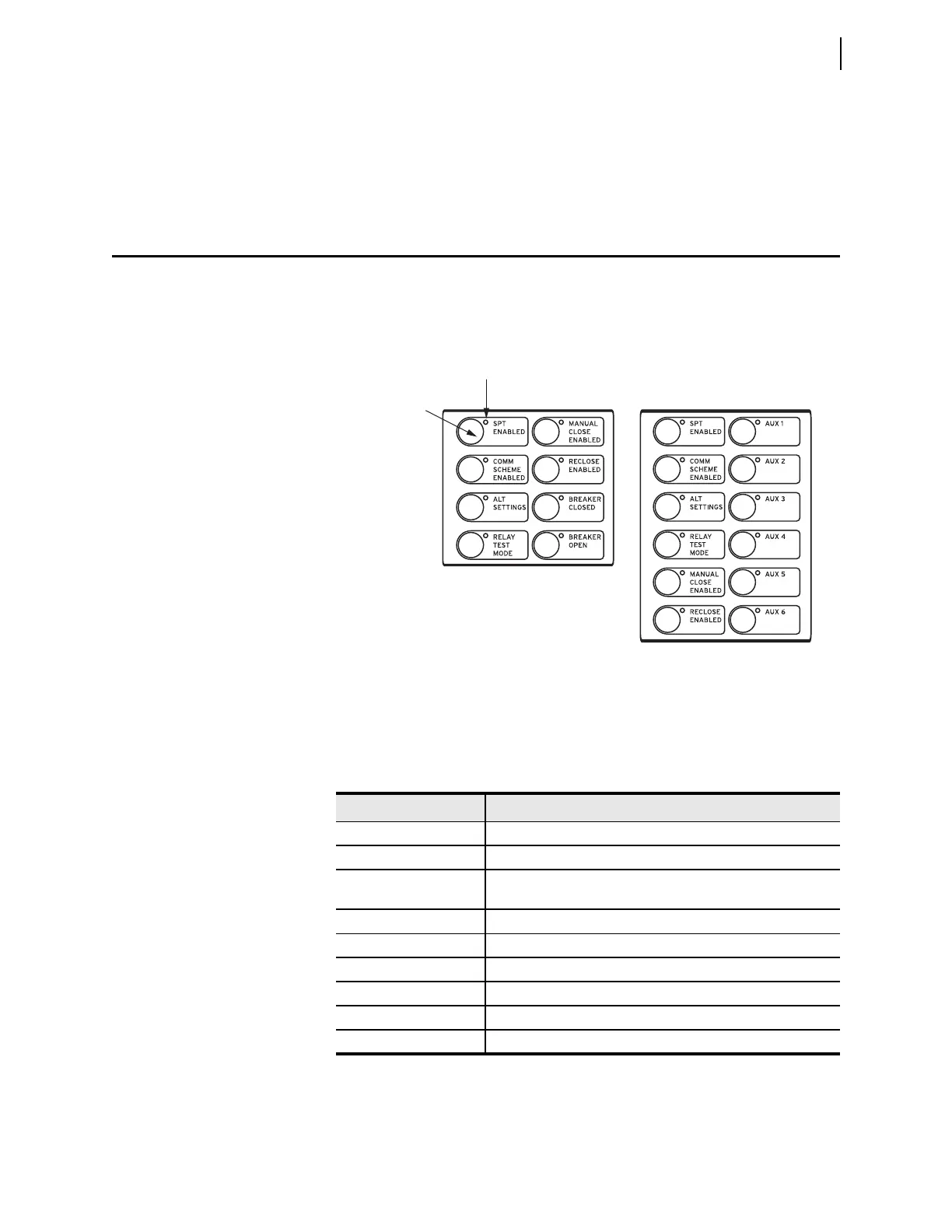
The SEL-421 front panel features large operator control pushbuttons coupled
with amber annunciator LEDs for local control. Figure 4.10 shows this region of
the relay front panel with factory-default configurable front-panel label text. The
SEL-421 provides either 8 or 12 pushbuttons depending on ordering option.
Factory-default programming associates specific relay functions with the eight
pushbuttons and LEDs, as listed in Table 4.4. For a concise listing of the default
programming for the front-panel pushbuttons and LEDs, see Front-Panel Settings
on page 8.35.
Figure 4.10 Operator Control Pushbuttons and LEDs (8 or 12 Pushbuttons)
Table 4.4 Operator Control Pushbuttons and LEDs—Factory Defaults
Label Function
SPT ENABLED Enable single-pole tripping
COMM SCHEME ENABLED Enable communications scheme
ALT SETTINGS Switch between setting group 1 and setting group 2
a
. The LED is
illuminated when group 1 is not the active setting group.
a
With factory settings, the ALT SETTINGS pushbutton must be pressed and held for three seconds
before the SEL-421 will change setting groups.
RELAY TEST MODE Enter test mode
MANUAL CLOSE ENABLED Enable manual closing
RECLOSE ENABLED Enable automatic reclosing
AUX n
b
b
Available on 12-pushbutton models; n is the number of AUX buttons available depending on
ordering option.
Auxiliary
BREAKER CLOSED
c
c
Not available on models with auxiliary TRIP/CLOSE pushbuttons.
Close Circuit Breaker 1
BREAKER OPEN
c
Open Circuit Breaker 1
Operator
Control
Pushbutton
Annunciator LED



 To Next Page