179
Adjusting knitting machine 4
Basic settings
Setting up of the knitting systems
Setting up of the knitting
systems
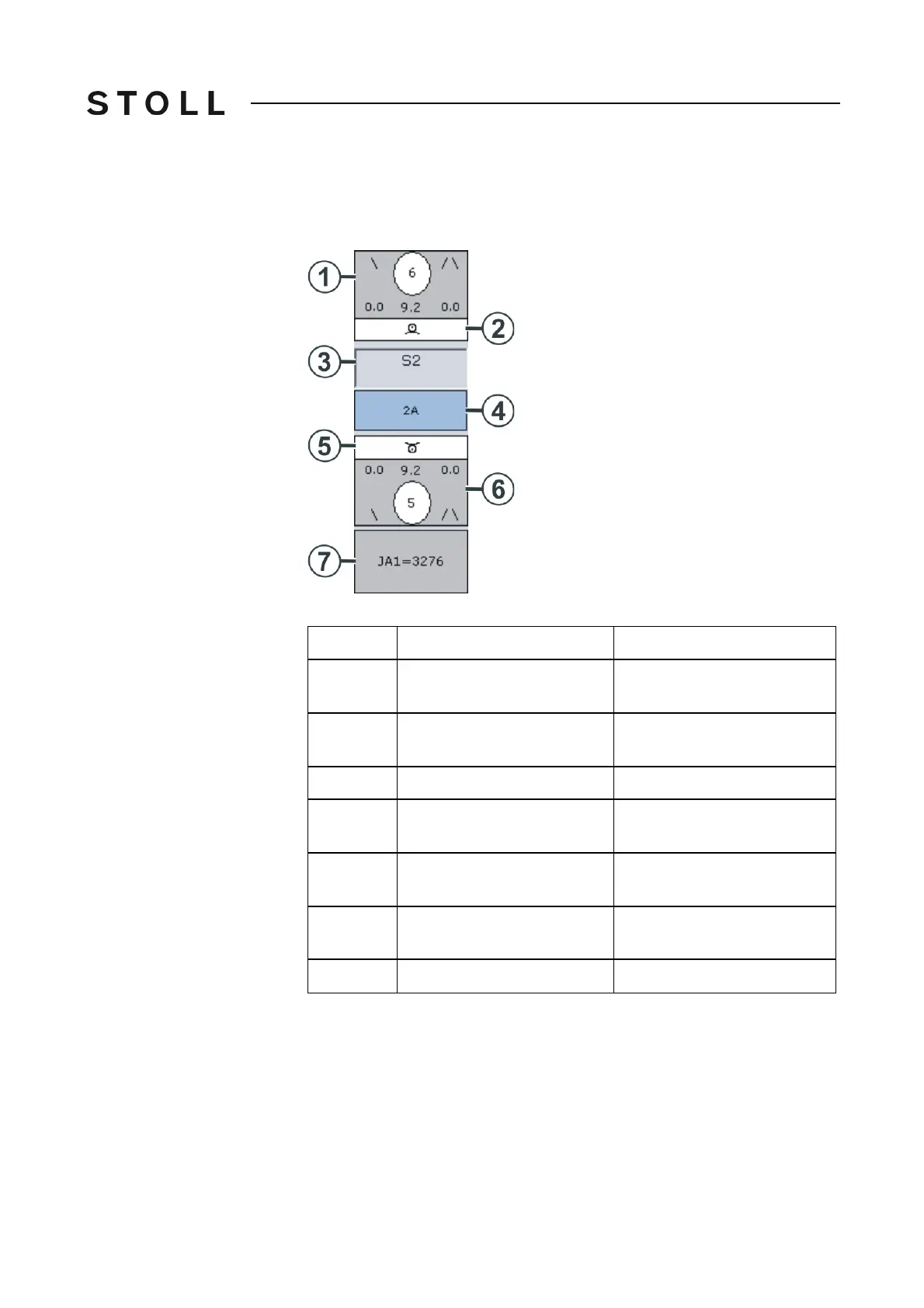
The stitch tension, needle action, yarn carrier and jacquard line are displayed
for every knitting system. The corresponding menu is opened if the yarn
carrier, stitch tension or jacquard line is touched.
Change NP value wi ndow
"Change NP value" window
Area
Show
Change
1
Stitch tension (rear knitting
system)
Value can be changed at
indirect specification (NP6=9.2)
2
Needle action (rear knitting
system)
3
Number of the knitting system
4
Yarn Carrier
Yarn Carrier Correction
Yarn carrier stopping position
5
Needle action (front knitting
system)
6
Stitch tension (front knitting
system)
Value can be changed at
indirect specification (NP5=9.2)
7
Jacquard line



 To Next Page