242
4 Adjusting knitting machine
Advanced adjustments
7. Call up the "Holding-down jack control" window.
8. In the "Open/Close jacks" box, tap on the "Open" key.
The holding-down jacks are opened.
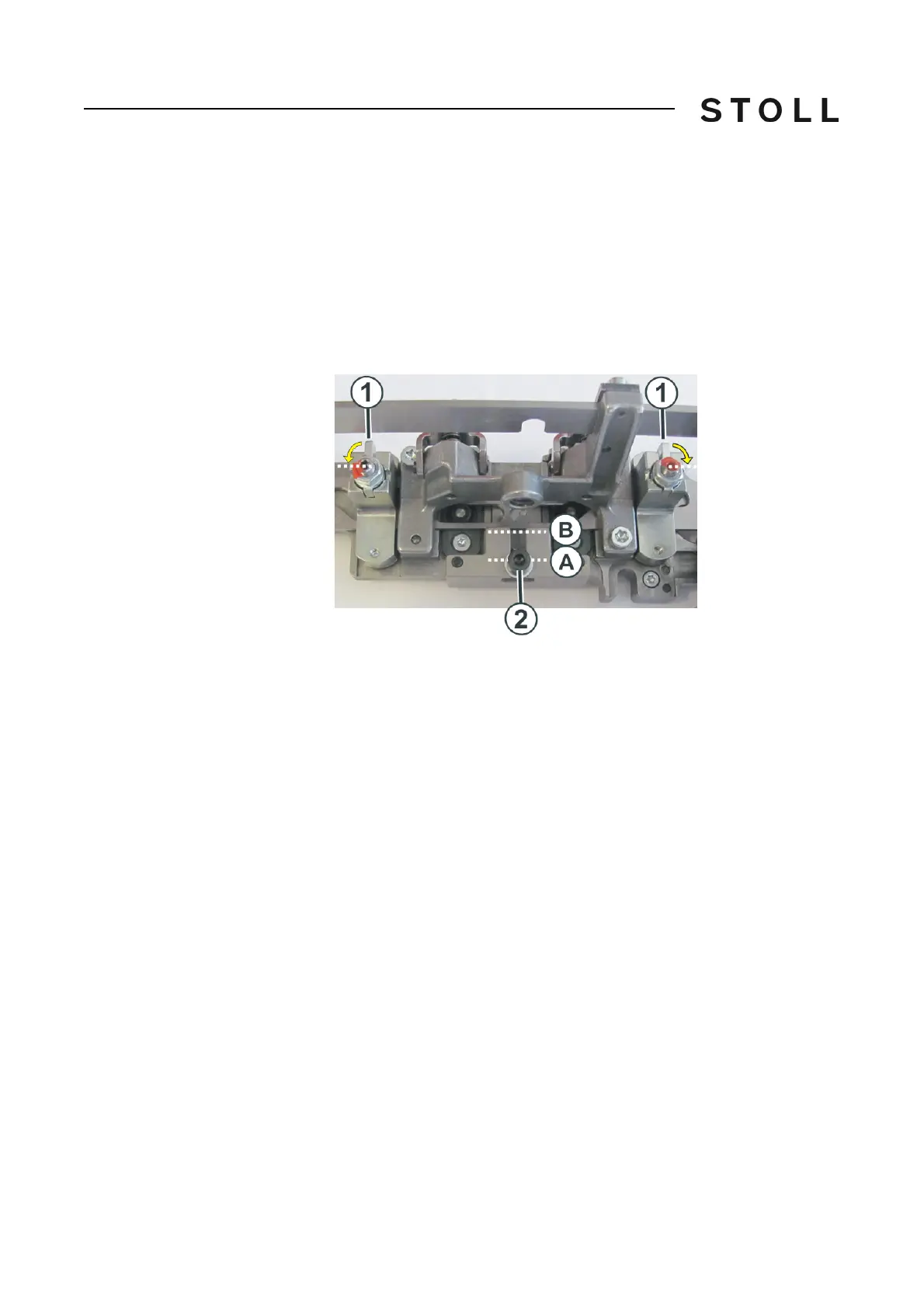
9. Lift the leve
r (1) somewhat and rotate it 90 degrees ou
twards until it
engages again.
10. Repeat the process on the other side of the hold
ing-down jack control.
11. Loosen the screw (2) with an Allen key (SW 3).
12. Using the Allen key move the screw and with it the float
slider to the (B)
position.
13. Tighten the screw (2).
14. Repeat this operation with the
holdi
ng-down jack controls in the left
carriage.
15. Move the carriage to the right and stop it again, if the
right carriage is
located shortly after the right reversing position.
16. Repeat the steps 6 to 14 for the right carriage.



 To Next Page