269
Adjusting knitting machine 4
Working with files
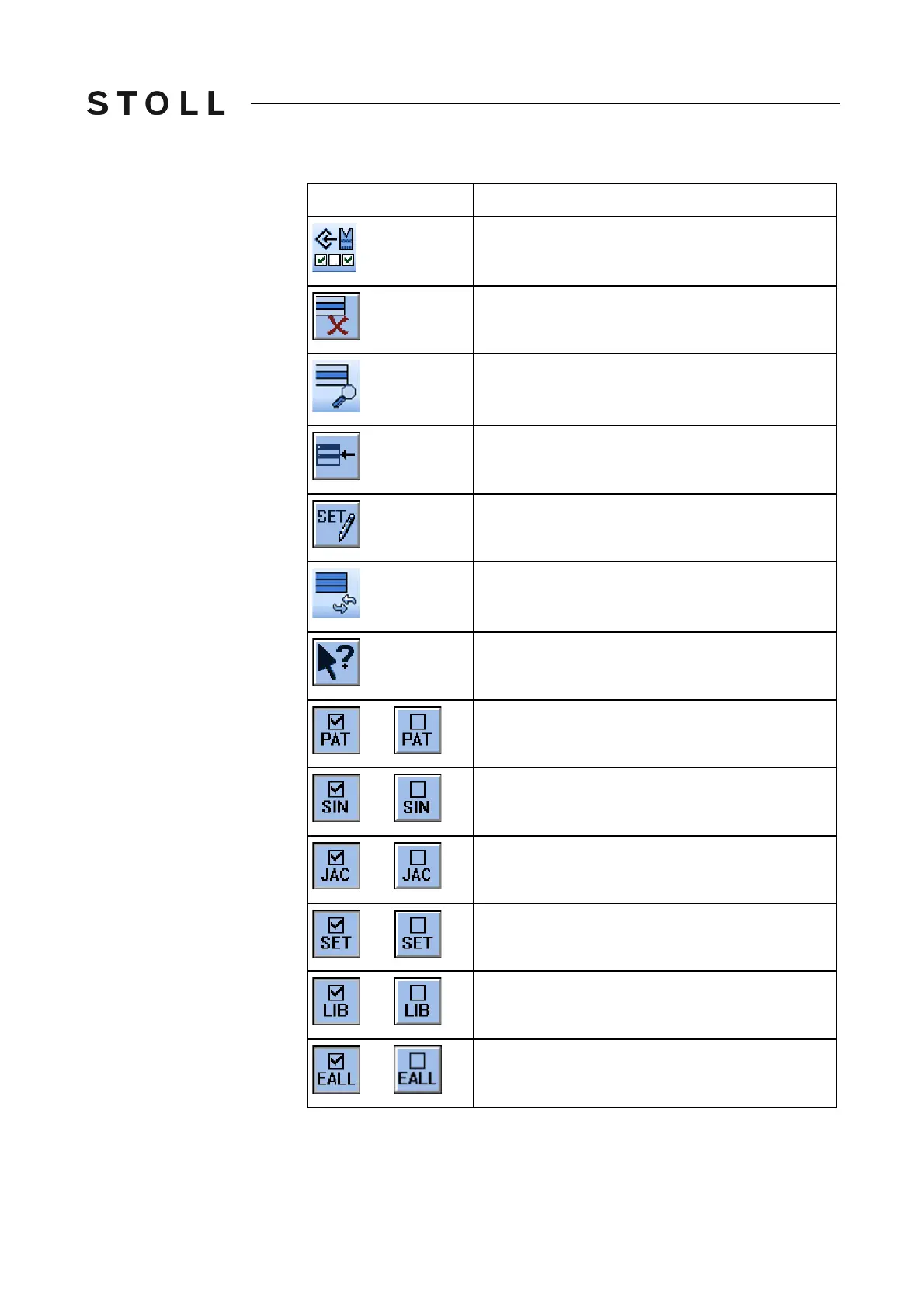
Save pattern with selected setup data (for Setup2)
Delete selected file
Display selected file
"Add": add selected file and corresponding pattern
elements to pattern already loaded
Editing the setup data (for Setup1)
"Update": Update the contents of the folder
Call up "Direct Help" for the key pressed next
Activate/deactivate "Entire pattern selection".
Activate/deactivate "Sintral selection"
Activate/deactivate "Jacquard selection"
Activate/deactivate "Setup selection"
Activate/deactivate "Library selection"
Activate/deactivate "EALL selection"
Key
Function



 To Next Page