276
4 Adjusting knitting machine
Working with files
8. Tap the "Copy file" key.
When the file is copied, it appears in the right list ("Target").
9. To copy other files, repeat steps 7 and 8.
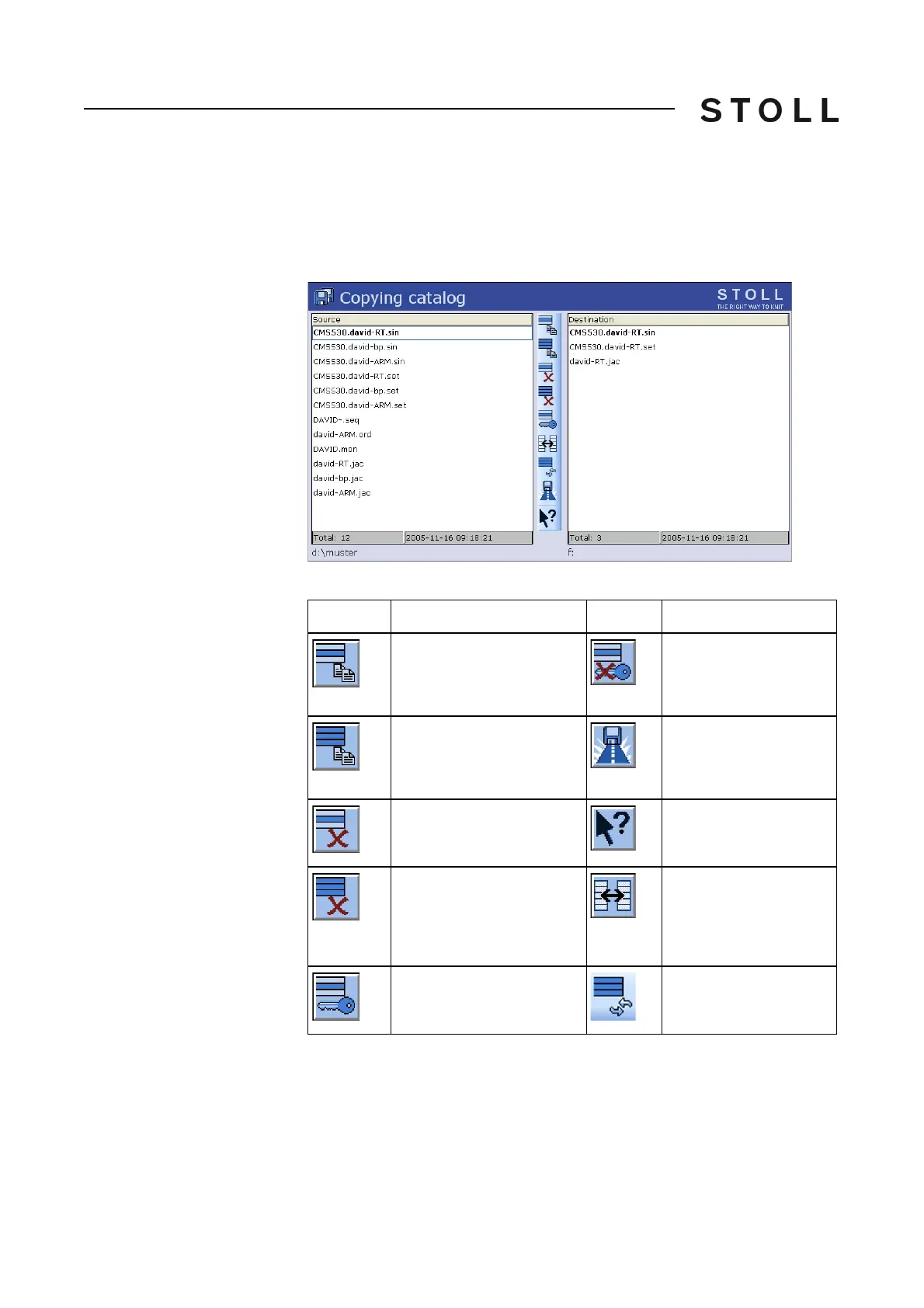
Actions in "Copying catalog"
window
Path specifications in the "Copying catalog" window
Keys in t he Copyin g catalog window
Keys in the "Copying catalog" window
Execute the action:
1. Tap the list for which the action is to be
carried out.
2. Tap the desired button.
3. To carry out additional actions, repeat steps 1 and 2.
Key
Function
Key
Function
"Copying a file": Copy file
selected in Source to Target
"Deactivate Write
Protection": Deactivate
write protection of the
selected file
"Copy all": Copy all files from
Source to Target
"Current folder selection":
Open the dialog box for
definition of the current
folder
Delete selected file
Call up "Direct Help" for the
key pressed next
"Delete all": Delete all files in
the selected folder
"Change content":
Exchange contents of
Source and Target; Source
is always on the left, Target
on the right
"Set Write Protection": Set
write protection of the selected
file
"Update": Update the
contents
of the folder



 To Next Page