279
Adjusting knitting machine 4
Working with files
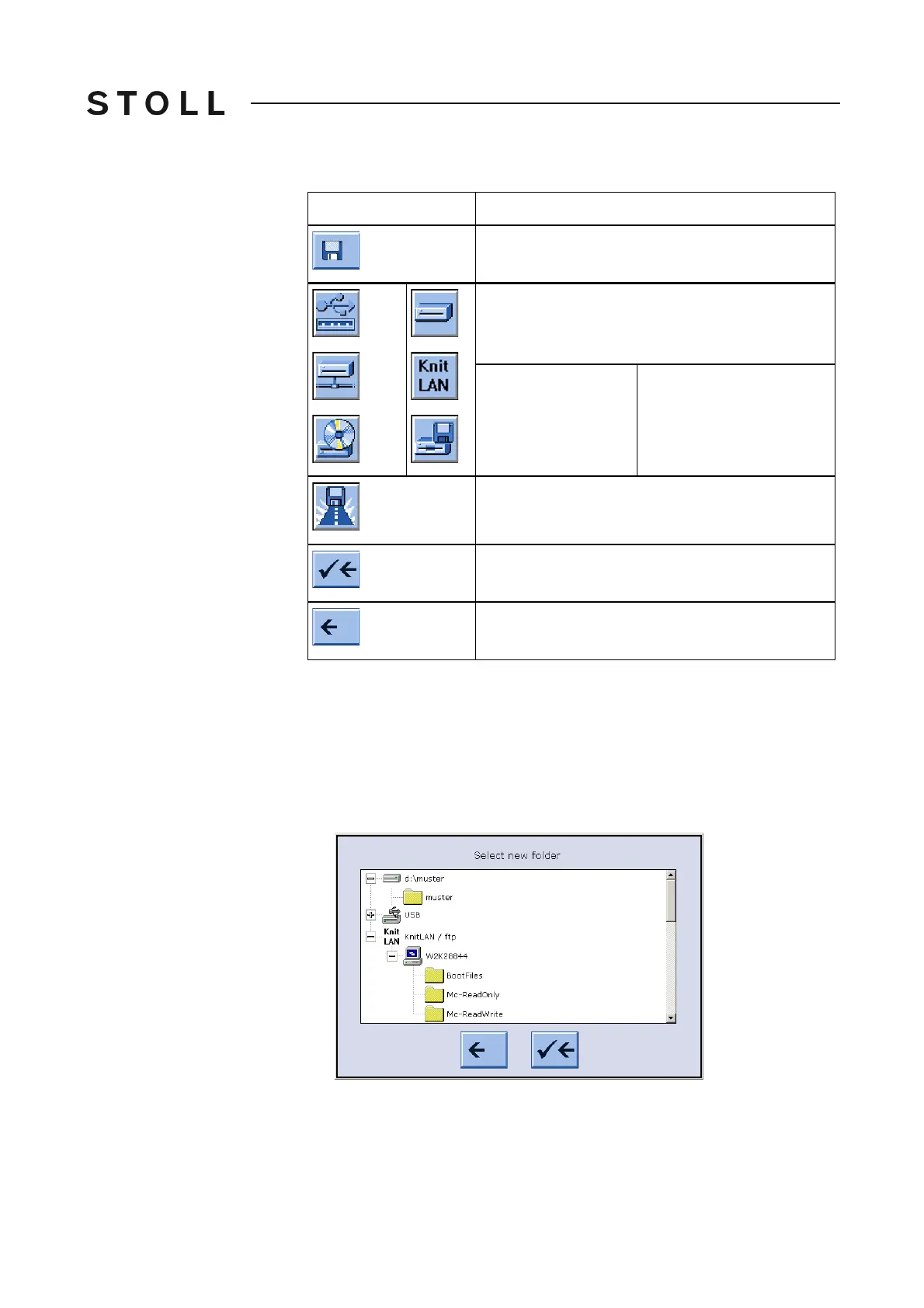
Keys for c hanging a path
Keys for changing a path
Change the path of "Direct folder selection" key:
1. From the "Main menu" call up the "Load & Save" window.
2. Tap "Direct folder selection" key for which th
e path is to be changed.
3. Tap on the "Current folder selection" key.
The
input window "Select new folder " appears.
Select new folder win dow
"Select new folder" window
4. Select the new path.
Key
Function
Call up the "Load & save" window
"Direct folder selection" key
The symbols of the 3 keys "Direct folder selection"
are adapted based on the linked drive:
◆ USB Memory Stick
◆ Network drive
◆ CD drive (USB)
◆ Hard disk
◆ KnitLAN
◆ Floppy disk drive (USB)
"Select the current folder" key
End setting process and save changes
End setting process without saving changes



 To Next Page