285
Adjusting knitting machine 4
Working with the Sintral editor
2nd level of "SINTRAL
Editor"
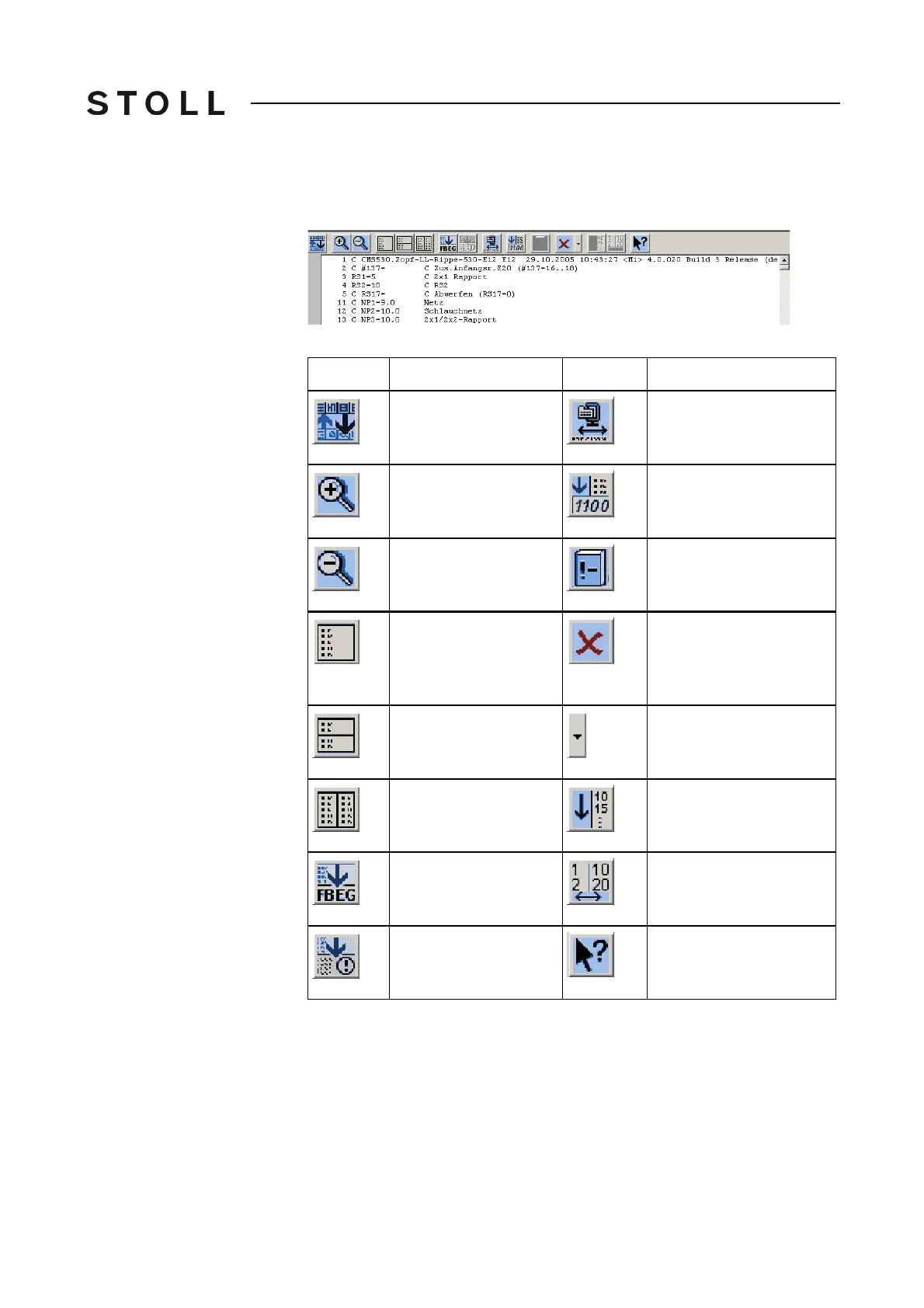
Pressing the "Switch over toolbar" key, the window goes to the 2nd level of the
"SINTRAL Editor".
Window of the se cond level in the SINTRAL-E ditor
Window of the second level in the "SINTRAL-Editor"
Additional keys of the second level of the SINTRAL editor
Additional keys of the second level of the "SINTRAL editor"
Key
Function
Key
Function
"Switch toolbar": Switch
over toolbar to first level
"Pack and unpack
jacquard": Pack or unpack
selected jacquard lines
"Enlarge": Display text
enlarged
"Set jacquard start": Set
start of jacquard on
current line
"Reduce": Display the
text decreased
Switch over between
current pattern and "Auto-
Sintral"
"Remove tile window":
Remove tile window
(horizontally or
vertically)
"Delete all": delete the
complete pattern
"Tile window
horizontally": Tile
window horizontally
"Delete" submenu is
opened
"Tile window vertically":
Tile window vertically
"Sort" marked area
ascending by line
numbers
"Function list": Toggle
on/off the display of
pattern functions.
"Renumber": Reissue line
numbers in the selected
area
Activate and deactivate
display of Sintral "error
messages"
Call up "Direct Help" for
the key pressed next



 To Next Page