291
Adjusting knitting machine 4
KnitLAN connection
Keys for setting the KnitLAN connection
1. Call up the "Service" menu.
2. Call up the "Basic settings" menu.
3. Call up the "Network favorites" window.
Network favori tes window
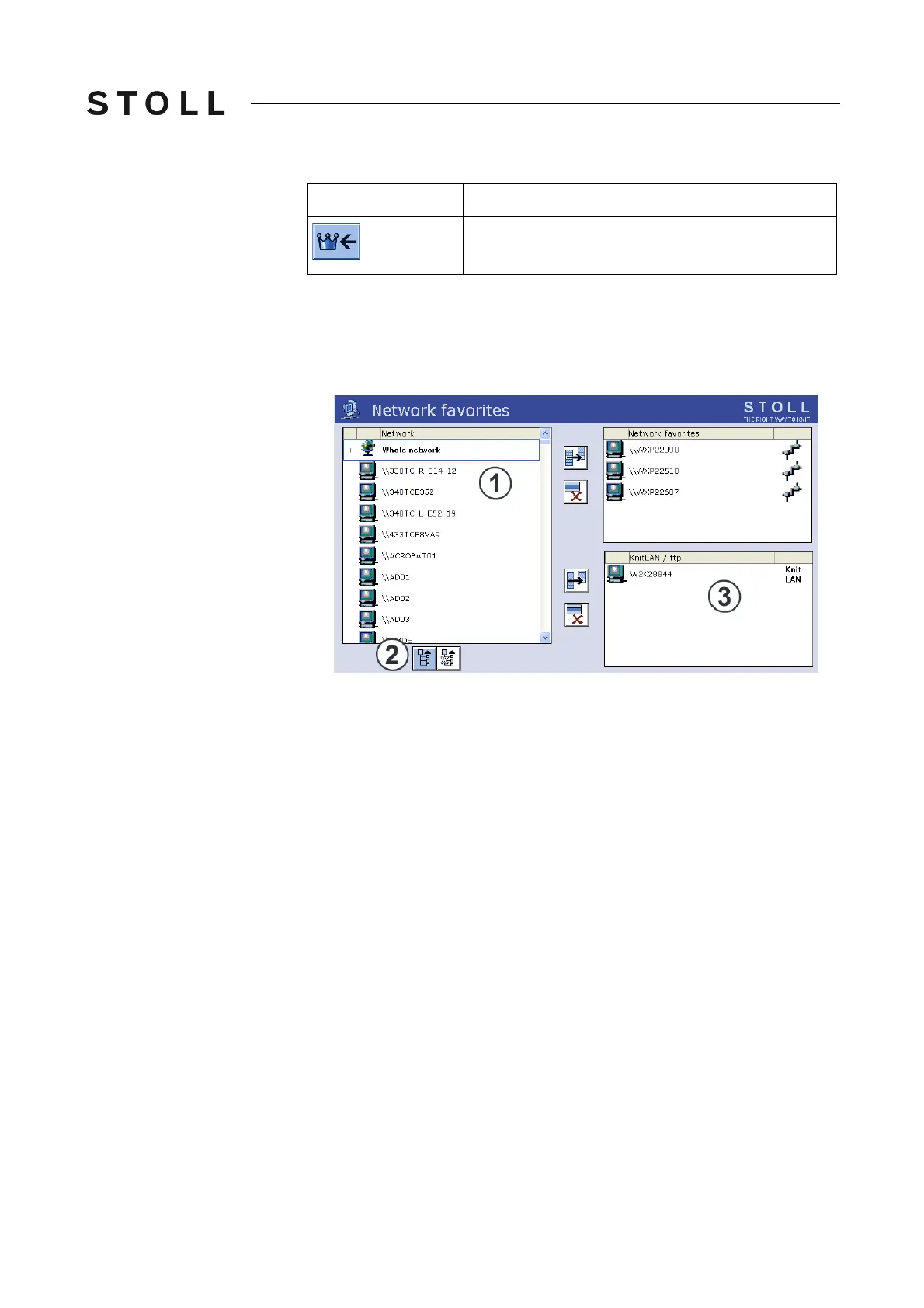
"Network favorites" window
4. From the entire network (1) select the computer of the M1.
If only the entire network is displayed, t
hen open the substructure with the
(2) key.
5. Transfer the selected computer into the "KnitLAN / ftp" (3) field.
6.
If another computer needs to be selected, repeat steps
4 and 5.
7. Call up the "Main menu".
Call up "Main menu"
1
Display of network environment which machine is integrated in.
2
Opens the understructure of the marked network.
3
Computers which are used for KnitLAN (e. g. pattern workstations)
or
computers on which a FTP server is installed.
FTP = File transfer protocol (network protocol for data transmiss
ion).
Key
Function



 To Next Page