X35 Console General Operations
8.9
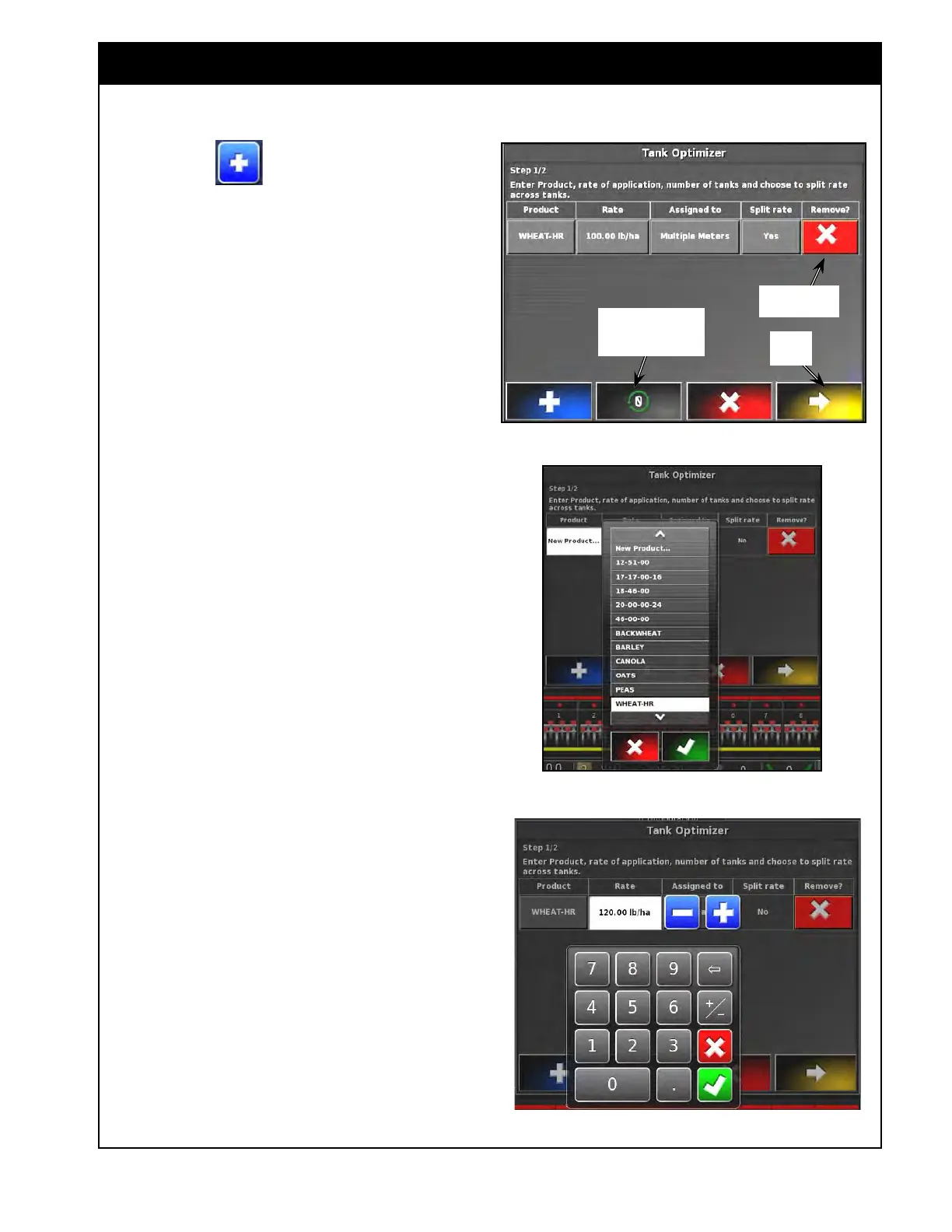
2. Select the button to start adding
products to the table, a line for the first
product will appear in the table, refer to Figure
8.14.
Clear all products
from the table
Figure 8.14 - Adding Product Details
Remove Entry
Next
Step
3. Refer to Figure 8.15. Under the Product
column select the "Please select" button.
a. Choose the product from the scroll list or
select New Product to enter new (for full
instruction to enter new product refer to
Section 7.2 - Adding New Product ).
Figure 8.15 - Select Product
Figure 8.16 - Enter Application Rate
4. Refer to Figure 8.16. Enter the product
application rate.



 To Next Page