X35 ConsoleGeneral Operations
8.18
8. When calibrating for the first time it is
acceptable that the calibration factor(s) might
be out +/- 20%. This will depend on the
product density and other variations. You
should save the calibration factors and
recalibrate any tanks that are out by more than
5%.
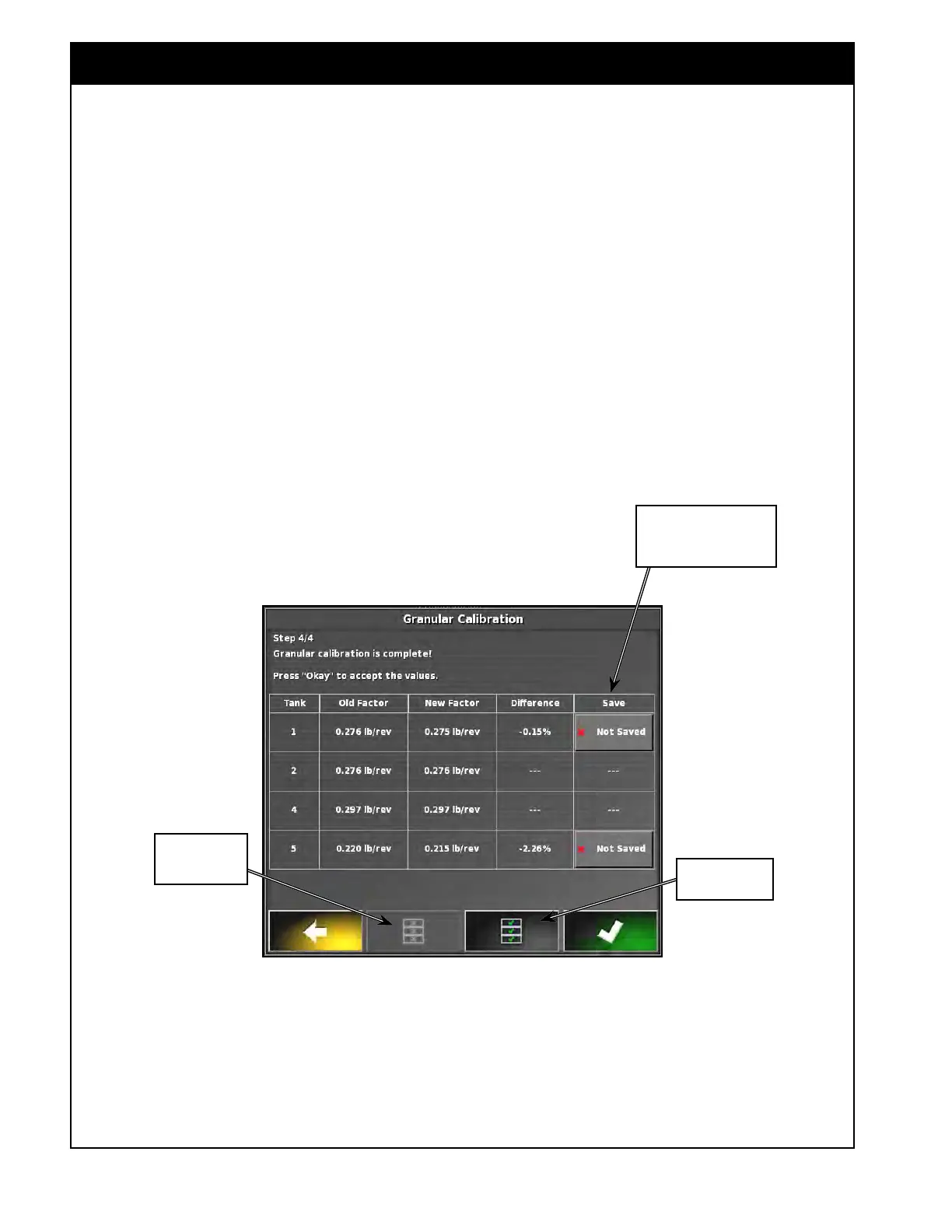
a. Refer to Figure 8.33. You can save
the
calibration factors for each tank
individually by selecting the button in the
Save column for desired tank, or you can
save calibration factors for all tanks at
once by selecting the save all button.
b. Recalibrate the tanks until within 5% to
confirm your new calibration factor.
9. Close out of the calibration window.
10. Return to the Seeder Controller main viewing
area in preparation for seeding.
Figure 8.33 - Calibration Wizard - Save Calibration factors
Use buttons in this column
to save calibration factors for
an individual tank
Save all new
calibration factors
Restore all
calibration factors
to old value



 To Next Page