X35 Console Monitoring & Managing Files
10.14
5. (J) - appears only if System 150 Files
Transfers are enabled in the User/Environment
Setup.
a.
It will toggle to System 150 File Transfer
mode.
b.
When the System 150 Files transfer mode
is active, the background will display green
and files from earlier Topcon systems can
be transferred.
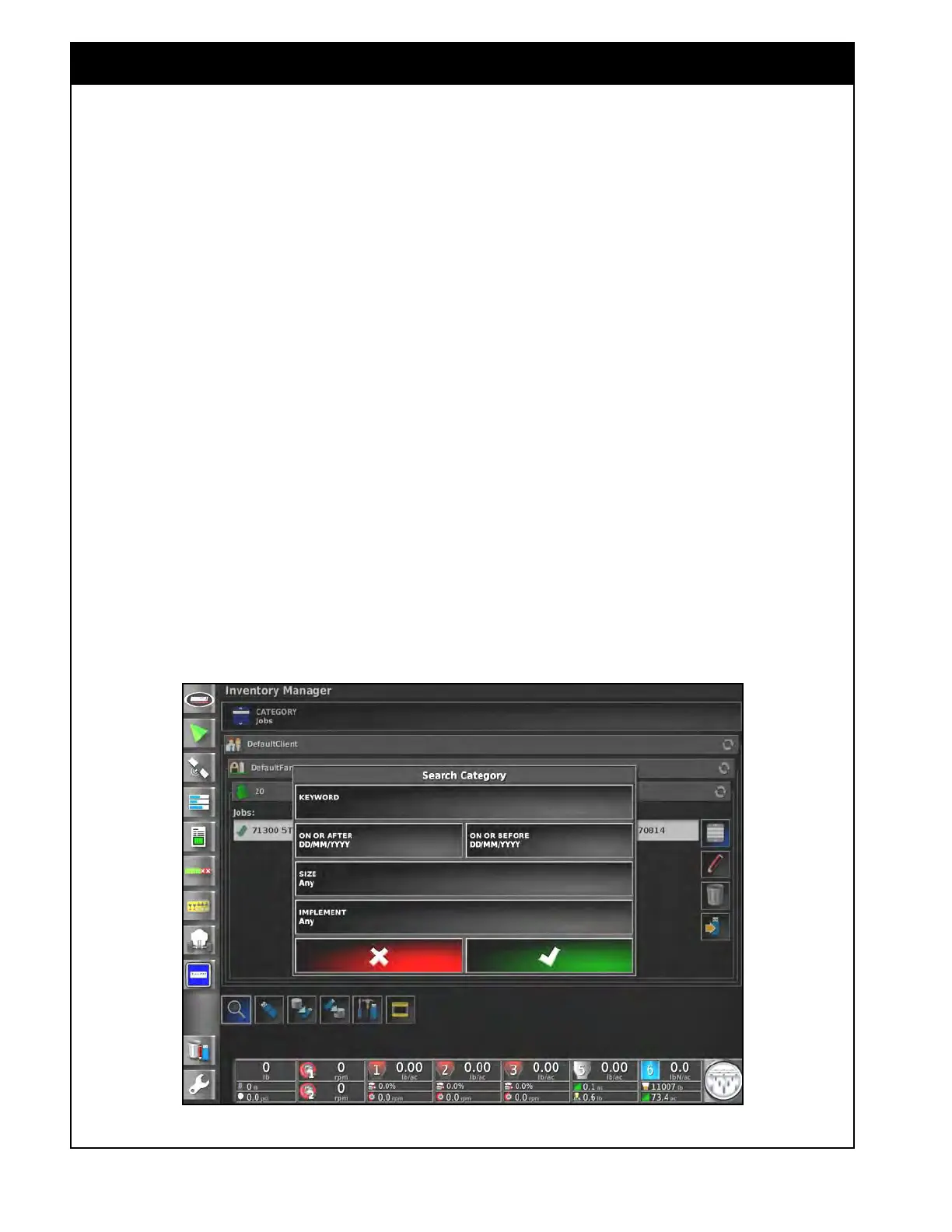
6. (K) - the search button will allow you to enter
a
name to search for under any of the file
categories.
a.
For the Job category this search button will
give you more filtering options.
i. On
or After - search earliest date
job was created.
ii. On
or Before - search latest date job
was created.
iii. Size - search any jobs or just empty
job
files with no coverage.
iv. Implement - select which implement
was
used to create the jobs or
include any.
Note
This can be used to find a list of jobs to perform a
task on them all at once like creating job reports
or deleting them from the console.
Figure 10.26 - Search Category
Note
This Inventory Manager Method should be
used when exporting job reports for previously
completed jobs and to retain all the information.
Alternatively, using the Guidance Screen to
load a job back up and then export it may lose
information if the settings aren’t configured the
same as when the job was performed.



 To Next Page