Chapter 6: System Control Module (SCM)
STANDARD Revision 1.0 C4® CMTS Release 8.3 User Guide
© 2016 ARRIS Enterprises LLC. All Rights Reserved. 198
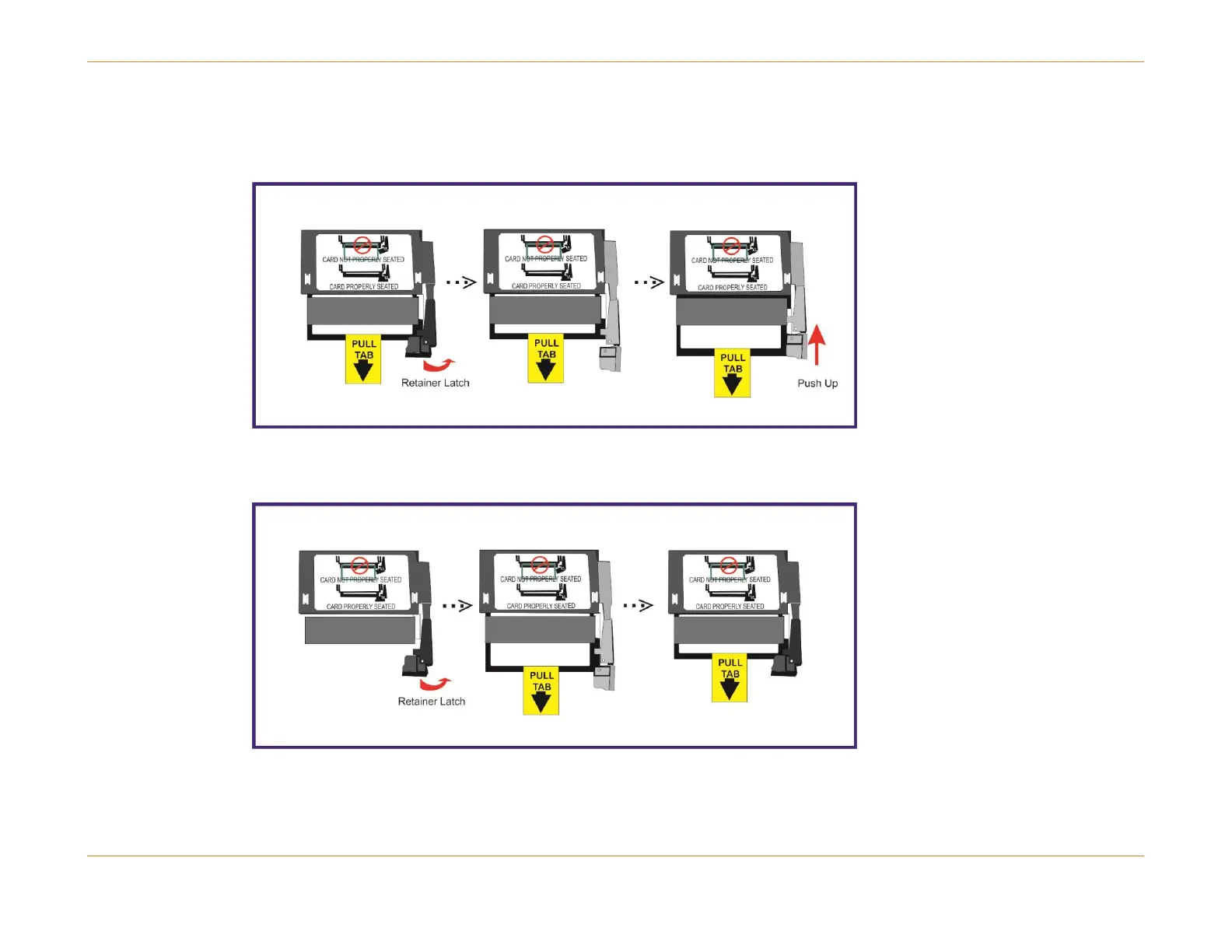
4. Remove the compact flash disk from the SCM by moving the spring-loaded retainer latch 90° to the right and then
pushing up. This action will release the compact flash disk from the socket and you can then pull it out using the yellow
"pull tab". See below.
5. Insert the replacement compact flash disk. The label must face upward and the retainer latch should again be moved
90° to the right. Now move the compact flash into the slot and slide it forward until you hear a "click" and the retainer
latch snap back into the locked position. See below.
6. Reinsert the upgraded SCM into the chassis and reconnect the serial port and ethernet cables, if used.
7. Enable the SCM by entering:
configure slot <x> no shutdown



 To Next Page