Chapter 11: Basic Bring-up Procedure for the C4 CMTS
STANDARD Revision 1.0 C4® CMTS Release 8.3 User Guide
© 2016 ARRIS Enterprises LLC. All Rights Reserved. 328
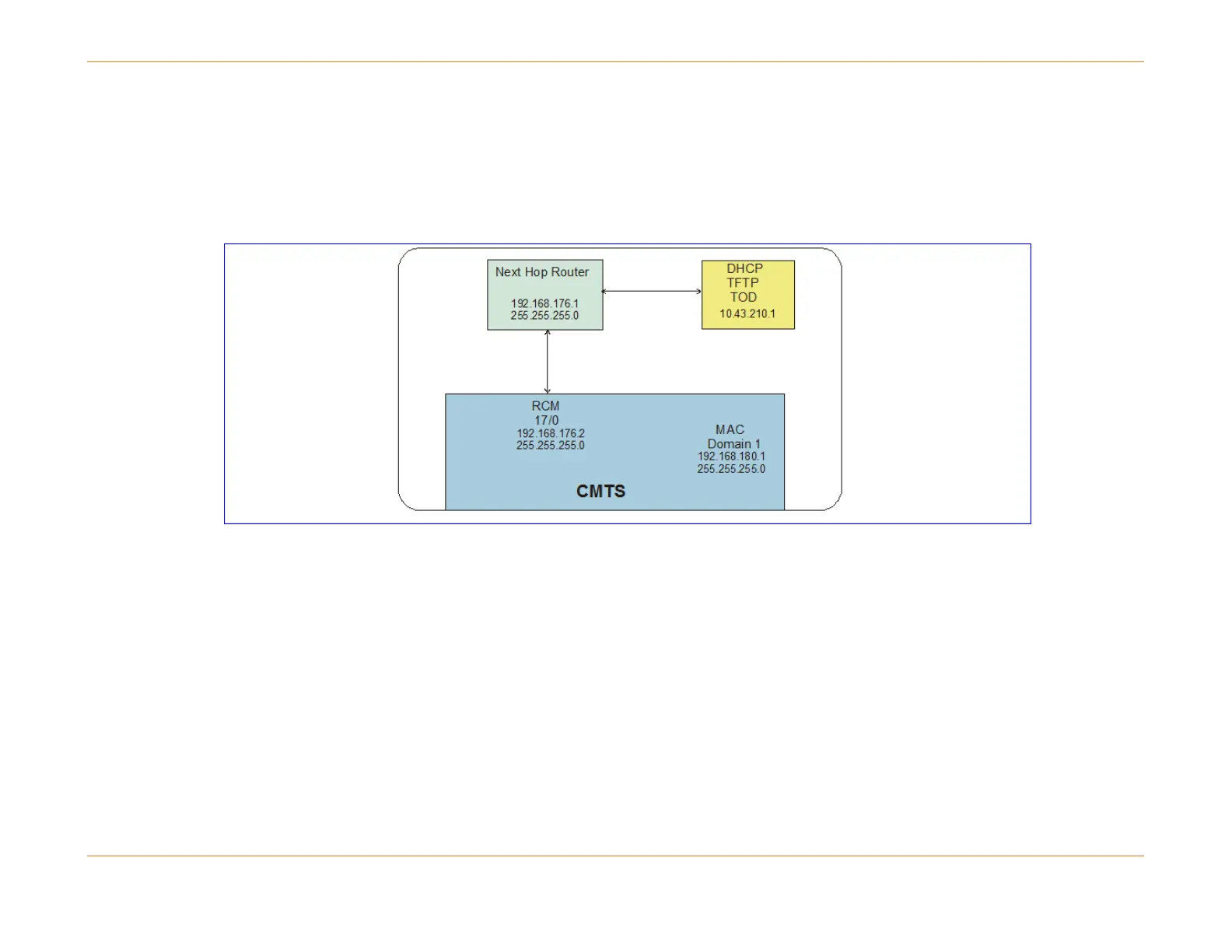
IP Network Plan
A network diagram is used to illustrate and document your specific network. The figure below is an example of a basic
network with sample IP addresses displayed. The IP addresses shown here are also used in subsequent examples in this
chapter. (See the blank form for actual use at the end of this section.)
Figure 70: Network Diagram Example
Configuration of Back Office Servers
The following servers must be correctly provisioned to support the DOCSIS and non-DOCSIS devices and services.
DHCP Server — A Dynamic Host Configuration Protocol (DHCP) server is needed to provide IP addresses to the modems
and Customer Premise Equipment (CPE).
The following options are required for registering modems:
Option 2 — time offset
Option 3 — router (IP address of CAM primary address)
Option 4 — time server (IP address of the time server)
Option 66 — boot server host name (IP address of the TFTP server)



 To Next Page