CAPINTEC, INC. CAPTUS
®
4000e
August 22 QUALITY ASSURANCE 5-17
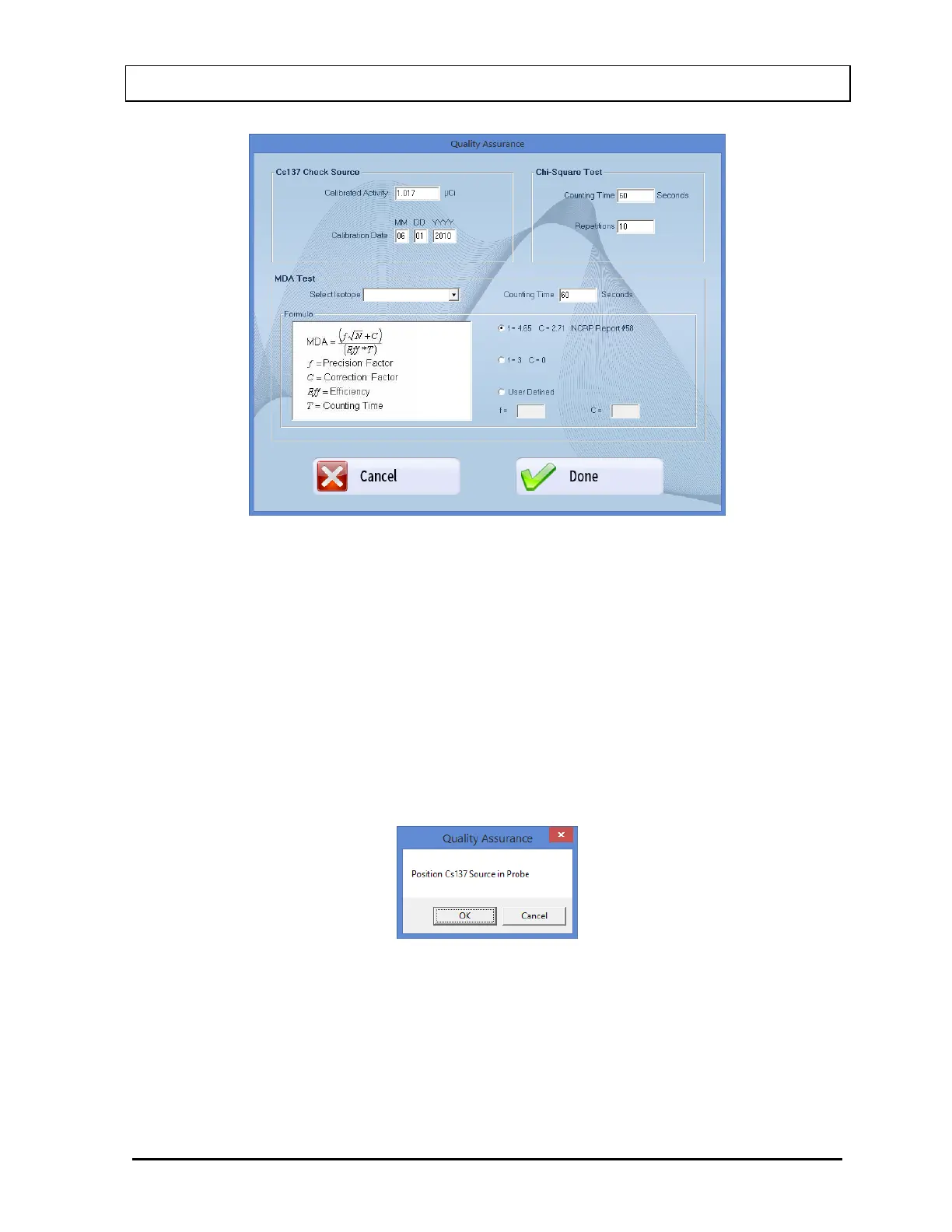
Figure 5-17 Quality Setup Screen
4. To change the default values in Chi-Square Test frame in Setup, click in the text boxes
and input the new values.
Note: The Counting Time can be set between 2 and 9,999 seconds. The Repetitions
can be set between 5 and 20.
5. Select the Done button or press Alt+D to save the edited information or select the
Cancel button or press Alt+C to cancel the changes and return to Figure 5-16 Chi-
Square Test Screen.
6. Select the Start Procedure button or press Alt+S to start the test. The screen appears as
shown in Figure 5-18.
Figure 5-18
Note: If calibration has not been performed for the current day on the selected detector,
you will be prompted with the screen as shown in Figure 5-19 If calibration is
performed now, the program will return to Figure 5-16 Chi-Square Test Screen
after calibration is complete.



 To Next Page