CAPINTEC, INC. CAPTUS
®
4000e
August 22 QUALITY ASSURANCE 5-21
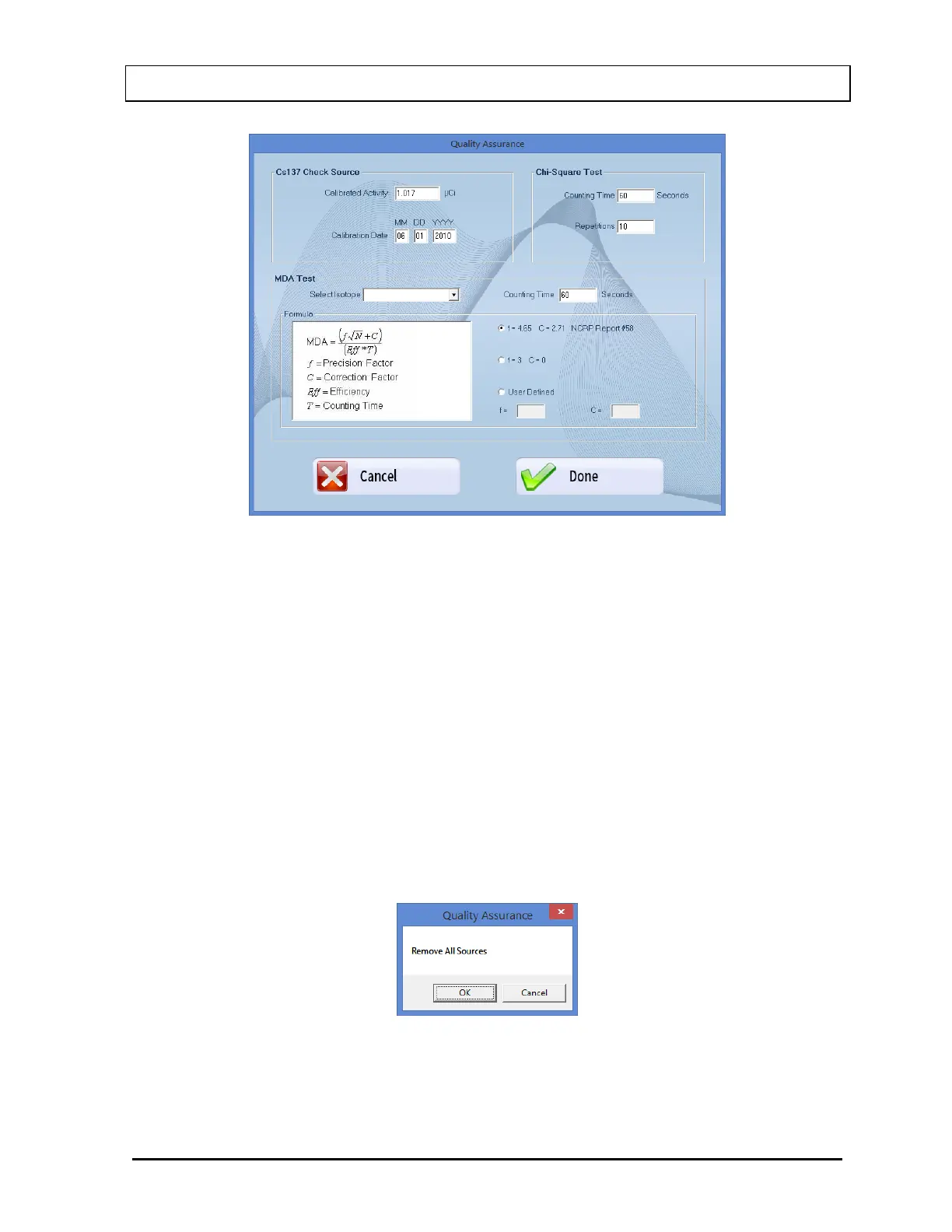
Figure 5-23 Quality Setup Screen
4. To change the Counting Time, click in the text box and input the new value.
Note: The Counting Time can be set between 1 and 9,999 seconds.
5. To select another isotope, click in the Selected Isotope drop-down box and click on the
desired isotope to select it. This sets a new ROI for count measurement.
6. To alter values used in the formula for MDA calculation, select in the desired radio button
in Formula frame.
7. Select the Done button or press Alt+D to save the added information or select the
Cancel button or press Alt+C to cancel the changes and return to Figure 5-22 MDA Test
Screen.
8. Select the Start Procedure button or press Alt+S to start the test. The screen appears as
shown in Figure 5-24.
Figure 5-24
Note: If calibration has not been performed for the current day on the selected detector,
you will be prompted with the screen as shown in Figure 5-25. If calibration is



 To Next Page