Setting Up 2
Keysight InfiniiVision 4000 X-Series Oscilloscopes Programmer's Guide 65
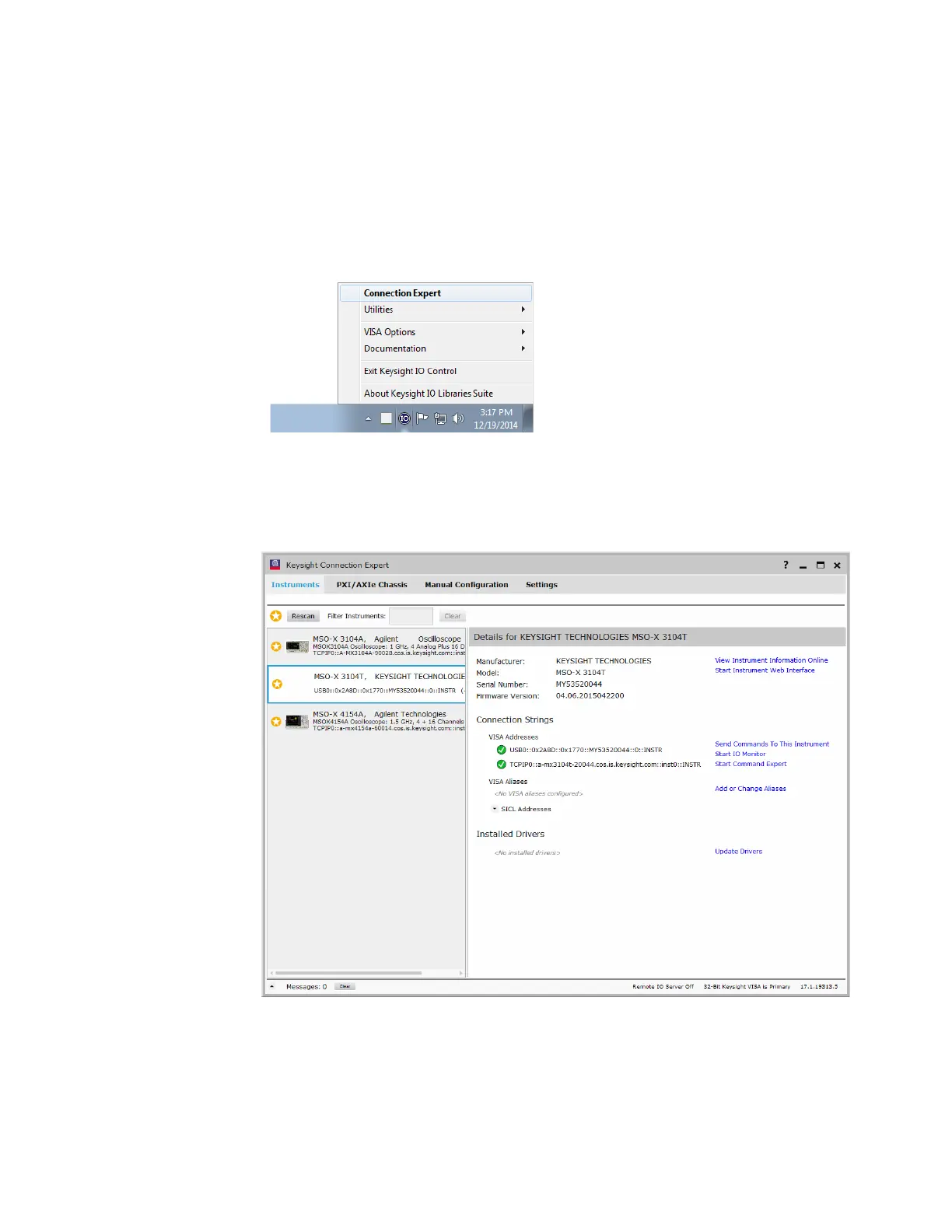
Step 3. Verify the oscilloscope connection
1 On the controller PC, click on the Keysight IO Control icon in the taskbar and
choose Connection Expert from the popup menu.
2 In the Keysight Connection Expert application, instruments connected to the
controller's USB and GPIB interfaces as well as instruments on the same LAN
subnet should automatically appear in the Instruments tab.
3 If your instrument does not appear, you can add it using the Manual
Configuration tab.



 To Next Page
 Loading...