6.5.13 RETURNING TO NORMAL RFL 9300 OPERATION
Once you are finished accessing the RFL 9300 using APRIL, make sure you have returned to the "9300>"
prompt:
1. If you were in the Programming Mode, press the [Q] and [ENTER] keys to return to the "9300>" prompt.
2. If you were in the Update Mode, press the [X] and [ENTER] keys to return to the "9300>" prompt.
When the "9300>" prompt is displayed, simply disconnect your PC or terminal from the RFL 9300's RS-232
connector. If you accessed the RFL 9300 through an RFL 9660 Digital Switch, type in the deselect code (nor-
mally "BYE") to deselect the port, and then enter the "Q" command to terminate the session. (Refer to the RFL
9660 Instruction Manual for more information.)
6.6 RFL 9300 ADDRESSING
6.6.1 TWO-TERMINAL ADDRESSING
In two-terminal systems RFL 9300s are installed in pairs, where one unit is installed at each end of a protected
power line. Some RFL 9300 installations may have more than one pair of 9300s connected to a common net-
work. The RFL 9300 has an addressing feature which insures that the local 9300 will only communicate with
its corresponding remote 9300. The addressing feature can be enabled or disabled by the user depending on
the type of installation. An advantage of disabling the addressing feature is to reduce traffic on the communi-
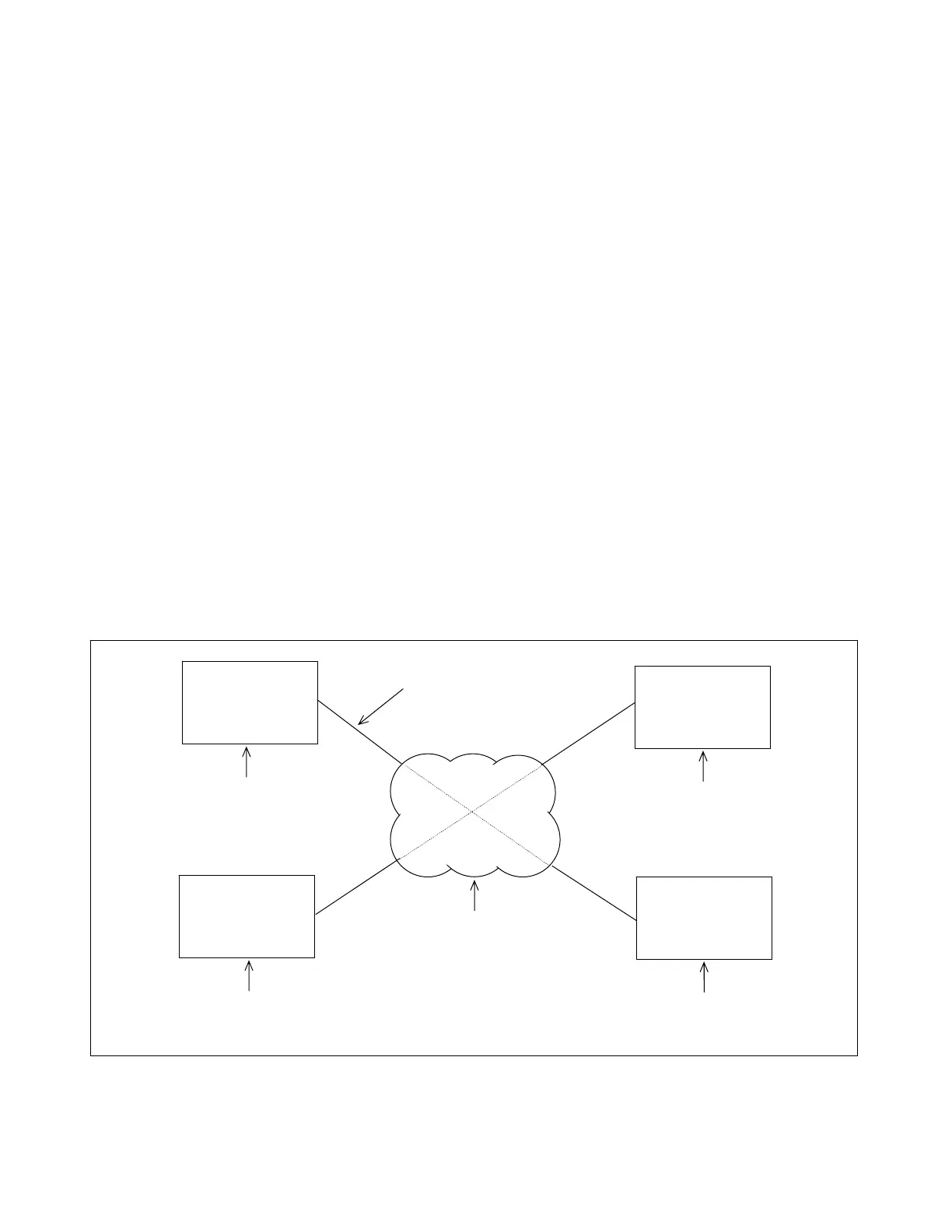
cation line between the local and remote units. Figure 6-30 is an example of an installation where addressing
must be used. In this example, addressing will insure that RFL 9300 local #1 will only communicate with RFL
9300 remote #1, and that RFL 9300 local #2 will only communicate with RFL 9300 remote #2. Figure 6-31
shows examples of two installations where addressing is not required. As a general rule, if there is a possibility
of the 9300 communications channel being disconnected, re-routed or looped back on itself, then addressing
should be used.
NETWORK
RFL 9300
LOCAL #1
RFL 9300
REMOTE #2
RFL 9300
LOCAL #2
RFL 9300
REMOTE #1
COMMUNICATIONS LINES
TRANSMIT ADDRESS
SET TO “4000”
TRANSMIT ADDRESS
SET TO “1095”
TRANSMIT ADDRESS
SET TO “3000”
TRANSMIT ADDRESS
SET TO “0095”
(T1, DIGITAL MICROWAVE
OR FIBER OPTIC MULTIPLEXER)
Figure 6-30. A typical two-terminal installation where addressing is required
RFL 9300 RFL Electronics Inc.
January 30, 2002 6-61 (973) 334-3100



 To Next Page