11.10
SEL-400 Series Relays Instruction Manual Date Code 20171006
Time and Date Management
Time-Synchronized Events
Step 1. Start ACSELERATOR QuickSet SEL-5030 Software and establish
communications with the relay.
Step 2. Click Settings > Read to read the present configuration in the relay.
The relay sends all configuration and settings data to QuickSet.
Step 3. Click the + mark next to the Group you want to program on the Set-
tings tree view.
This example uses Group 1.
You will see the Protection Free-Form Logic Settings dialog box.
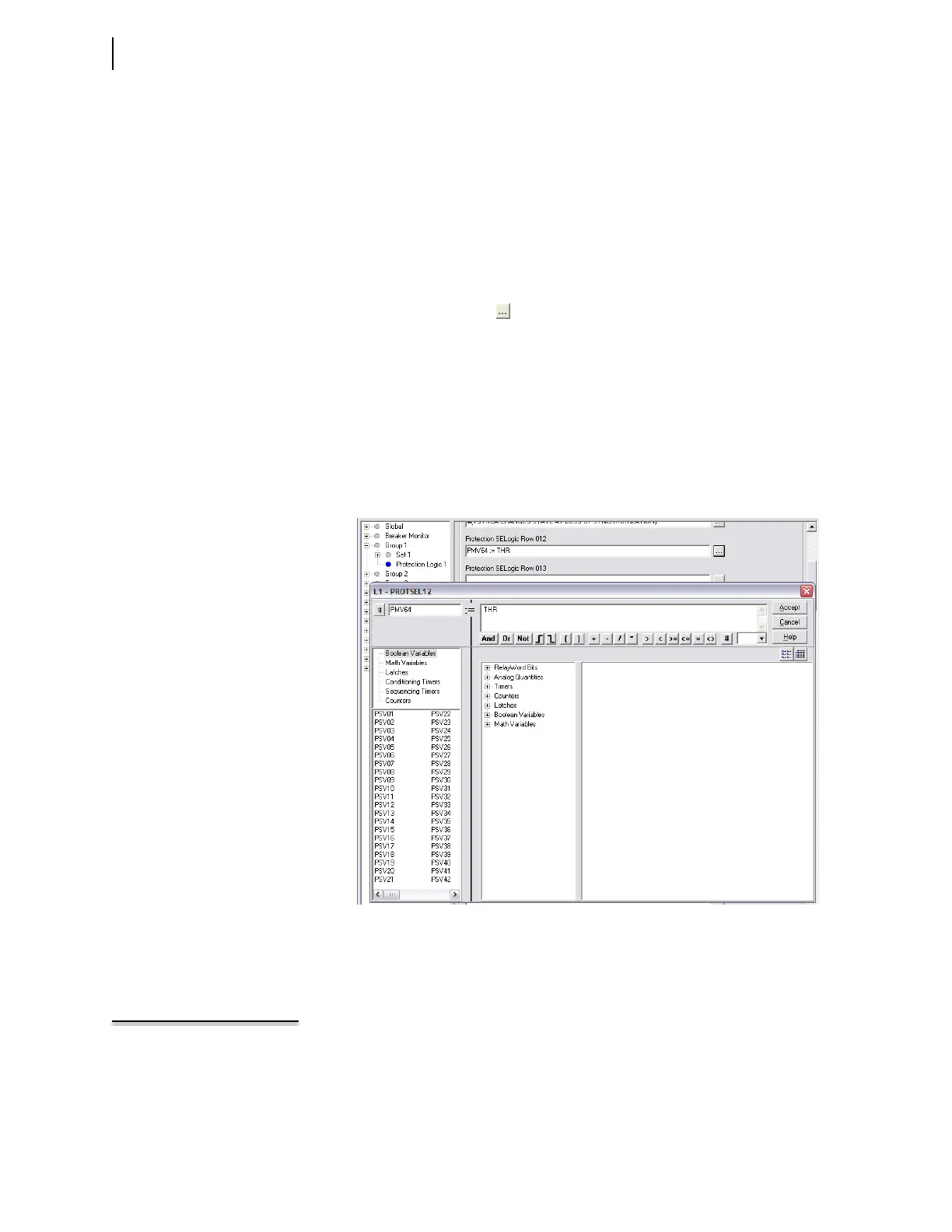
Step 4. Enter time trigger settings:
a. Click the button beside the first unused Protection SEL
OGIC
control equation row entry field to start the Expression Builder.
b. On the left side of the SEL
OGIC control equation, select Math
Varia b les and double-click PMV64.
c. On the right side of the equation, select Analog Quantities >
Time and Date Management.
d. Double-click THR (Time in Hours).
e. Use the # character to add a comment to the line.
f. When finished, click Accept.
Step 5. In a similar manner, build a freeform SELOGIC control equation pro-
gram in Protection Logic that causes protection freeform SEL
OGIC
control equation variable PSV02 to assert to logical 1 at
12:00:30.005 p.m. Use the following expressions:
NOTE: In this example, the event
report trigger will occur between
12:30:00.002 and 12:30:00.005
because of the method of relay
protection logic processing.
PMV64 := THR # Clock hours
PMV63 := TMIN # Clock minutes
PMV62 := TSEC # Clock seconds
PSV02 := (PMV64=12) AND (PMV63=00) AND (PMV62=30) #
Set PSV02 at 12:00:30
Figure 11.5 Setting PMV64 With the Expression Builder Dialog Box



 To Next Page