2.10
SEL-400 Series Relays Instruction Manual Date Code 20171006
PC Software
Create and Manage Relay Settings
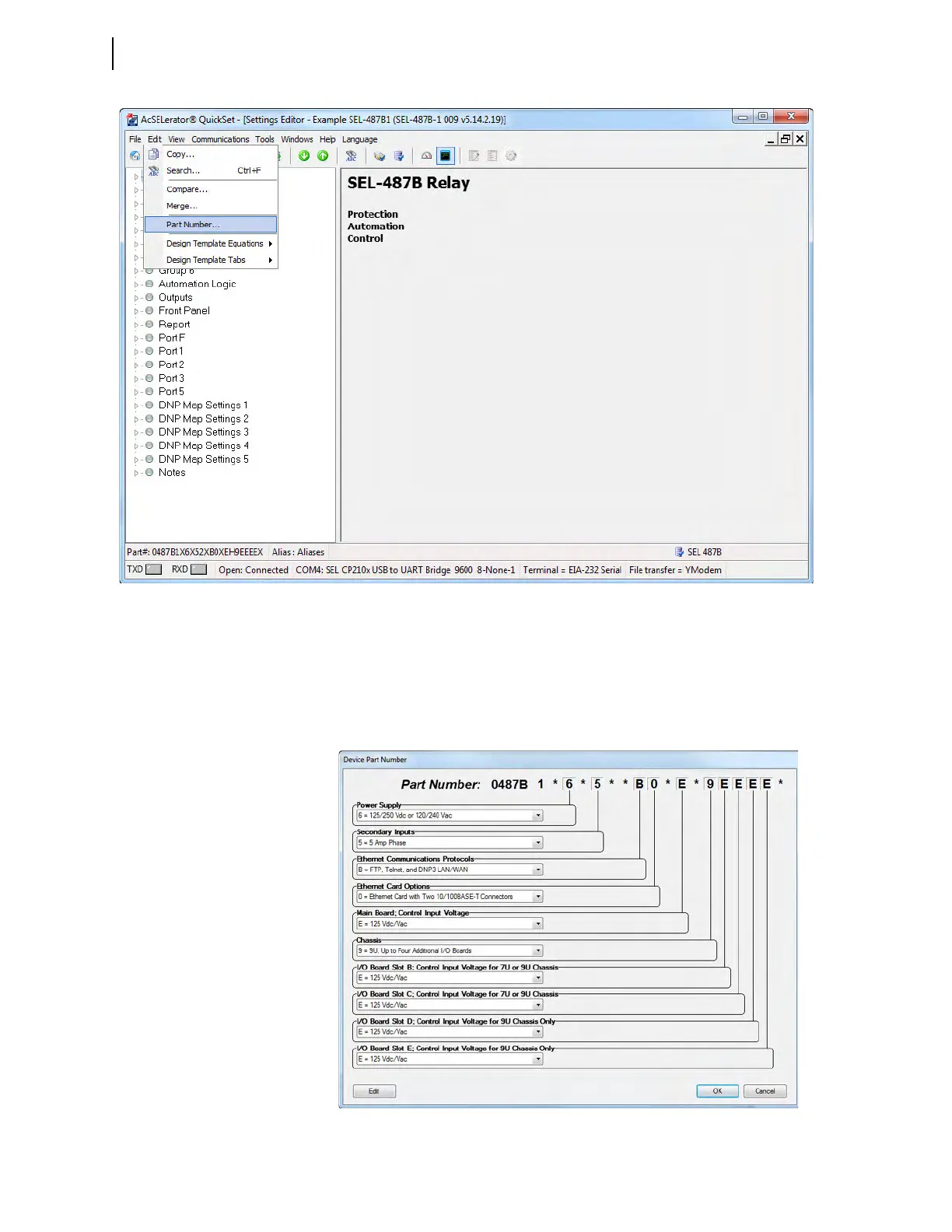
You will see the Device Part Number dialog box, similar to the one
shown in Figure 2.7 for the SEL-487B.
Step 3. Use the arrows inside the text boxes to match corresponding portions
of the Device Part Number dialog box to your relay. Alternatively,
click Edit in the lower left corner of the Device Part Number screen
and paste in the desired part number.
Figure 2.6 Retrieving the Device Part Number
Figure 2.7 Setting the Relay Part Number in QuickSet



 To Next Page