2.12
SEL-400 Series Relays Instruction Manual Date Code 20171006
PC Software
Create and Manage Relay Settings
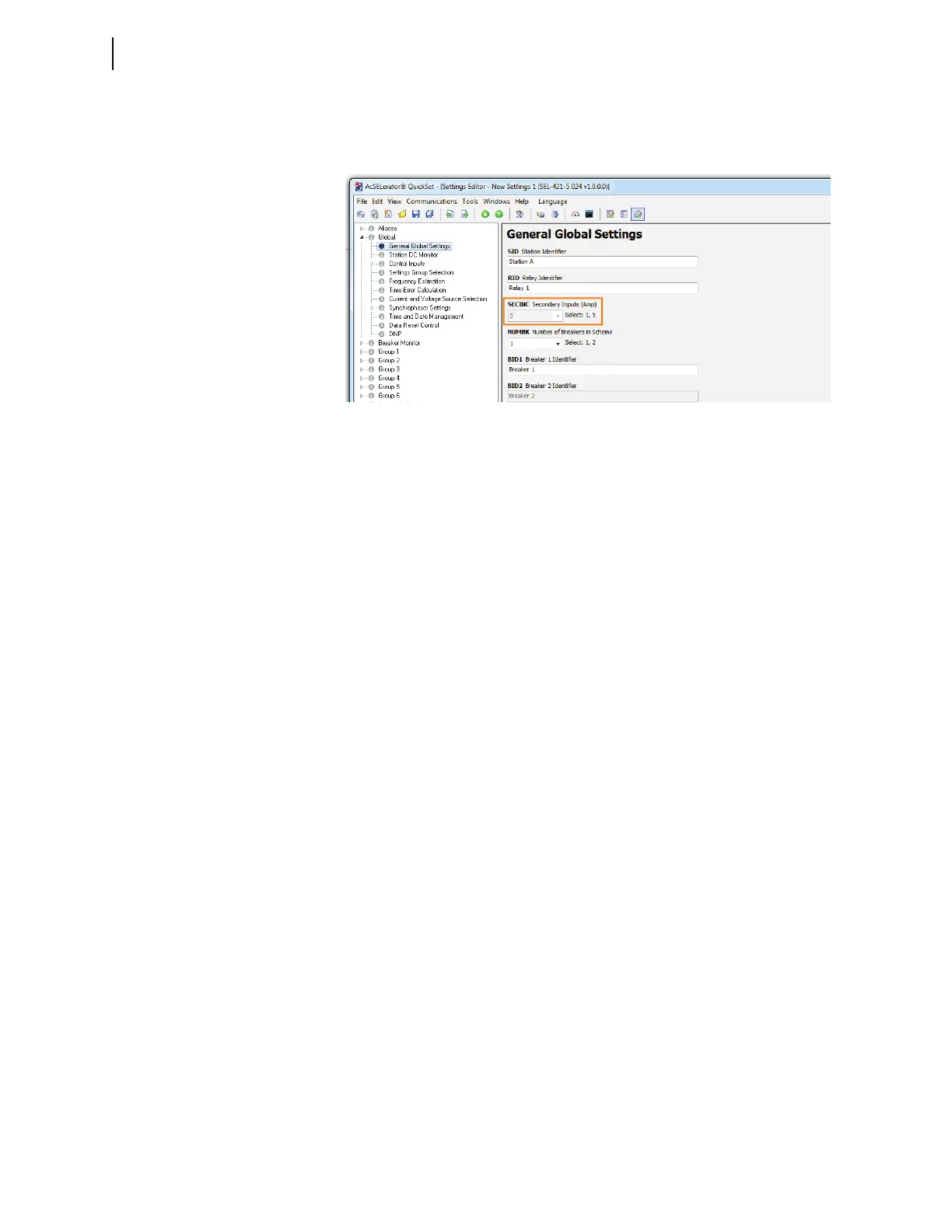
For relays that do not support remote data acquisition, the SECINC setting is
grayed out in QuickSet (see Figure 2.10). Settings CURSTU and CURWXY are
also grayed out in the SEL-487E.
Settings Overview
QuickSet arranges relay settings in easy-to-understand categories (for an expla-
nation of settings organization, see Making Simple Settings Changes on
page 3.15). These categories of collected settings help you quickly set the relay.
Figure 2.11 is an example of relay settings categories in the Settings Editor tree
view.
QuickSet shows all of the settings categories in the settings tree view. When you
enable and disable settings categories, the tree view remains constant, but when
you click on the tree view to access the settings in a disabled category, the dis-
abled settings are dimmed. For example try the following steps:
Step 1. Select Global > Station DC Monitoring and observe that the set-
tings are dim.
Step 2. To enable the Station DC Monitor settings, select the Global > Gen-
eral Global Settings/Enables branch of the settings tree view.
Step 3. Change the EDCMON Station DC Battery Monitor setting to Y.
Step 4. Figure 2.11 through Figure 2.13 illustrates this feature of QuickSet.
Figure 2.10 SECINC Disabled


 To Next Page