3.45
Date Code 20171006 Instruction Manual SEL-400 Series Relays
Basic Relay Operations
Examining Relay Elements
This procedure uses the SEL-451 50P1 Phase-Instantaneous Overcurrent element.
Step 1. Display the
MAIN MENU.
Step 2. If the relay LCD is in the
ROTATING DISPLAY, press the ENT pushbut-
ton to display the
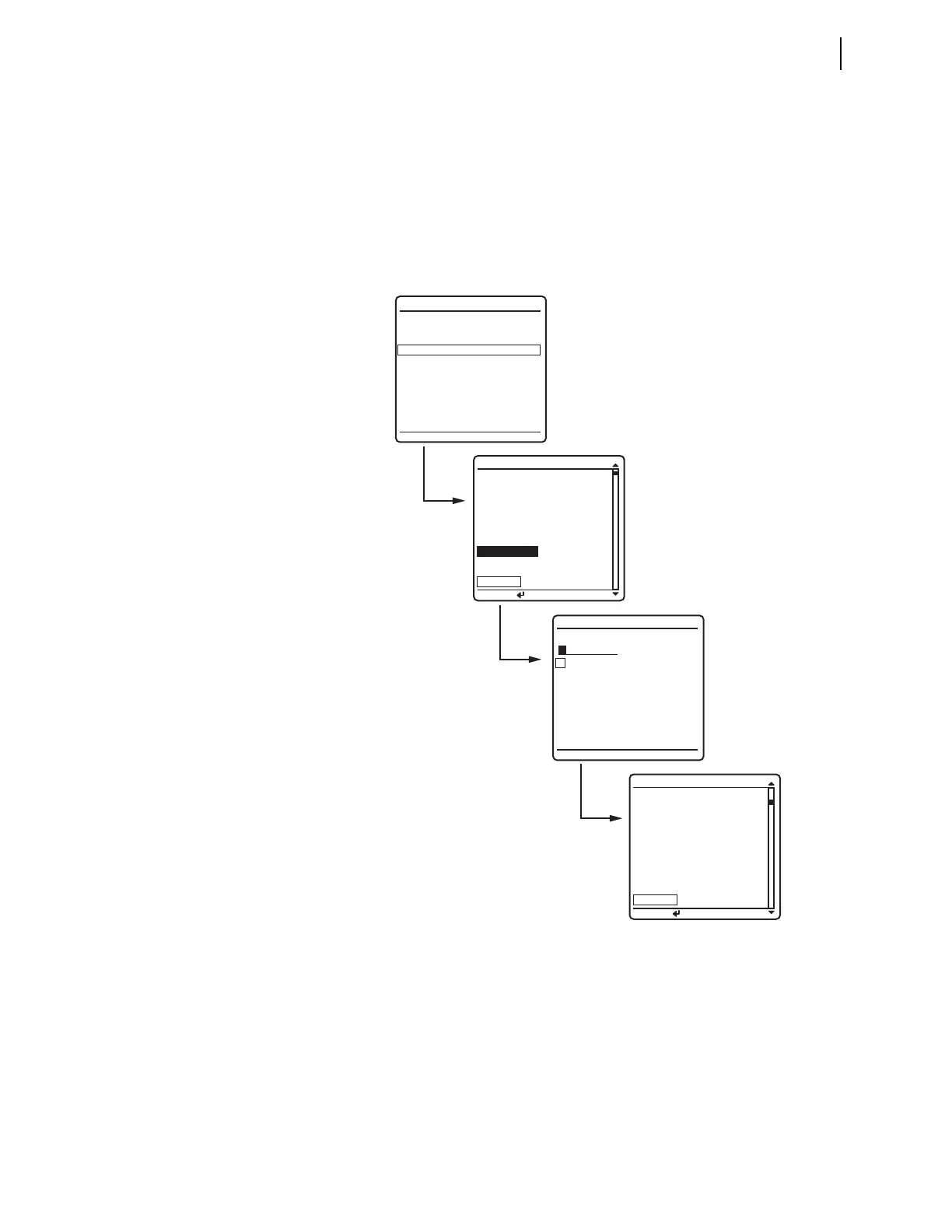
MAIN MENU similar to that in Figure 3.36.
Step 3. Press the Down Arrow navigation pushbutton to highlight the
RELAY
ELEMENTS
action item, as shown in Figure 3.36(a).
Step 4. Press the ENT pushbutton.
You will see a
RELAY ELEMENTS screen, as shown in Figure 3.36(b).
Step 5. Display the 50P1 Relay Word bit on the front-panel LCD screen.
a. Press ENT to go to the
ELEMENT SEARCH submenu of Figure 3.36(c).
b. Use the navigation keys to highlight
5 and then press ENT to enter
the character
5 in the text input field.
c. Enter the 0, P, and 1 characters in the same manner.
d. Highlight
ACCEPT and press ENT.
The relay displays the LCD screen containing the 50P1 element,
as shown Figure 3.36(d).
Figure 3.36 Viewing Relay Word Bits From the Front-Panel LCD
ELEMENT SEARCH
A B C D E F
G H I J K L
M N O P Q R
S T U V W X
Y Z 0 1 2 3
4 5 6 7 8 9
-
ACCEPT BACKSPACE
METER
EVENTS
BREAKER MONITOR
RELAY ELEMENTS
LOCAL CONTROL
SET/SHOW
RELAY STATUS
VIEW CONFIGURATION
DISPLAY TEST
RESET ACCESS LEVEL
MAIN MENU
PRESS TO SEARCH
RELAY ELEMENTS
SEARCH
PRESS TO SEARCH
RELAY ELEMENTS
SEARCH
ROW 22 ROW 23
32GR =0 67P4 =0
32GF =0 67P3 =0
R32QG =0 67P2 =0
F32QG =0 67P1 =0
R32V =0 50P4 =0
F32V =0 50P3 =0
R32I =0 50P2 =0
F32I =0 50P1 =0
ROW 0 ROW 1
*
=0 TLED_8 =0
*
=0 TLED_7 =0
* =0 TLED_6 =0
* =0 TLED_5 =0
* =0 TLED_4 =0
* =0 TLED_3 =0
TRIPLED=0 TLED_2 =0
REL_EN =1 TLED_1 =0
(a)
(b)
(c)



 To Next Page