3.55
Date Code 20171006 Instruction Manual SEL-400 Series Relays
Basic Relay Operations
Reading Oscillograms, Event Reports, and SER
You can also examine a phasors display, an event harmonic analysis display, and
the event summary from the Event Waveform View menu. See Section 9:
Reporting for more information.
Viewing Event Report Data
Examine relay event reports to inspect the operating quantities the relay used at
each triggered event. Unlike the raw data samples/second high-resolution oscil-
lography files, these reports contain the filtered samples/cycle data the relay uses
to make protection decisions. Event reports are useful for determining why the
relay operated for a particular set of power system conditions. For more informa-
tion on event reports, see Event Report on page 9.14.
The relay recorded the event triggered in Generating an Event on page 3.49. The
procedure in the following steps shows you how to retrieve the event report data
files for this event. Perform the steps listed in Generating an Event on page 3.49
before executing the instructions in this example. For this procedure, you must
use a terminal program capable of Ymodem protocol file transfer.
Step 1. Prepare to monitor the relay at Access Level 1.
a. Using a communications terminal, type ACC <Enter>.
b. Type the Access Level 1 password and press <Enter>.
You will see the Access Level 1 => prompt.
Step 2. Type FILE DIR EVENTS <Enter> to view the events file directory.
The relay lists file names for recently recorded events in a manner
similar to that shown in Figure 3.44.
In the figure, the relay shows two event report files: E4_10014.TXT
and E8_10014.TXT, and two Compressed ASCII event report files:
C4_10014.TXT and C8_10014.TXT.
Step 3. Type FILE READ EVENTS C8_10014.TXT <Enter> to transfer
the Compressed ASCII event report file to your computer.
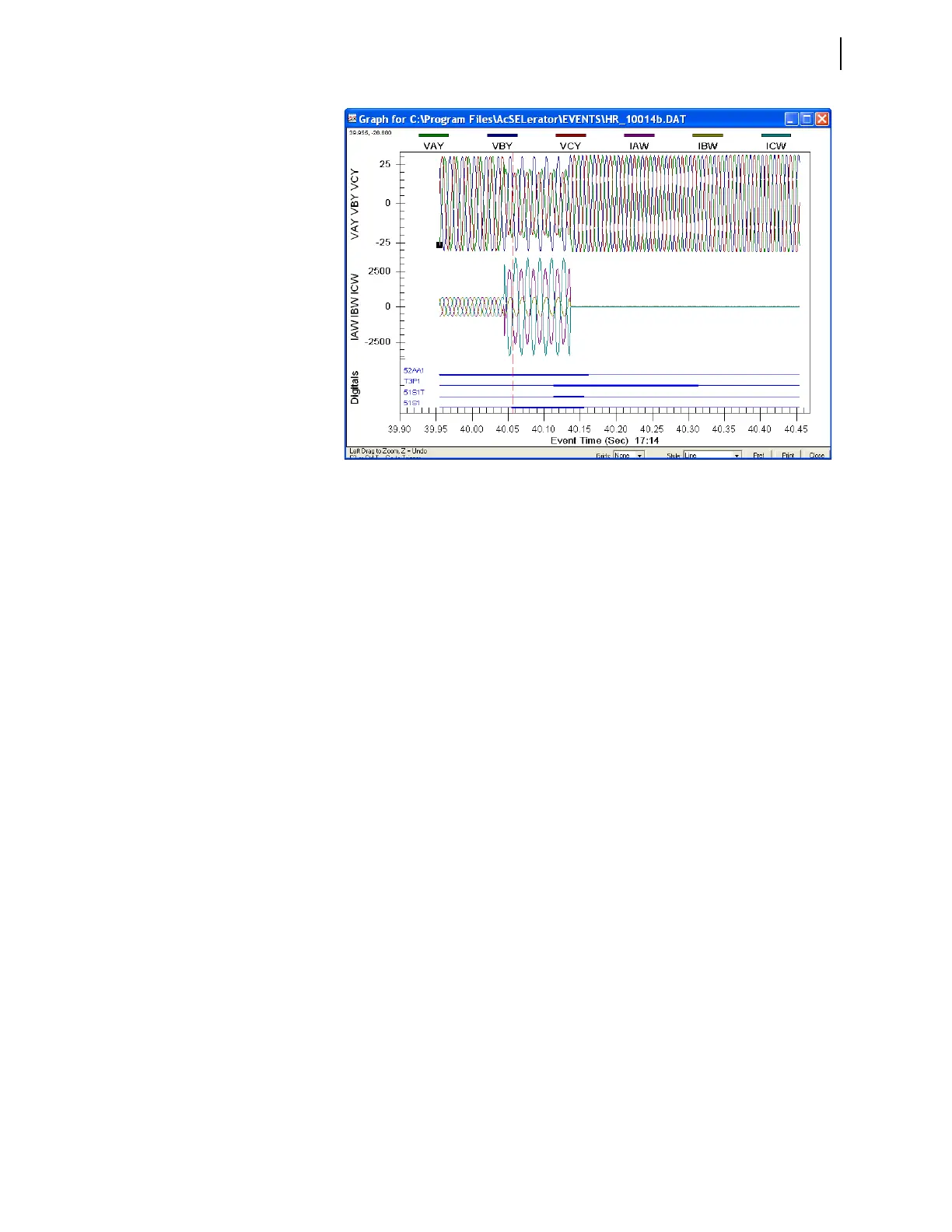
Figure 3.47 Sample Event Oscillogram



 To Next Page