5.19
Date Code 20171006 Instruction Manual SEL-400 Series Relays
Control
Bay Control Front-Panel Operations
Figure 5.12, Figure 5.13, and Figure 5.14 show all the possible screens during an
open-to-close operation of Disconnect 1. Operation of the remaining disconnects
is identical. Close-to-open operations are similar, the only difference being that
the open Relay Word bits apply instead of the close Relay Word bits. The screen
in Figure 5.12(a) is displayed after you press the ENT pushbutton with Disconnect
1 open and highlighted in the one-line diagram.
When you enter the disconnect screen in Figure 5.12(a), the state that the discon-
nect switch is in is highlighted, in other words, if Relay Word bit 89OPN1 is
asserted, the
OPEN DISCONNECT text has a box drawn around it.
To close the disconnect switch, use the Up Arrow or Down Arrow pushbutton to
highlight the
CLOSE DISCONNECT text.
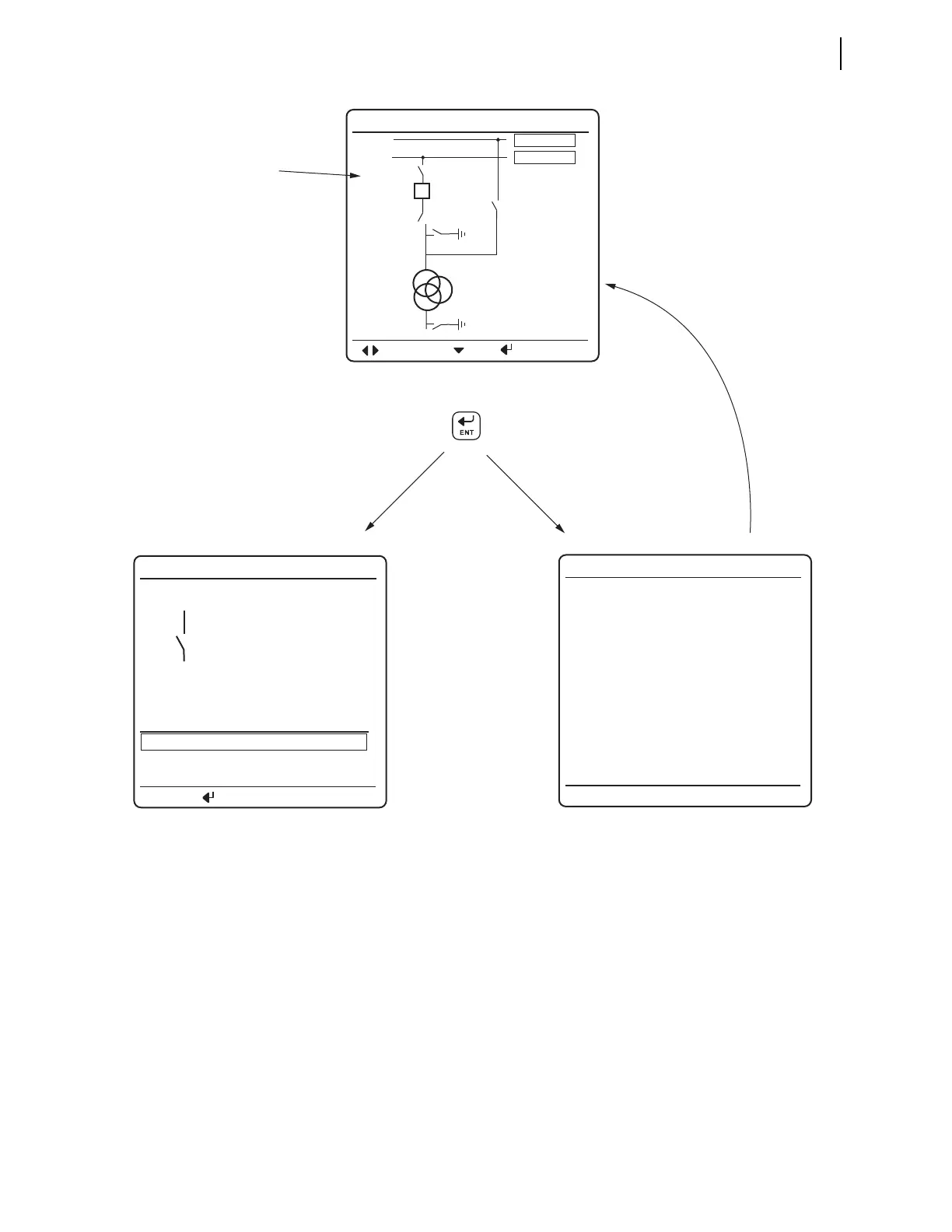
Figure 5.11 Screens for Disconnect Switch Selection
<BAYNAME> <BAYNAME>
OPEN DISCONNECT
CLOSE DISCONNECT
STATUS
<DmCTLNM>
PRESS TO ACTIVATE
BAY not in
LOCAL Control!
Cannot issue
controls.
Press Enter with disconnect
highlighted
Highlighted
(disconnect
highlighted)
(a) Bay Screen
(c) LOCAL bit NOT asserted
(b) Disconnect Control Screen
If LOCAL
bit asserted
If LOCAL bit
NOT asserted
After message timeout,
screen (a) is displayed
<BAYNAME>
NAVIG
M. MENU
LV
I:99999A
V:99999kV
P:99999MW
Q:99999MW
HVBUSN1
HVBUSN2
<DmHMINM>
<BkHMINM>
<DmHMINM>
<DmHMINM>
<DmHMINM>
<DmHMINM>
m = 1 through 10



 To Next Page