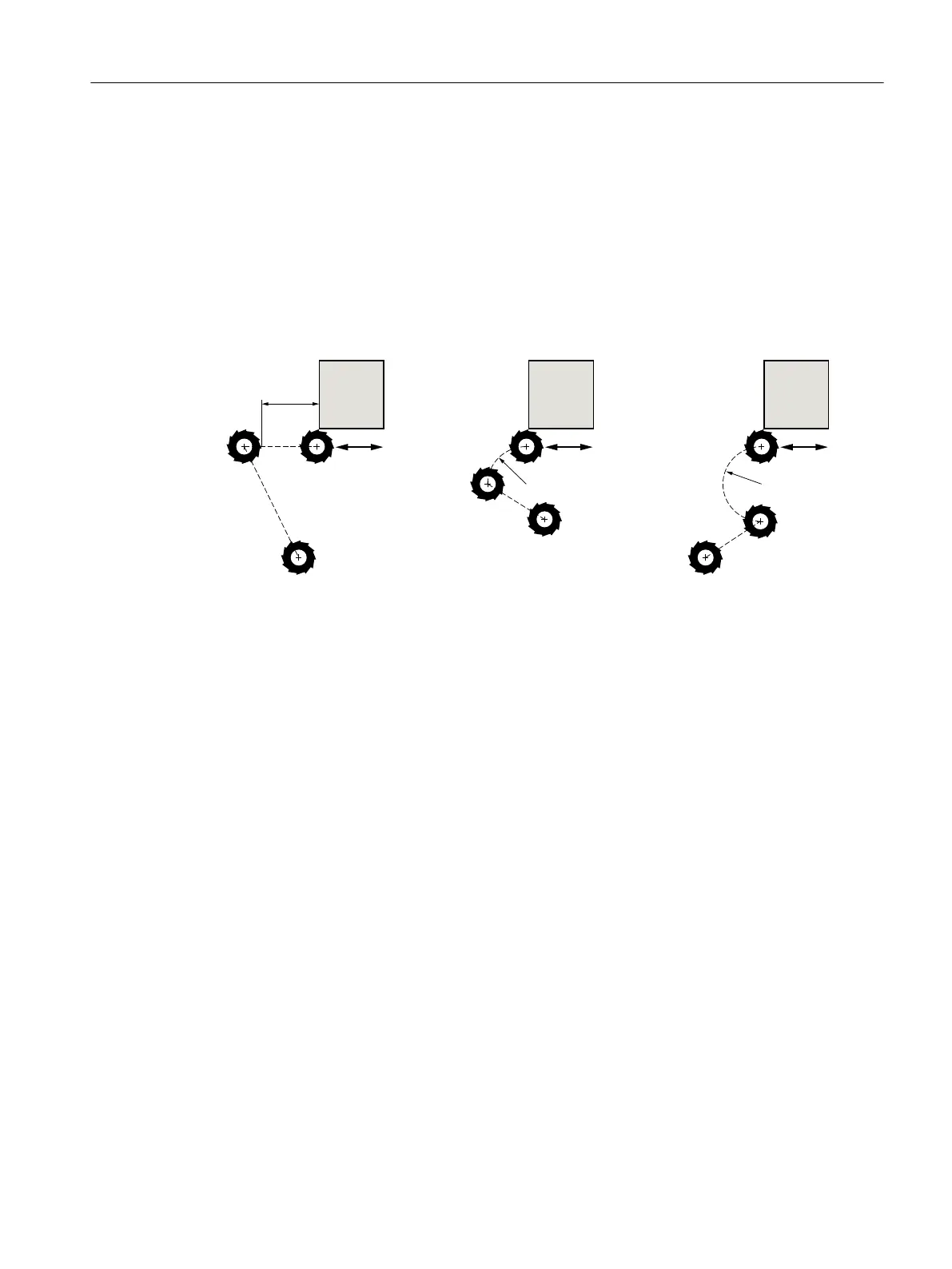
Approach/retraction mode
The tool can approach or retract from the contour along a quadrant, semi-circle or straight line.
● With a quadrant or semi-circle, you must specify the radius of the cutter center point path.
● With a straight line, you must specify the distance between the cutter outer edge and the
contour starting or end point.
You can also program a mixture of modes, e.g. approach along quadrant, retract along semi-
circle.
L1 Approach length
L2 Retraction length
R1 Approach radius
R2 Retraction radius
Figure 10-18 Approach and retraction along straight line, quadrant and semi-circle
Approach/retraction strategy
You can choose between planar approach/retraction and spatial approach/retraction:
● Planar approach:
Approach is first at depth and then in the machining plane.
● Spatial approach:
Approach is at depth and in machining plane simultaneously.
● Retraction is performed in reverse order.
Mixed programming is possible, for example, approach in the machining plane, retract
spatially.
Path milling along center-point path.
A programmed contour can also be machined along the center-point path if the radius
correction was switched-out. In this case, approaching and retraction is only possible along a
straight line or vertical. Vertical approach/retraction can be used for closed contours, for
example.
Programming technology functions (cycles)
10.5 Contour milling
Turning
Operating Manual, 06/2019, A5E44903486B AB 577













 To Next Page